
NIMO 15.6-inch FHD Student Laptop
4.4Editor score
Upgradeable DDR4 memory
Expandable M.2 storage
Excellent port selection
A non gaming laptop should make school, office work, research, communication, and entertainment feel dependable rather than overwhelming. The right model balances processor performance, a comfortable display, sufficient memory, practical ports, battery considerations, and a design you can carry comfortably between desks, classes, or meetings.
We compared the ten listed models by examining their processors, graphics, memory options, storage, displays, connectivity, security features, and intended uses. The roundup includes business-focused systems, student notebooks, multimedia laptops, and more powerful machines whose extra capability can also support creative or casual gaming workloads.
Each review identifies where a laptop stands out and where compromises may matter, helping you match the hardware to your routine. Product configurations and prices can change, so confirm the current listing and exact specification before purchasing, especially when upgradeability or bundled accessories are important to your decision.
4.4Editor score

4.6Editor score

4.5Editor score
As an Amazon Associate we earn from qualifying purchases.
The comparison below highlights processor class, display, memory and storage, graphics, connectivity, portability, and the most suitable buyer for every model. It also makes clear that a laptop marketed for gaming can still serve as a powerful non gaming computer for creative, technical, and professional work.





The HP Victus 15.6-inch Full HD model combines a 12th-generation Intel Core i5-12450H processor, 16GB of DDR4 memory, and a 512GB PCIe solid-state drive. With a 4.4 rating, it stands out for combining a high-refresh 144Hz IPS display with discrete NVIDIA GeForce RTX 3050 graphics and Windows 11 Pro. Those qualities make it a capable productivity laptop even when gaming is not the main goal.
We may earn a commission when you buy through this link, at no additional cost to you.
The Core i5 is designed for fast, efficient everyday work, while the RTX 3050 adds dedicated graphics capability for video editing, 3D work, and other GPU-accelerated tasks. The listed 16GB of memory is a sensible starting point for web applications, office documents, video calls, and multitasking. The product information also notes support for up to 64GB of DDR4-3200 memory and up to 2TB of solid-state storage, providing an upgrade path when your workload grows.
The anti-glare 144Hz display is useful beyond gaming because it can make cursor movement, scrolling, and animated interfaces appear smoother. Wi-Fi 6 and a backlit keyboard add practical everyday convenience, while Windows 11 Pro may appeal to users who need more flexible operating-system administration. The trade-offs are the gaming-oriented styling and the greater bulk typically associated with a 15.6-inch performance laptop compared with a thin ultraportable.
This is a sensible choice for a student, remote worker, or creative professional who wants more graphics and processing power than a basic notebook can offer. It is especially attractive when Windows 11 Pro, upgradeability, and a smooth high-refresh display are priorities. Buyers who only need browsing, documents, and video calls may find a lighter business model more convenient.
The listed support for increased DDR4 memory and solid-state capacity gives this Victus a useful degree of longevity. Confirm the available slots and exact configuration with the seller before planning an upgrade.
The 15.6-inch FHD IPS panel combines a spacious work area with a 144Hz refresh rate. That higher refresh rate is not essential for every productivity task, but it can benefit motion-heavy interfaces and general visual fluidity.
We may earn a commission when you buy through this link, at no additional cost to you.
The NIMO 15.6-inch FHD R5 AI Student Laptop is built around an AMD Ryzen 5 processor with four cores, eight threads, and boost performance up to 3.7GHz. It carries a 4.4 rating and targets students, remote office users, and families seeking a capable everyday notebook. Its standout advantage is flexibility: 8GB of DDR4 memory can be expanded to 32GB, and the M.2 drive can be upgraded to as much as 4TB.
We may earn a commission when you buy through this link, at no additional cost to you.
Windows 11 Home provides the familiar environment needed for coursework, presentations, document editing, and ordinary web applications. Radeon Vega 8 integrated graphics are suitable for streaming, photo viewing, presentation visuals, and basic image editing. The 15.6-inch 16:9 display gives students room to place notes, spreadsheets, and video calls side by side, while the approximately 175-degree hinge makes it easier to find a comfortable viewing angle.
Connectivity is unusually strong for an everyday student laptop. It includes three USB-A ports, two USB-C ports, HDMI 1.4, a MicroSD reader, and a 3.5mm headset connection. A dedicated USB-C charging port frees the full-function USB-C port for compatible displays or accessories. The fingerprint reader in the touchpad, backlit US-layout keyboard, and included 65W power adapter make the system convenient for dorm rooms, home offices, and shared workspaces.
The main limitation is the 8GB starting memory, particularly for intensive multitasking or software that benefits from more RAM. Integrated graphics also mean it is not the right choice for demanding 3D rendering. Even so, the upgradeability, connectivity, warranty terms, and sub-1.7-kilogram weight make this an excellent budget pick for students and everyday users who value flexibility.
Two DDR4 SO-DIMM slots and an M.2 PCIe storage slot make it possible to add memory and increase storage as coursework or file collections expand. Buying the right upgrade kit can turn the base configuration into a more comfortable long-term workstation.
Three USB-A ports, dual USB-C connections, HDMI, and a card reader cover most desk-accessory needs. The separate USB-C charging connection is particularly helpful for avoiding constant peripheral changes.
We may earn a commission when you buy through this link, at no additional cost to you.
The NIMO 17.3-inch model is the most overtly gaming-oriented entry in the roundup, yet it also presents a compelling configuration for non gaming users. Its AMD Ryzen 9 8945HS processor has eight cores, 16 threads, and boost speeds up to 5.2GHz. Paired with 32GB of DDR5 memory and a 1TB solid-state drive, it offers substantial capacity for development, analysis, media, and multitasking.
We may earn a commission when you buy through this link, at no additional cost to you.
The Radeon 780M integrated graphics provide a capable foundation for display output, content creation, and light gaming without a separate discrete GPU. The large FHD screen is useful for spreadsheets, editing timelines, presentations, and side-by-side productivity windows. Integrated fingerprint authentication and a hidden physical privacy camera add practical security controls for a business or student environment.
This system distinguishes itself through user-replaceable memory and storage, a design that can make later expansion straightforward. Wi-Fi 6E, Bluetooth 5.2, USB4, and 100W Type-C power delivery offer modern connectivity. The listed 75Wh battery, backlit keyboard, and 4.6-pound weight help offset the inherent inconvenience of a 17.3-inch chassis, although it remains larger than most portable business laptops.
Choose this model for a user who wants substantial processor power, generous memory, and a large screen without moving to a workstation tower. It can serve creators, developers, analysts, and students particularly well. Those who prioritize maximum portability or want the absolute simplicity of a conventional business notebook may prefer a smaller 15.6-inch option instead.
A 17.3-inch panel gives complex documents, media timelines, and virtual meetings more room. The trade-off is a broader footprint, so users who carry their computer between locations should consider their bag and desk space.
The combination of Ryzen 9 processing, 32GB DDR5 memory, and 1TB storage creates room for demanding multitasking. It is a strong option for development, analysis, and content workflows that would burden a basic notebook.
We may earn a commission when you buy through this link, at no additional cost to you.
The HP Victus 15.6-inch 144Hz model pairs a 13th-generation Intel Core i5-13420H processor with an NVIDIA GeForce RTX 4050 carrying 6GB of GDDR6 memory. Its 5.0 rating is the highest in the group. For non gaming use, that configuration is attractive to video editors, designers, developers, and other users who value dedicated graphics alongside a fast processor and a high-refresh FHD display.
We may earn a commission when you buy through this link, at no additional cost to you.
The 15.6-inch 1920-by-1080 IPS anti-glare display provides a practical balance for office work, media viewing, and creative applications. A full-size backlit keyboard includes a numeric keypad, which can be useful for accounting, data entry, and spreadsheets. The 70Wh battery is listed as supporting up to 8.5 hours of light office work and browsing, while the included 120W adapter can recharge the system to approximately 50 percent in 30 minutes.
Memory and storage are designed to be expanded, with support listed for up to 32GB of DDR4 memory and a 1TB PCIe M.2 solid-state drive. The product information also notes that the original seal was opened for upgrading. PCOnline provides a one-year coverage on the upgraded memory or storage, while the remaining components retain the original one-year manufacturer's coverage. Buyers should therefore read the applicable coverage terms carefully.
The included cooling pad is useful for sustained workloads, though it must be carried or stored separately and can complicate a minimal desk setup. With that caveat, this is a strong all-round choice for someone who wants desktop-class graphics and fast charging while still using the machine primarily for professional, educational, or creative work.
The 70Wh battery and 120W adapter make this model convenient for travel and long working sessions. Actual runtime varies with screen brightness, wireless use, and workload, so the listed office figure should be treated as a useful reference rather than a guarantee.
The RTX 4050 gives applications access to dedicated graphics memory and hardware acceleration. That can be more relevant to non gaming work than it first appears, especially for video, 3D, and GPU-assisted creative tasks.
We may earn a commission when you buy through this link, at no additional cost to you.
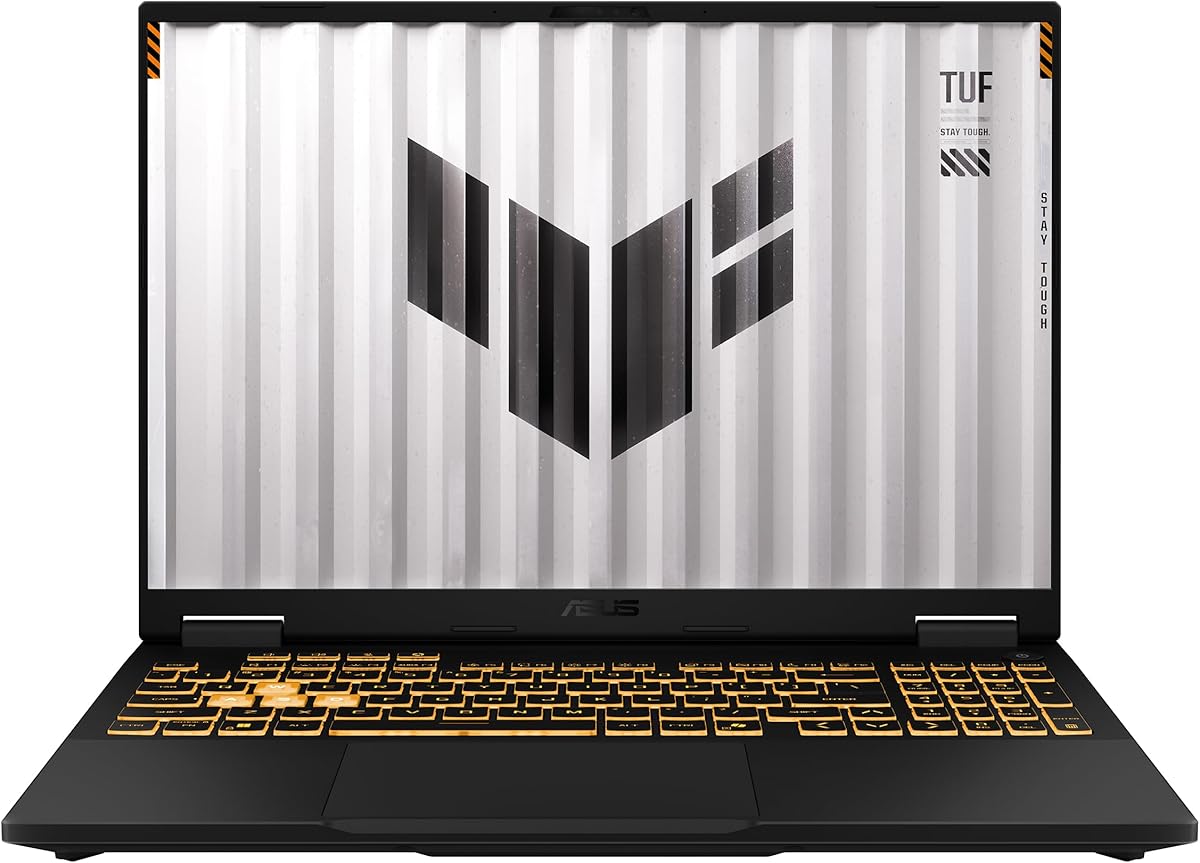
The ASUS TUF Gaming A16 combines an AMD Ryzen 7 7445HS processor with 16GB of DDR5 memory, 512GB of storage, and an NVIDIA GeForce RTX 4050. Its 4.5 rating reflects a well-rounded specification, while the 16-inch Full HD+ display gives office, creative, and media users a generous amount of screen space. It is a strong alternative for buyers who want more room than a conventional compact notebook.
We may earn a commission when you buy through this link, at no additional cost to you.
Ryzen 7 7445HS processing at a listed 3.2GHz provides the type of performance suited to office productivity, web applications, development, and multitasking. The discrete RTX 4050 can also accelerate compatible design, rendering, and content workflows. The inclusion of 16GB of DDR5 memory supports current productivity demands and gives the system a more modern foundation than many basic laptops.
There are two display details to reconcile. The product title identifies a 16-inch Full HD+ 145Hz display, while the supplied bullet list states 144Hz. In either case, the core proposition remains a large high-refresh panel that is useful for motion fluidity, media, and creative applications. The backlit keyboard improves low-light use, and Windows 11 provides a current software environment for everyday work.
The 512GB drive is a reasonable starting capacity, although extensive video libraries or large creative projects may call for additional storage. The gaming identity also means this is likely a larger machine than a pure ultraportable. Overall, it is best for students and professionals who prioritize a large display and capable hardware while remaining flexible for entertainment.
The 16-inch Full HD+ panel is valuable for arranging documents, editing windows, or reviewing detailed content. Its larger footprint can reduce the need to connect an external monitor in fixed workspaces.
DDR5 memory, a Ryzen 7 processor, and dedicated RTX graphics create a capable platform for productivity and creative work. The extra power is also available for entertainment when a user wants it.
We may earn a commission when you buy through this link, at no additional cost to you.
The Lenovo LOQ combines an AMD Ryzen 5 7235HS processor with an NVIDIA GeForce RTX 4050 and a 15.6-inch FHD IPS display. It holds a 4.7 rating, placing it among the most highly rated models in the guide. While the LOQ name is associated with gaming, its discrete GPU, 144Hz panel, and configurable hardware make it a credible non gaming choice for technical and creative users.
We may earn a commission when you buy through this link, at no additional cost to you.
The Ryzen 5 7235HS has four cores and eight threads, with a 3.2GHz base frequency and boost capability up to 4.2GHz. The 15.6-inch anti-glare IPS screen operates at Full HD resolution and 144Hz, with 300 nits of brightness and G-SYNC support. That combination is comfortable for office work, media consumption, and detailed applications while providing smooth motion when needed.
Configurability is a major strength. The listing states support for up to 64GB of DDR5 memory and up to 8TB of PCIe M.2 storage, allowing buyers to match the machine to workload and budget. Connectivity includes USB-C, three USB-A ports, HDMI, Ethernet, a headphone and microphone combination jack, Wi-Fi 6, and Bluetooth 5.2. A white-backlit keyboard completes a practical workstation-oriented feature set.
The gaming visual style and performance hardware may feel excessive for basic office tasks, and exact component availability should be confirmed with the seller. Even so, the LOQ is well suited to a designer, developer, office power user, or student who wants a high-refresh display and discrete graphics while retaining serious connectivity and upgrade options.
The inclusion of Ethernet alongside modern wireless connectivity is useful in offices where a stable wired connection matters. Multiple USB ports reduce the need for an adapter for common peripherals.
Broad memory and storage ceilings make this configuration attractive to buyers who expect software demands to grow. Verify which parts are user-upgradable and which require opening the chassis.
We may earn a commission when you buy through this link, at no additional cost to you.
The NIMO 15.6-inch FHD AI Laptop combines an AMD Ryzen 7 7735HS processor with Radeon 680M graphics, 8GB of DDR5 memory, and 512GB of storage. Its 4.6 rating and balanced specification make it an appealing productivity choice for professionals, students, developers, analysts, and anyone who wants capable hardware without moving into a bulky workstation.
We may earn a commission when you buy through this link, at no additional cost to you.
The Ryzen 7 7735HS has eight cores, 16 threads, and boost performance up to 4.75GHz. That processing capacity is useful for coding environments, spreadsheets, video conferencing, browser-heavy workflows, and AI-assisted tools such as Copilot or ChatGPT. The Radeon 680M graphics support 1080p content editing, streaming, and light games, providing useful multimedia versatility even if intense gaming is not the goal.
Its 1920-by-1080 IPS display provides a clear work surface for report review, data visualization, and daily navigation. The 512GB drive is more generous than many entry-level configurations, leaving useful room for coursework, creative assets, and a moderate media library. A fingerprint reader adds convenient sign-in and privacy support for shared offices, study spaces, and regular travel.
The main specification concern is 8GB of memory. While sufficient for standard productivity, users running many applications, large project files, or memory-heavy development tools may wish for more. The seller should also be consulted for exact port, battery, and wireless details. Even so, this model is our Editor's Choice because its processor, display, storage, and security features form a particularly convincing everyday package.
Eight CPU cores and 16 threads give modern office, coding, and collaborative tools room to operate concurrently. AI features can be helpful, but application support and performance vary by software and workload.
A 512GB drive provides a practical balance for documents, coursework, applications, and selected creative files. It reduces the need for immediate external storage, although large media collections still require careful organization.
We may earn a commission when you buy through this link, at no additional cost to you.
The Acer Nitro V ANV15-52-586Z pairs an Intel Core i5-13420H processor with NVIDIA GeForce RTX 4050 graphics, 8GB of DDR5 memory, and a 512GB PCIe Gen 4 solid-state drive. It earns a 4.5 rating and offers a 15.6-inch Full HD IPS display at 165Hz, making it particularly compelling for users who value visual fluidity alongside strong productivity and creative performance.
We may earn a commission when you buy through this link, at no additional cost to you.
The RTX 4050 is listed with 194 AI TOPS and support for DLSS 3.5, features that can benefit creative applications and supported workflows as well as games. The Core i5 supports switching among demanding tasks such as video, music, photo editing, streaming, and general office work. A backlit keyboard supports comfortable use in dim environments, while Wi-Fi 6 and Killer Ethernet E2600 provide flexible networking.
Thunderbolt 4 is another practical non gaming benefit because it combines charging, data transfer, and display connectivity through one interface. The two DDR5 slots support a maximum of 32GB, allowing buyers to consider increasing the starting 8GB memory. The Gen 4 storage supports quick access and provides a generous foundation for applications and active project files.
This Nitro V is best for a creative professional, editor, developer, or student who wants a smooth high-refresh display and dedicated graphics. It is less compelling for someone who values silence, compactness, or long battery life above processing power. As with other performance notebooks, the cooling system and gaming-focused chassis are part of the trade-off for the hardware available.
The 165Hz refresh rate is the highest listed in this roundup. It can make scrolling and motion-heavy interfaces feel more fluid, while the IPS Full HD panel provides a broadly useful productivity format.
Thunderbolt 4 can reduce cable clutter by supporting compatible charging, data, and display duties. It is particularly useful for desks that need a single high-speed connection to multiple accessories.
We may earn a commission when you buy through this link, at no additional cost to you.
The Lenovo Business 15.6-inch FHD laptop is designed around portability and straightforward everyday computing. It uses an Intel N150 processor, 8GB of LPDDR5-4800 memory, 128GB of UFS 2.2 storage, and integrated graphics. With a 4.6 rating, it is a compelling choice for students, remote workers, and home users who browse, write documents, stream video, and attend online meetings.
We may earn a commission when you buy through this link, at no additional cost to you.
The 15.6-inch Full HD anti-glare display has 250 nits of brightness and an 88% screen-to-body ratio. The supplied information describes the TN panel as offering wide viewing angles, though viewing performance can vary by unit. A 720p webcam with a physical privacy shutter and dual-array microphones support safer and clearer video calls, which makes the system well aligned with hybrid work and online learning.
The port selection is thorough for a portable notebook: two 5Gbps USB-A ports, USB-C with Power Delivery and DisplayPort 1.2, HDMI 1.4, an SD card reader, and a 3.5mm audio jack. Wi-Fi 6 and Bluetooth 5.2 cover wireless needs, while dual-display support is useful in a fixed workspace. A one-year Microsoft 365 Personal subscription includes Office applications, OneDrive cloud storage, and security features.
Its portability is impressive at 3.42 pounds and 0.70 inches thick, and it carries ENERGY STAR, EPEAT Silver, TÜV Low Blue Light, and MIL-STD-810H-related credentials. The trade-offs are substantial: 128GB is limited for large files, and the N150 is not intended for heavy creation or gaming. It is best for users who value mobility, useful connectivity, and reliable office basics over maximum processing power.
At 3.42 pounds and 0.70 inches thick, the laptop is easier to move between classrooms, home offices, and shared workspaces. Its portability is reinforced by USB-C charging and a broad set of wired and wireless connections.
The bundled Microsoft 365 subscription supports common document and communication tasks, while the physical webcam shutter offers immediate visual privacy. These details can matter more in daily work than a high-end gaming GPU.
We may earn a commission when you buy through this link, at no additional cost to you.
The ASUS TUF Gaming 16-inch WUXGA configuration is the most premium-focused non gaming option in the list. It combines a 14th-generation Intel Core i7-14650HX processor with 16 cores, NVIDIA GeForce RTX 5050 graphics carrying 8GB of GDDR7 memory, 16GB of DDR5 RAM, and a 1TB M.2 PCIe 4.0 solid-state drive. Its 4.5 rating reflects a strong, modern platform.
We may earn a commission when you buy through this link, at no additional cost to you.
The 16-inch 1920-by-1200 IPS display offers a slightly taller 16:10 workspace than a conventional Full HD 16:9 panel, while its 165Hz refresh rate provides smooth motion. That combination works well for creative timelines, spreadsheets, coding windows, media review, and document comparison. The non-touch format keeps the focus on keyboard-and-mouse productivity.
Thunderbolt 4 and USB 3.2 Gen 2 support modern peripheral connections, while the RTX 5050 can accelerate creative software and supported AI or rendering workflows. Windows 11 Home provides the base environment, and the 1TB drive offers enough capacity for a significant application, project, and media library without requiring immediate external storage. The processor and GPU give this system ample headroom for demanding multitasking.
This laptop is best for developers, designers, video professionals, advanced students, and users who want a single machine for work, content creation, and entertainment. The compromises are the likely size, weight, heat, and power requirements of a high-performance chassis. It also costs more to operate and maintain than a basic notebook, so buyers should be certain they will use its capabilities.
The 1920-by-1200 display provides extra vertical room compared with a standard 16:9 screen. That can make long documents, browser pages, and editing timelines easier to navigate without an external monitor.
RTX 5050 graphics with 8GB of GDDR7 memory create a capable foundation for GPU-assisted creative work, while the PCIe 4.0 drive supports quick application and project access. Actual performance depends on the software and thermal environment.
We may earn a commission when you buy through this link, at no additional cost to you.
Choosing a non gaming laptop means balancing processor capability, usable memory, storage, display quality, connectivity, portability, and security against the work you actually perform. The most powerful option is not automatically the most comfortable or cost-effective choice for every user.
For browsing, documents, email, video calls, and streaming, a capable Intel N-series or mainstream Ryzen 5 processor is generally sufficient. Developers, analysts, creators, and power users should look toward Core i5, Core i7, Ryzen 7, or Ryzen 9 chips, especially when several demanding applications will run simultaneously. Processor specifications alone do not reveal every performance detail, so consider the full system, including memory, cooling, and storage.
In short, buy processing power for your heaviest sustained task, not for a benchmark result alone.
Memory determines how comfortably a system handles browser tabs, office applications, meetings, and background processes. Eight gigabytes can be adequate for light use, but 16GB or 32GB provides a better margin for multitasking. LPDDR memory may improve efficiency and portability, while replaceable DDR4 or DDR5 modules can make later expansion easier. Check whether memory is soldered and whether the stated maximum is genuinely reachable on the exact configuration.
For most productivity-focused buyers, 16GB is the safer target, with 32GB best for heavy multitasking.
A modern solid-state drive provides the best balance of speed, reliability, and everyday responsiveness. A 256GB capacity may fill quickly once operating-system files, applications, backups, and media are installed. A 512GB drive is more comfortable for general use, while 1TB is preferable for extensive creative libraries or large project collections. Also consider the interface, such as M.2 PCIe, and whether the storage can be replaced with a larger unit.
Choose enough storage for your active library, then keep less-used files on an external drive or in cloud storage.
A Full HD panel is a practical baseline for a 15.6-inch laptop, while a 16-by-10 or 1920-by-1200 display can provide more vertical workspace. IPS technology generally offers useful color and viewing consistency, while anti-glare finishes help with bright rooms. Refresh rate matters most for motion, although a 144Hz or 165Hz panel can also make interfaces feel more fluid. For color-sensitive work, verify brightness, color gamut, and calibration rather than relying on refresh rate alone.
Prioritize resolution, panel quality, glare resistance, and room for your most common work over unusually high refresh rates.
A laptop used at a permanent desk can accommodate more weight and a larger screen than one carried daily. Compare dimensions against your bag, keyboard comfort, and available desk space. Battery claims should be treated as directional because screen brightness, wireless activity, sleep behavior, and processor load all affect runtime. For frequent travel, a lightweight chassis, efficient processor, and charger that supports convenient USB-C or proprietary fast charging can be decisive.
If you carry the laptop often, prioritize weight, dimensions, battery, and charging convenience over unused graphics power.
Modern laptops can still require adapters when they omit USB-A, HDMI, Ethernet, a card reader, or a full-size audio connection. List the peripherals you use before selecting a model. Wi-Fi 6 or Wi-Fi 6E improves wireless networking, while Bluetooth handles accessories. USB-C with DisplayPort can support external monitors, and Thunderbolt 4 adds high-speed data transfer and broad docking flexibility. A good port layout can improve productivity more than a faster processor in routine tasks.
Count the connectors you actually need and verify their physical placement before buying.
Replaceable memory and storage can extend useful life and reduce reliance on cloud storage. A large-screen chassis may also have more internal room for expansion, though that does not guarantee user-accessible components. Check warranty language carefully, especially for modified or opened systems, and confirm that a retailer-provided upgrade does not unintentionally reduce original coverage. Software support, repair access, and the availability of parts are also important for long-term ownership.
Favor serviceable configurations with clear upgrade instructions and straightforward warranty terms.
Integrated graphics are sufficient for office applications, streaming, online learning, and lighter creative work. A modern Radeon or GeForce chip can provide better video playback, 3D acceleration, and compatible AI features. Dedicated RTX graphics becomes more relevant for demanding video editing, 3D rendering, simulation, and graphics-heavy professional software. Remember that these systems usually require stronger cooling, consume more power, and weigh more than basic laptops.
Choose dedicated graphics for demanding creative or technical software, not simply for occasional entertainment.
Begin by completing operating-system setup, connecting to a trusted network, enabling system and browser updates, and configuring a strong password or biometric sign-in. Install only the applications required for your work, then arrange documents in clear folders with regular backups. If the laptop includes multiple user accounts or enhanced security tools, learn the relevant controls before sharing the device.
To maintain a comfortable and efficient workspace, use a supportive surface, adjust the screen to reduce glare, and take brief movement breaks during long sessions. Keep ventilation openings clear and avoid placing the computer on soft bedding. For battery care, use the supplied or compatible charger, avoid leaving the system in extreme heat, and follow any battery-preservation options offered by the operating system or manufacturer.
Periodically back up important files to more than one location, and keep the system free of unnecessary applications. Clean the display and keyboard with suitable materials, following the manufacturer's instructions. Before servicing memory or storage, disconnect power, consult the manual, and verify warranty conditions. Periodic cleaning, careful updates, and sensible storage management will help the system remain dependable.
Not for ordinary office tasks, browsing, video calls, streaming, or light photo work. Integrated graphics can handle those jobs well. A dedicated GeForce or Radeon GPU becomes more useful for demanding video editing, 3D design, simulation, data visualization, and other GPU-accelerated software. Dedicated cards also add weight, heat, and power demands, so buy one when your applications need it rather than simply because the laptop is labeled for gaming.
Eight gigabytes can be sufficient for web browsing, documents, email, streaming, and light schoolwork. It becomes less comfortable with many browser tabs, video calls, large spreadsheets, or several demanding applications open at once. Sixteen gigabytes is a more versatile target for modern productivity, while 32GB benefits heavy development, analysis, and creative workflows. Expandability is valuable when the base configuration includes only 8GB.
Yes, and several models in this guide are compelling non gaming choices. Fast processors, high-refresh displays, dedicated graphics, large memory options, and useful connectivity can benefit professional work. The main trade-offs are weight, cooling noise, battery demand, and styling. Buyers who do not need those capabilities should consider a thinner business or student notebook for better portability and simplicity.
Full HD is a practical baseline for most 15.6-inch laptops and provides a clear, familiar workspace. A 1920-by-1200 16:10 display can show more vertical content, which helps with documents, spreadsheets, and web pages. For creative work, consider IPS quality, color accuracy, brightness, and anti-glare treatment as well as resolution. Very high refresh rates mainly add smoothness and are most relevant to fast-moving content.
A 512GB drive is a comfortable starting point for most people because it accommodates the operating system, applications, documents, and a moderate media collection. One terabyte is better for large creative projects or extensive libraries. If your budget is limited, a smaller drive can work when paired with external storage or cloud services, but avoid filling the system completely because free space helps maintain consistent performance.
They often are because adding memory or replacing storage can extend a laptop's useful life. Upgradeability only helps if the components are accessible, compatible, and covered by clear warranty terms. Check maximum supported capacities, slot counts, and whether the operating system already uses much of the listed memory or storage. A balanced configuration with 16GB of memory and 512GB or more of storage often serves productivity users better.
Only if your workflow benefits from it. USB-C with DisplayPort can connect an external monitor and may also carry charging, while Thunderbolt 4 adds faster data transfer and broader docking compatibility. A desk with several monitors, external storage, networking, and peripherals may justify the investment. A user with one or two simple accessories can often get by with standard USB-A and HDMI connections.
Treat the stated runtime as a comparative indicator rather than a promise. Results vary with screen brightness, wireless activity, video playback, sleep settings, and processor workload. Look for a battery capacity and charger wattage, then search for independent runtime information for the exact model if possible. Light office use, video streaming, and heavy workloads can produce very different results on the same computer.
The NIMO 15.6-inch FHD Student Laptop stands out as the best budget choice because it combines an AMD Ryzen 5 processor with extensive memory and storage expansion, abundant ports, a fingerprint reader, and manageable weight. The NIMO 15.6-inch FHD AI Laptop earns the Editor's Choice designation for its stronger Ryzen 7 processor, 512GB drive, and balanced productivity features.
For buyers seeking premium capability, the ASUS TUF Gaming 16-inch WUXGA provides an advanced Core i7 processor, RTX 5050 graphics, a high-refresh 1920-by-1200 display, and 1TB of fast storage. More conventional users should also examine the Lenovo Business model for its exceptional portability or the HP Victus with Windows 11 Pro. The right choice depends on workload, portability, display, and upgrade priorities rather than gaming alone.
Before ordering, verify the current configuration, warranty terms, upgrade details, and included accessories on the live product page. Hardware specifications and prices can change, and the same product family may have multiple variations. Confirm that the displayed processor, memory, storage, graphics, display, and connectivity match your needs before making the final purchasing decision.