
Seagate Game Drive 2TB
4.5Editor score
Officially licensed for PS5
Also supports PS4 consoles
2TB portable game library
Blue LED lighting
A portable SSD can give a PlayStation 5 owner more room for large games, faster transfers, and a convenient way to keep older titles ready for an archive. The best choice depends on console compatibility, capacity, interface speed, durability, and whether you want to run PS4 games directly or copy PS5 games back to internal storage.
This guide compares ten portable SSDs using their stated specifications, official PlayStation compatibility, customer ratings, capacity, design, and intended use. It includes purpose-built PS5 drives, officially licensed internal M.2 options, and versatile external models that can also serve PCs, Macs, phones, tablets, and other consoles.
Each review identifies the strongest feature, practical trade-offs, and the gamer most likely to benefit. The top selections cover budget-conscious, balanced, and premium use cases. Product listings and prices change frequently, so verify the current specifications, software compatibility, and console requirements before purchasing.
4.5Editor score

4.5Editor score

4.8Editor score
As an Amazon Associate we earn from qualifying purchases.
The comparison below highlights capacity, interface performance, PlayStation compatibility, and practical design features. Remember that the WD_BLACK SN850P installs inside the console, while the other products connect externally through USB and have different rules for running PS4 and PS5 games.



The SanDisk 2TB Extreme Portable SSD for PS5 is a purpose-designed choice for players who want substantial game storage without replacing the console's internal drive. It carries a 4.5 customer rating and is described as designed, tested, and approved for PlayStation consoles. Its combination of 2TB capacity, fast transfers, and physical protection makes it a particularly well-rounded companion for a PS5.
We may earn a commission when you buy through this link, at no additional cost to you.
The headline read speed of up to 1050MB/s makes the drive well suited to moving games between an external archive and the PS5's internal storage. That practical transfer performance is more relevant to many gamers than the maximum headline speed of a general-purpose USB drive, because PS5 games must be copied back to the console before they can be played. The 2TB capacity provides meaningful room for current releases and older games while remaining portable enough for travel.
Durability receives particular attention. The enclosure carries an IP65 rating for dust and water resistance and up to three meters of drop protection, making it suitable for a gaming setup that is moved around or used in less controlled environments. SanDisk also provides a five-year limited warranty. The principal limitation is functional rather than quality-related: this is an external archive, not an internal expansion card, so PS5 titles cannot be launched directly from it.
This is the strongest general recommendation for a PS5 owner who wants a reliable, purpose-built archive and enough capacity for a large library. Choose it over a generic portable SSD when simple console approval, durability, and a clear transfer-based workflow matter most. It is particularly well suited to players who regularly finish games, move them to the external drive, and then transfer selected titles back when ready to play.
Unlike a general external SSD, this model is explicitly designed, tested, and approved for PlayStation consoles. That focused approval makes it a more straightforward choice for users who want the setup process to remain uncomplicated and the drive to function as a dedicated game archive.
The 2TB capacity balances library size with portability, while speeds of up to 1050MB/s support quick movement of large game files. It works best for gamers who understand that archiving and copying are separate steps, not direct PS5 execution from the USB drive.
We may earn a commission when you buy through this link, at no additional cost to you.
The Seagate Game Drive 2TB is an appealing choice for gamers who want officially licensed console storage at a more modest entry point than premium desktop-oriented alternatives. Its 4.5 rating and matching-firmware design make it a confident budget recommendation. It supports both PS5 and PS4 models, allowing the same drive to serve players with a mixed console library.
We may earn a commission when you buy through this link, at no additional cost to you.
Two terabytes is the standout specification. It gives a user room to retain more installed titles, reduce the need to delete games, and create a larger archive without moving to the console's limited internal storage. The drive is also described as lightweight and portable, so taking the library between locations is convenient. Blue LED lighting adds a visible gaming aesthetic without changing the underlying storage function.
The most important limitation is that the supplied information does not state a maximum read or write speed. Buyers therefore should not assume that it matches the 1050MB/s, 2000MB/s, or 2100MB/s figures associated with several other selections. It is designed as a straightforward game drive rather than a maximum-speed transfer device. As with other external SSDs, PS5 games generally need to be moved back to the console's internal storage rather than played directly from the USB device.
For a buyer who prioritizes official licensing, large capacity, and straightforward PS4 and PS5 use, this Seagate drive is a practical value choice. It is less compelling for someone who wants benchmark-driven speed or a rugged travel enclosure, but it directly addresses the core need to preserve and organize a larger game collection. Its console-specific design gives it an advantage over many generic external SSDs.
The matching firmware and official licensing are particularly useful for households that own both PS4 and PS5 systems. Rather than treating the drive as an unbranded file repository, Seagate positions it as a dedicated game vault for supported consoles.
A 2TB capacity is meaningful for modern installs, while the lightweight enclosure makes the drive easy to move. The illuminated design also gives the unit a more game-focused appearance than a generic office-style external SSD.
We may earn a commission when you buy through this link, at no additional cost to you.
The WD_BLACK 2TB SN850P is the premium choice in this guide for gamers willing to install storage inside the console. Its 4.8 rating is the highest among the ten products, and its officially licensed status provides a clear advantage over unverified internal alternatives. Unlike an external portable SSD, it expands the PS5's own storage so games can remain installed and launch directly from the console.
We may earn a commission when you buy through this link, at no additional cost to you.
The stated read speed of up to 7300MB/s reflects the drive's PCIe Gen4 NVMe architecture and internal connection rather than a USB transfer rate. That distinction matters because games do not need to be copied back and forth between an external archive and console storage. A custom heatsink designed for the PS5 helps manage heat, while the included design is intended for straightforward installation in the M.2 slot.
The trade-off is that this is not a take-anywhere device. Installing the M.2 drive requires opening the console, and it cannot perform the portable backup or archive role served by the external models in this guide. Owners should also consult current official WD_BLACK compatibility information for their system software before installation. The performance figure is based on internal testing and can vary by host device, capacity, and usage conditions.
This is the pick for owners who want the most seamless gaming experience and have the technical confidence to install an internal card. It provides the highest stated performance, direct access to expanded storage, and official licensing. A gamer with a large digital library, frequent need for fast loading, and no requirement to carry the drive between consoles will receive the greatest benefit.
Because the drive lives inside the PS5, expanded games remain in the console's own storage environment. That removes the transfer step required when launching PS5 titles from a conventional external SSD and makes this an especially attractive option for active players.
The up-to-7300MB/s figure uses the console's internal PCIe Gen4 connection, delivering a very different performance profile from a USB drive. A dedicated PS5 heatsink supports sustained operation in the confined internal bay.
We may earn a commission when you buy through this link, at no additional cost to you.
The Gigastone 1TB Gaming SSD is a versatile external drive for users who do not want their storage limited to one console. It has a 4.3 rating and supports PS5, PS4, Xbox Series X|S, PCs, Macs, phones, tablets, and other USB-equipped devices. Its dual-interface design adds convenience for a broad collection of equipment.
We may earn a commission when you buy through this link, at no additional cost to you.
The USB 3.2 Gen2 interface provides a stated maximum transfer speed of 1050MB/s, while the USB-C and USB-A connectors make it easier to use the drive without carrying multiple cables. It is also described as suitable for high-resolution photos, 4K or 8K video, and large file backups. For a PS5 owner, it can store or archive games, though PS5 titles must be copied to internal console storage before play.
One terabyte is the main capacity compromise. That is enough for selected games, backups, and media, but it is less generous for modern libraries than the 2TB alternatives. The drive must also be formatted on the PS4 or PS5 before use and attached through a SuperSpeed port. The manufacturer provides worldwide three-year replacement coverage and lifetime technical support, adding reassurance for a general-purpose storage device.
Choose the Gigastone when one portable drive needs to serve several devices or when the USB-A and USB-C combination is more valuable than maximum game capacity. It is a sensible cross-platform choice for a gamer who also owns an Xbox or frequently moves files among a console, laptop, tablet, and phone.
The dual USB-C and USB-A arrangement reduces connection friction across modern and older equipment. That flexibility makes the drive useful beyond a PS5, particularly for users who already own several types of USB-equipped hardware.
A stated 1050MB/s transfer rate supports quick file movement, but the 1TB capacity may be limiting for extensive game archives. On a PS5, the drive is best treated as a storage and backup device rather than a location for directly launching PS5 games.
We may earn a commission when you buy through this link, at no additional cost to you.
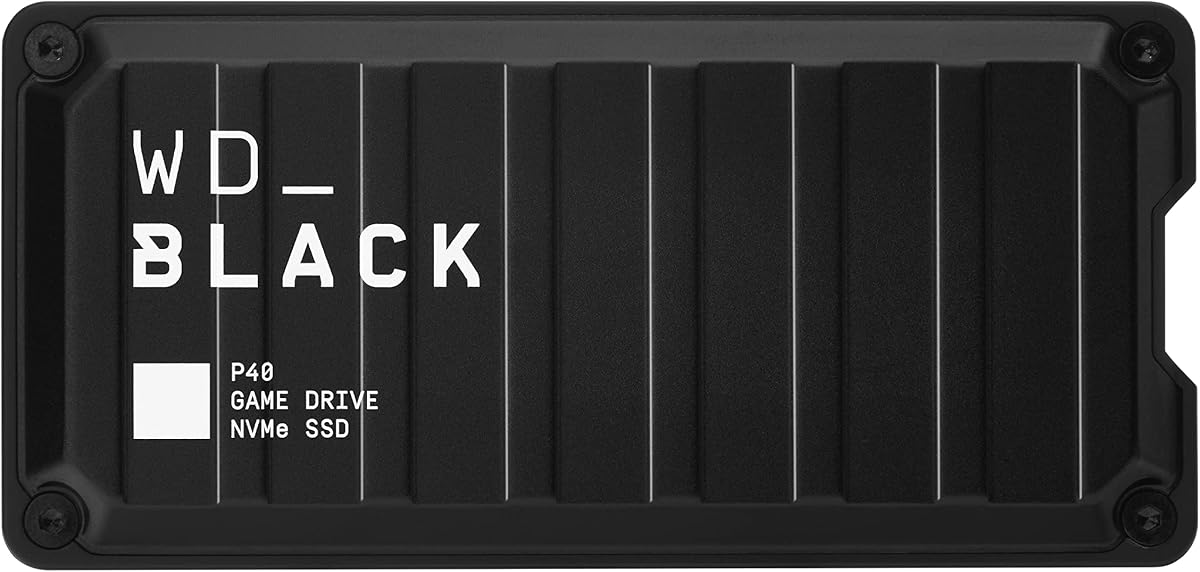
The WD_BLACK P40 2TB combines high stated transfer speed, generous capacity, and a gaming-focused RGB design. Its 4.6 rating reflects a strong customer reception, and compatibility extends across PlayStation, Xbox, PC, and Mac systems. It is a good fit for gamers who want one stylish external drive to manage content across several platforms.
We may earn a commission when you buy through this link, at no additional cost to you.
Its USB 3.2 Gen2x2 interface supports read speeds of up to 2000MB/s, placing it among the faster external options in this roundup. The 2TB capacity is more appropriate than 1TB for current game collections. RGB lighting can be customized with the WD_BLACK Dashboard on Windows, allowing the enclosure to match a gaming setup rather than looking like ordinary office storage.
There are important compatibility details. On a PS5, the drive can play and store PS4 games and archive PS5 games, but PS5 titles need to be copied to internal storage for direct play. The listed console support also depends on appropriate system software for certain older PlayStation models. The shock-resistant structure is rated to survive a two-meter drop, although the product lacks the stated IP65 rating found on several SanDisk and Crucial selections.
This drive is most attractive to a gamer who values appearance, fast external file movement, and cross-platform use. It may be less suitable for someone seeking a fully weather-resistant device or the simplest possible PS5 game workflow. Even so, the combination of 2TB capacity and a 2000MB/s headline rate makes it a strong performance-oriented external choice.
The USB 3.2 Gen2x2 connection can deliver substantially higher sequential performance than typical USB 3.2 Gen2 equipment. That advantage is most visible when moving completed games, videos, and other large files between the drive and a computer.
Customizable RGB lighting gives the P40 a deliberate gaming identity, while PlayStation, Xbox, PC, and Mac support makes it more versatile than a console-only archive. The lighting customization itself depends on a Windows computer.
We may earn a commission when you buy through this link, at no additional cost to you.
The Verbatim Pocket 512GB is the most compact option in the guide and is designed for users who value portability over library size. It has a 4.0 rating, a pocket-sized enclosure, and a keyring and cable holder for convenient carrying. Although it is not specifically presented as a licensed PS5 drive, its USB-C connection makes it relevant to console and general storage use.
We may earn a commission when you buy through this link, at no additional cost to you.
The claimed read and write speeds of up to 1000MB/s are strong for such a small enclosure. That performance suits everyday transfers, backups, media access, and selected PS4 game storage. The solid-state design has no moving parts and offers improved energy efficiency. USB-C compatibility allows use with compatible PCs, Macs, tablets, smartphones, and gaming consoles.
The trade-off is capacity. At 512GB, the drive offers limited room for a modern PS5 library, and it is not identified as officially licensed for PlayStation. It is therefore more appropriate as a small backup, transfer, or selected-game drive than as a long-term archive for dozens of large titles. The included Nero Backup Software is also listed for Windows only.
Buyers should choose the Verbatim Pocket when portability is the priority and a small collection of files or games is enough. It suits students, travelers, and casual console owners who want a dependable everyday SSD that can fit easily in a pocket or attach to a keyring. For a large PS5 collection, a 1TB or 2TB model would be more practical.
The enclosure is ultra-lightweight and includes a keyring and cable holder, reducing the chance of leaving a cable behind. Its small form is especially convenient for travel, school, or use alongside a handheld setup.
Up to 1000MB/s reads and writes are meaningful for backups and file transfers, but the 512GB capacity places firm limits on game-library planning. Treat this as a convenient supplementary drive rather than a high-capacity PS5 archive.
We may earn a commission when you buy through this link, at no additional cost to you.
The Crucial X10 1TB is a rugged, fast portable SSD designed for users who take their games and files beyond a stationary desk. Its 4.5 rating and combination of up-to-2100MB/s reads, IP65 protection, and three-meter drop resistance make it one of the most travel-ready options here. Compatibility also extends across Windows, Mac, Android, Linux, PS4, PS5, and Xbox platforms.
We may earn a commission when you buy through this link, at no additional cost to you.
The blue enclosure is designed for creators, students, and PC gamers, but its usefulness for PS5 owners is clear. It can expand console storage and support file transfers, while USB-C and USB-A connectivity simplifies use with different systems. One terabyte provides a useful middle ground: more room than a compact everyday drive, though less than the 2TB choices tailored to larger libraries.
The 2100MB/s read figure is based on a high-performance host connection and should not be confused with direct PS5 game-loading speed. As with other general-purpose external SSDs, PS5 games normally need to be copied back to the console before play, while the stated platform support covers connection and storage use. The drive's IP65 rating and three-meter drop resistance are nevertheless excellent for travel-oriented use.
This is a good match for a gamer who travels frequently, uses several types of devices, and wants a durable drive for selected games, media, and backups. It may not satisfy someone with an extensive PS5 archive or a preference for console-specific licensing, but it provides an excellent balance of speed, resilience, and cross-platform utility.
IP65 dust and water resistance plus up to three meters of drop protection make the X10 suitable for bags, desks, and trips. These protections are especially valuable for a portable drive that may encounter less controlled conditions than an internal component.
The up-to-2100MB/s read rate serves demanding file workflows, while broad platform compatibility and dual connector support make the drive easy to reuse. The 1TB capacity is the main constraint for owners of many full-size games.
We may earn a commission when you buy through this link, at no additional cost to you.
The SanDisk Extreme Portable SSD 2TB is a flexible high-capacity drive that can handle console storage alongside personal files, media, and backups. Its 4.6 rating reflects a favorable customer reception, and the combination of 1050MB/s reads, 1000MB/s writes, and 2TB capacity gives it broad everyday utility.
We may earn a commission when you buy through this link, at no additional cost to you.
This is the version of the Extreme line built around portability and multi-purpose use rather than explicit PlayStation approval. It includes a carabiner loop for securing the drive to a belt loop or backpack. The enclosure has an IP65 rating and up to three meters of drop protection, so it can accompany a gamer who regularly travels or works in shared spaces.
Password protection with 256-bit AES hardware encryption is a notable advantage for private files, while the SanDisk Memory Zone app helps manage content and free space. The USB-C connection and USB 3.2 Gen2 interface provide broad modern-device support. Its limitation for PS5 users is that it is not expressly identified as console-licensed, and PS5 games must be copied to internal storage before playing.
Choose this drive when you want one rugged 2TB device for games, backups, photos, and other files, particularly if security is important. The dedicated SanDisk PS5 model may be more reassuring for a console-centered buyer, but this general-purpose option offers stronger privacy features and broader file-management emphasis.
Built-in 256-bit AES hardware encryption helps protect access to sensitive content when password protection is enabled. This makes the drive more appropriate for personal documents and backups than a basic open game archive.
The 2TB capacity supports a substantial mix of games and media, while IP65 protection and three-meter drop resistance help it survive travel. Its general-purpose design also gives it value beyond the PS5.
We may earn a commission when you buy through this link, at no additional cost to you.
The SanDisk 1TB Extreme Portable SSD for PS5 is a smaller-capacity version of a purpose-built console archive. It has a 4.5 rating and the same core qualities as the 2TB selection: PlayStation design, testing, approval, up-to-1050MB/s reads, IP65 protection, and a five-year limited warranty.
We may earn a commission when you buy through this link, at no additional cost to you.
One terabyte is enough for a focused collection of games or for players who keep only selected titles externally. Fast transfer performance makes it practical to move a completed game from internal console storage to the archive and later copy a selected title back. The portable form and three-meter drop protection make it suitable for use at home or while traveling.
The obvious trade-off is space. A 1TB drive can fill quickly with modern game installs, particularly when users also want to store media or backups. The drive remains an external archive rather than an internal expansion, so PS5 games cannot be launched directly from it. That limitation should be understood before purchase to avoid expecting a seamless internal-drive experience.
This model is best for a gamer who wants a compact, officially tested, purpose-built PS5 archive but does not need a large collection. It may also be a sensible starting point for owners of a digitally managed library who regularly clear internal space and maintain a curated external set. The 2TB version is the better choice for maximum game flexibility.
Being designed, tested, and approved for PlayStation consoles removes much of the uncertainty associated with a generic external drive. The result is a clearer setup for players who primarily want an external PS5 archive.
The 1TB model preserves the top selection's speed, durability, and console-focused design in a more compact capacity. It works best when the external library is intentionally selective and regularly pruned.
We may earn a commission when you buy through this link, at no additional cost to you.
The new-model SanDisk Extreme 1TB distinguishes itself with a stated transfer speed of up to 2000MB/s, nearly twice the speed of the previous generation according to the product information. Its 4.6 rating and focus on large high-resolution files make it an interesting option for PS5 owners who also move photos, video, and AI-related content.
We may earn a commission when you buy through this link, at no additional cost to you.
The pocket-sized enclosure is easy to carry, while IP65 protection and up to three meters of drop protection provide useful travel resilience. The claimed ability to move 1,000 high-resolution photos in under 60 seconds highlights the value of the newer speed profile for media workflows. A 256-bit AES encryption feature helps protect private files when password protection is enabled.
The main limitation is again capacity. At 1TB, this drive may not hold a large number of modern games, and the product information does not explicitly identify it as officially licensed for PlayStation. The 2000MB/s figure also requires a suitable host device and connection; users should not assume that every PS5 workflow will realize the maximum. PS5 games generally must be copied to internal storage before launch.
Choose this model for a current-generation portable drive that emphasizes fast file movement, security, and compactness. It is a strong secondary storage option for a PS5 owner who manages selected games alongside a substantial media library, but it is not the first choice for a large console archive or direct internal expansion.
The up-to-2000MB/s transfer figure represents the most significant generational change among the 1TB SanDisk selections. It is particularly relevant to large photo, video, and project files that benefit from faster throughput.
Combining 256-bit AES encryption with a pocket-sized, drop-resistant enclosure makes the drive useful beyond games. Buyers needing more console space should account for the relatively limited 1TB capacity.
We may earn a commission when you buy through this link, at no additional cost to you.
The right PS5 storage choice depends on how you want to use it. Internal expansion offers direct game access, while a portable external drive is better for backups, archives, selected PS4 games, and use across multiple devices.
An internal M.2 SSD changes the console's native storage and allows PS5 games to remain installed and run directly. The WD_BLACK SN850P is the leading option in this guide because it is officially licensed and includes a PS5-specific heatsink. A portable external SSD offers a different advantage: it can be disconnected, carried, connected to a computer, and used for backups or archives.
Choose internal expansion when direct access, consistent console integration, and maximum gaming performance are priorities. Choose a portable drive when convenience, cross-device use, and an external game library matter more.
The phrase compatible with PS5 does not always mean the same thing. Some products are officially licensed, while others simply support standard storage functions. Also distinguish between running PS4 games and running PS5 games: external drives can support PS4 titles more readily, but PS5 games normally must be copied back to the console's internal storage.
Prefer official licensing and clearly stated PlayStation support when the drive will be used primarily for games. Verify whether a listing means direct play, game storage, archiving, or all of those functions.
Modern games can consume a large amount of console space, so capacity is often more important than a small improvement in transfer speed. A 2TB drive is the more comfortable choice for a substantial library, while 1TB suits a curated collection. The 512GB option in this guide is best viewed as a portable supplement for backups, media, or a few selected files and games.
Choose capacity according to your library and willingness to move games regularly. More space reduces deletion and redownloading, but it does not guarantee that a drive can run PS5 games directly.
Headline speed figures describe the best conditions rather than every real-world transfer. A USB 3.2 Gen2x2 drive can advertise up to 2000MB/s, while a Gen2 drive may reach 1050MB/s, and internal PCIe Gen4 storage can go far higher. Host ports, cables, file sizes, thermal behavior, and background tasks can all affect results.
For an external archive, look for the interface required to achieve the stated speed and use a compatible SuperSpeed port. For internal expansion, prioritize console approval, a proper heatsink, and installation support over comparing external and internal speed figures.
A portable drive travels, gets dropped, and encounters dust or moisture. IP65-rated products, such as the 2TB SanDisk Extreme for PS5, the standard SanDisk Extreme 2TB, the Crucial X10, and the newer SanDisk Extreme, provide stated protection against dust and water. Drop resistance adds another layer of confidence, particularly for a drive carried in a backpack or attached to a keyring.
Prioritize a rugged enclosure if the drive will be mobile. If it will remain beside a console in a stable environment, physical protection may matter less than capacity, encryption, or console-specific features.
A game drive can contain more than games, especially if it also stores installers, screenshots, videos, personal files, and backups. The standard SanDisk Extreme 2TB and new SanDisk Extreme 1TB include 256-bit AES hardware encryption with password protection. The Verbatim Pocket also includes backup software, although that software is listed for Windows only.
Look for encryption when the drive will contain sensitive material or travel frequently. Otherwise, maintain a separate backup and use software to verify transfers, since fast specifications do not prevent accidental deletion or physical loss.
The Gigastone, WD_BLACK P40, Crucial X10, and standard SanDisk Extreme are not limited to PlayStation use. Their compatibility with PCs, Macs, phones, tablets, and other consoles makes them valuable when one drive must handle games, media, backups, and work files. Dual USB-C and USB-A support can further reduce cable inconvenience.
Choose a general-purpose drive if you expect to share storage across devices. Choose a purpose-built or licensed console drive if setup simplicity and predictable PlayStation behavior outweigh broader utility.
A pocket-sized SSD is easy to carry, and options such as the Verbatim Pocket include a keyring or cable holder. Gaming designs can also add visual appeal: the Seagate Game Drive has blue LED lighting, while the WD_BLACK P40 offers customizable RGB controls through a Windows-based dashboard.
Choose the design you will actually enjoy using and can store safely. Smaller is convenient for travel, while larger-capacity enclosures may feel more at home beside a console or computer setup.
Connect the external drive to a PS5 SuperSpeed port and use the console's storage menus to format it for PlayStation use. Follow the on-screen prompts carefully, as formatting can erase existing content. For a general-purpose drive, create the required console-specific partition, and remember that general file operations may require a separate computer.
For PS4 games on a compatible PS5, select the external drive as the installation or storage location and follow the console's game-drive instructions. For PS5 games, use the external drive to archive or move stored titles, then copy a game back to internal storage when you want to play it. Always confirm that enough internal space remains before starting a transfer.
To protect the drive, use a short, reliable cable, avoid sudden unplugging during transfers, and keep the enclosure away from excessive heat, moisture, and impact. Maintain at least one additional copy of irreplaceable files, periodically check free space, and safely eject the drive before moving it to a computer or disconnecting it from the console.
In most cases, PS5 games must be copied to the console's internal storage before they can be played. External drives are primarily useful for storing, archiving, and transferring PS5 games. Some external SSDs can run compatible PS4 games directly, but support depends on the drive, console model, game, and current PlayStation software.
Official licensing is useful because the manufacturer confirms that the product has been designed, tested, or approved for the relevant console. It can make compatibility and setup expectations clearer than with a generic drive. Licensing does not change the core rule that PS5 games generally need to be copied to internal storage before playing.
A 2TB drive is generally better for a growing modern library because it reduces how often games must be deleted, moved, or downloaded again. A 1TB drive is more portable and economical for a carefully selected collection. The 512GB option is best treated as a compact backup or supplementary drive rather than a full game archive.
An external SSD connects through USB and can be moved between consoles or used for backups and archives. An internal M.2 SSD installs inside the PS5 and expands its native storage, allowing games to remain installed and launch directly. Internal expansion provides the most integrated experience, while external storage wins for portability and versatility.
It is not essential. The useful benefits of a faster interface appear mainly during file transfers to and from a computer, where the host device, cable, and drive all support the interface. For organizing games on the console, capacity, correct formatting, and compatible software are generally more important than the highest advertised external transfer rate.
Yes, general-purpose models such as the Gigastone, WD_BLACK P40, Crucial X10, and standard SanDisk Extreme support several device categories. However, using a drive with a console may require a console-specific format or partition. Check the drive's documentation before changing the layout, because reformatting can erase unrelated files.
The required capacity depends on the games installed, patches, updates, and other console data. Modern titles vary widely in size, so a large collection can quickly consume a terabyte. Check the exact size shown for each game and leave additional room on the console's internal storage for system operations and transfers.
Enable password protection and hardware encryption when the drive includes those features, especially if it contains personal files. Keep the drive in a protective pocket during travel and maintain a separate backup of important data. Encryption protects stored content, but it does not prevent physical loss, so physical planning remains important.
The SanDisk 2TB Extreme Portable SSD for PS5 is the most balanced general recommendation because it combines purpose-built console approval, a useful 2TB capacity, fast transfers, and strong physical protection. The Seagate Game Drive 2TB is a sensible budget-oriented licensed option, while the WD_BLACK SN850P is the premium choice for gamers who want direct access through internal expansion.
Prioritize compatibility and the way you intend to use the drive. Choose an internal M.2 SSD for directly runnable PS5 games, a licensed external drive for a straightforward console archive, or a rugged general-purpose model for travel, media, backups, and use with several devices. Capacity should be considered alongside speed because the fastest transfer specification cannot overcome a small game library.
Before buying, confirm the current console software requirements, direct-play limitations, included accessories, and physical installation method. Product listings, firmware, and prices can change, so check the latest information on the retailer's page and the manufacturer's official support materials before making a final decision.