
Dangbei Atom Portable Laser Projector
4.3Editor score
ALPD laser light source
1200 ISO lumens
Google TV and Netflix
Portable 2.82-pound design
Up to 180-inch image
A cheap 4K laser projector can deliver a genuinely cinematic home screen without the operating costs and maintenance associated with many conventional projectors. The strongest models combine 4K-class resolution, a long-lived laser light source, useful smart features, and enough brightness for regular viewing. The best unit depends heavily on room conditions, screen size, content habits, and whether portability or gaming performance matters most.
We compared the ten models in this guide using their stated specifications, supported features, customer ratings, smart-platform capabilities, light-source technology, and installation options. The list includes dedicated home-theater projectors, portable triple-laser systems, gaming-focused models, and an ultra-short-throw option. It also separates native 4K benefits from models that accept 4K input while displaying 1080p, since that distinction can influence image quality and value.
Each review identifies the product's strongest reason to buy it and the compromises buyers should understand before ordering. The top three picks represent a budget-friendly portable option, a versatile all-around home projector, and a premium theater system. Product specifications, ratings, features, and availability can change, and current prices should always be checked on the linked retail pages before making a purchase.
4.3Editor score
4.4Editor score

4.4Editor score
As an Amazon Associate we earn from qualifying purchases.
This side-by-side comparison covers resolution, brightness, light-source design, smart features, gaming capabilities, and installation flexibility, helping you match a projector to your room and viewing habits.



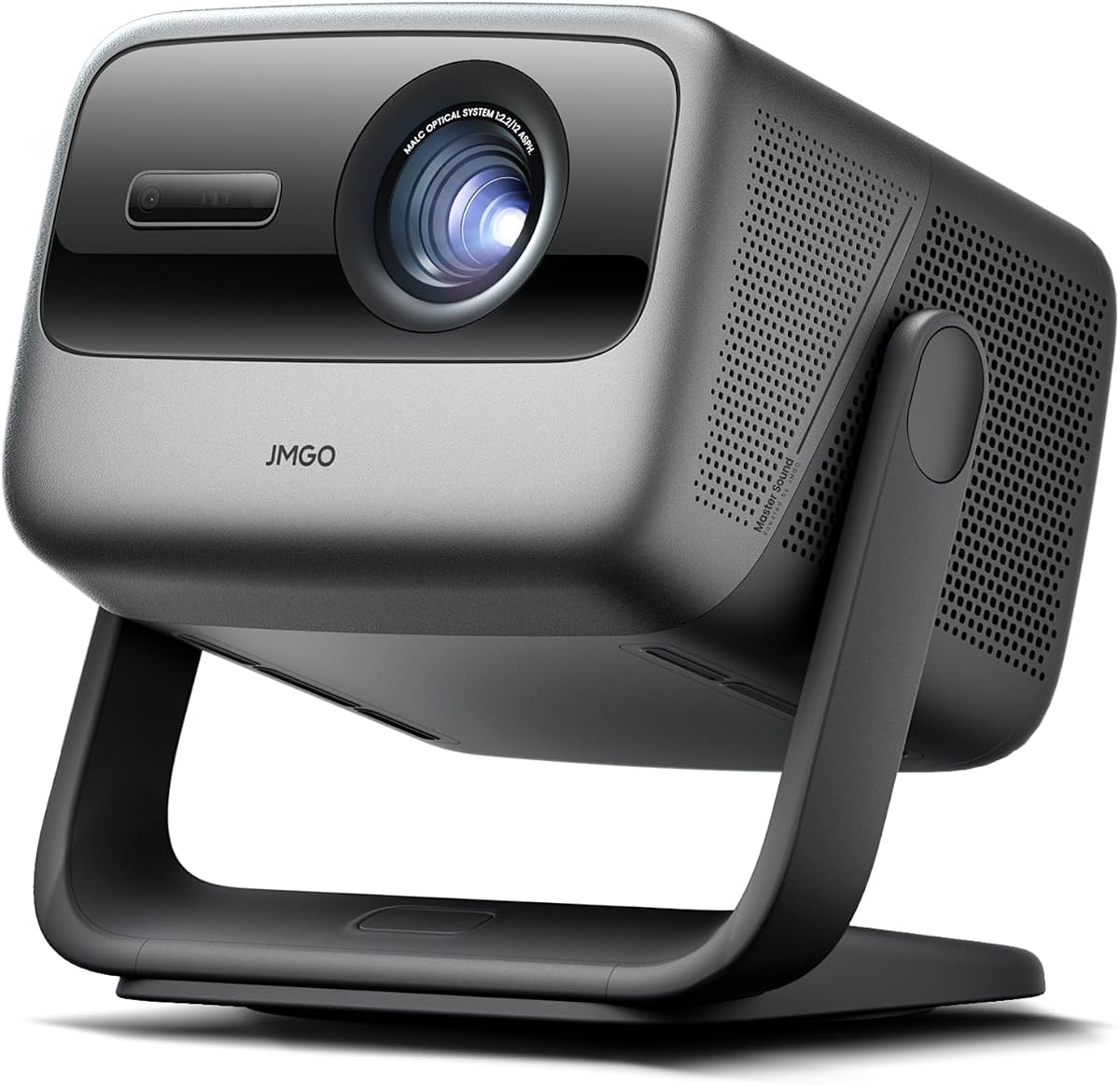
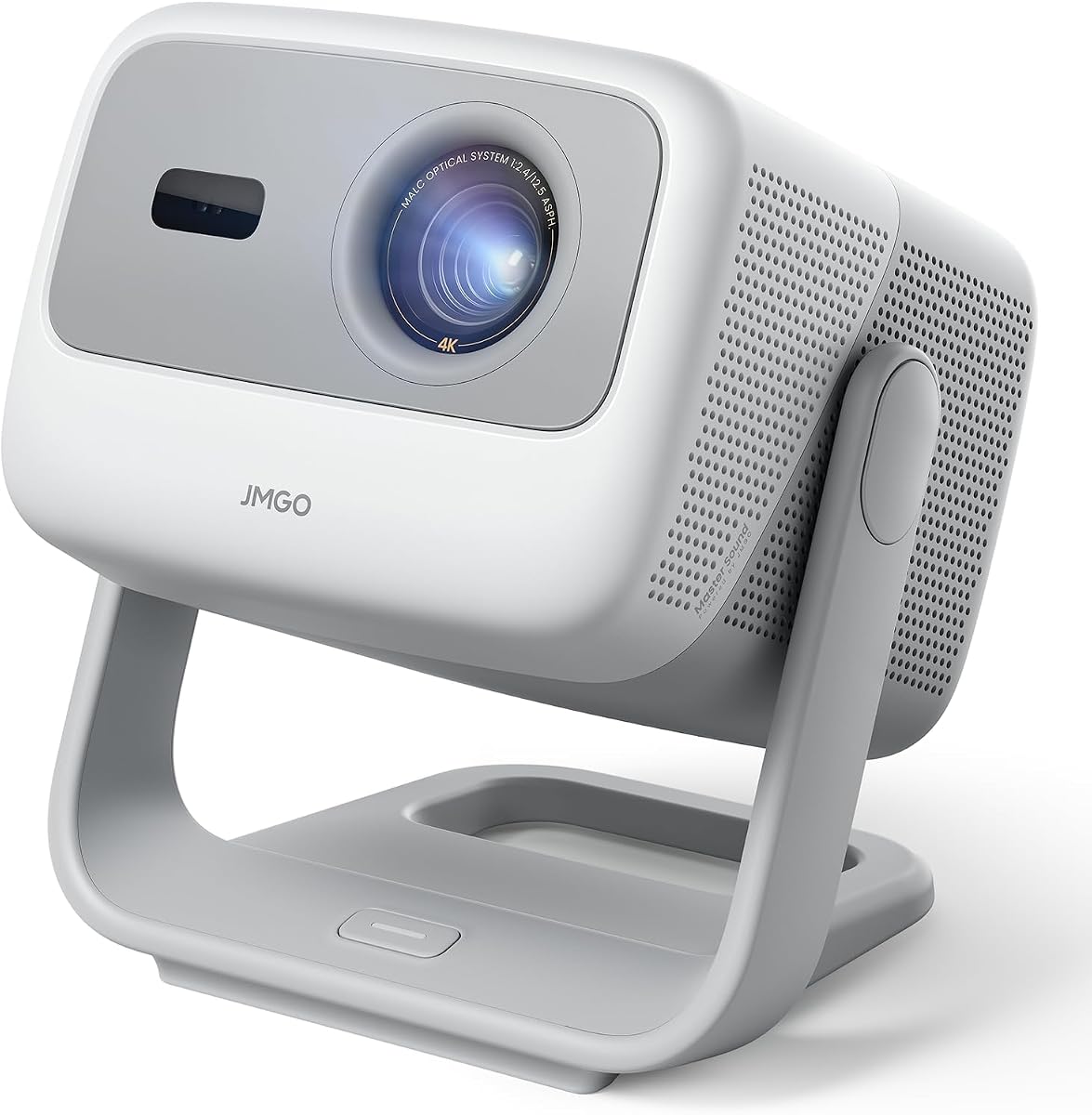
The JMGO N1S 4K Upgrade combines 4K UHD, an RGB triple-laser light source, 1700 ISO lumens, and Google TV in a portable design. Its 4.4 rating reflects a strong balance of picture capability, convenience, and entertainment features. This is the most complete option in the guide for buyers who want a cinema-style screen without building a permanent installation around a traditional home-theater projector.
We may earn a commission when you buy through this link, at no additional cost to you.
The MALC 3.0 pure RGB laser system is especially appealing because it eliminates the color wheel and the associated rainbow effect. The stated coverage of 110% BT.2020 and 151% DCI-P3, along with 1.07 billion colors, supports saturated, precise imagery. HDR10 enhances compatible content, while the dual 10W Dolby Audio speakers provide sound without requiring an immediate soundbar purchase. The gimbal rotates through 127 degrees vertically, making wall, ceiling, and outdoor positioning unusually flexible.
There are trade-offs. At 1700 ISO lumens, it should be used in a controlled room to reveal its full color and contrast potential, and its 17-millisecond input lag is good for casual and console gaming but not competitive enough for demanding esports. Some users may also prefer a larger, more powerful home-theater unit. The supplied guidance recommends adjusting keystone correction before focus and recalibrating color temperature if a tint appears, so thoughtful setup is worthwhile.
Buy the N1S 4K Upgrade if you want one projector that can cover movies, streaming, gaming, presentations, and occasional outdoor viewing. Its triple-laser picture, built-in speakers, gimbal, and 4.4 rating make it the strongest all-around recommendation here. It is especially suitable for renters and apartment dwellers who cannot permanently mount a conventional projector.
The pure RGB laser source and wide stated color coverage distinguish this model from more conventional dual-laser designs. A darker room allows the projector to show deeper blacks, richer color, and better perceived contrast, so controlled lighting should be the first consideration when placing it.
Google TV provides access to licensed Netflix, major streaming applications, Google Cast, and Google Assistant. The 4.4-pound body and included EPP case make the unit practical to move between a living room, bedroom, garden, or temporary presentation space.
We may earn a commission when you buy through this link, at no additional cost to you.
The Dangbei Atom is the budget-focused selection in this guide, with a 4.3 rating and a highly portable laser design. It weighs 2.82 pounds, measures 1.87 inches thick, and can create an image up to 180 inches. It is especially attractive for buyers moving a screen between rooms or taking it away from a permanent home theater.
We may earn a commission when you buy through this link, at no additional cost to you.
Its ALPD laser source produces a stated 1200 ISO lumens, while dual 5W speakers and Dolby Audio cover basic home-theater sound. Google TV comes with officially licensed Netflix and access to thousands of applications. Automatic focus, keystone correction, screen fit, and obstacle avoidance reduce setup friction considerably. Although the projector displays 1080p content, it accepts 4K input, which can be useful with compatible source material and playback devices.
The central compromise is native resolution. A true 4K panel offers finer detail than the Atom's 1080p display, especially on a large screen or when sitting close to the image. The 1200 ISO-lumen rating also makes ambient light more visible than on brighter models. A proper dark room, reasonable screen size, and sensible source resolution will make the most of this projector. Its 3D-ready status is another plus for compatible content.
Choose the Atom when portability and low-cost ownership matter more than native 4K detail. It offers an unusually complete package for a budget-oriented buyer: a laser engine, official streaming, automatic setup, 3D capability, and built-in audio. For first-time projector owners, it provides a less demanding and highly flexible way to begin using a large-format screen.
The Atom focuses on the features that matter in everyday use: a slim chassis, licensed streaming, automatic geometry, and a long-lasting laser source. It gives buyers a large, bright screen without the bulk of a traditional home-theater projector.
The model accepts 4K signals, but its native display is 1080p. That distinction matters when comparing fine detail on very large screens, although many viewers will find the Atom more than capable for streaming and everyday movies when the room is suitably dark.
We may earn a commission when you buy through this link, at no additional cost to you.
The AWOL VISION LTV-3000 Pro is the premium home-theater choice, combining a 4K triple-laser engine, ultra-short-throw optics, Dolby Vision, HDR10+, Dolby Atmos, and 3D support. Its 4.4 rating reflects a feature set built for a permanent living-room installation. Unlike a standard throw projector, it can sit immediately in front of the screen and still create a large image.
We may earn a commission when you buy through this link, at no additional cost to you.
The fixed 0.25:1 throw ratio allows approximately 8.54 inches for a 100-inch image and 12.84 inches for 150 inches. Its built-in center-channel speaker maps dialogue from the screen, while the stated ThunderBeat 4.2.2 surround system can upgrade compatible AWOL installations. The projector covers 107% BT.2020 and 147% DCI-P3, and support for PJ Link allows integration with Control4 and other home-automation systems.
This is not a grab-and-go projector. Cabinet depth must be sufficient to achieve correct focus and image size, and a motorized slider may be needed where space is tight. The picture performs best in darker rooms, although an AWOL ambient-light-rejecting screen can preserve brightness and contrast in brighter environments. The 150-inch size is the stated sweet spot, so buyers should verify wall width and furniture layout before ordering.
Buy the LTV-3000 Pro if you want a television-alternative cinema wall and can plan the installation carefully. Its exceptional throw distance, professional color capabilities, high-end format support, and integrated sound make it the most specialized and aspirational option in the guide. It is best suited to buyers who value a polished, permanent home theater over portability.
The ultra-short-throw design keeps the projector close to the screen, making it more practical than a long-throw model in a media room. Its aesthetic installation depends on adequate cabinet depth and careful measurement of the intended display area.
Dolby Vision, HDR10+, 3D, and wide color coverage make the projector compelling for film enthusiasts. Pairing it with the recommended ALR screen produces the most convincing result in a brighter room, while a conventional screen suits controlled viewing environments.
We may earn a commission when you buy through this link, at no additional cost to you.
The Optoma UHZ36 is a purpose-built 4K UHD laser home-theater projector with a 4.3 customer rating. Its headline features are straightforward: 4K UHD resolution, HDR support, and a Filmmaker Mode intended to preserve the director's original vision. It appeals to buyers who want a dedicated movie display rather than a portable entertainment gadget.
We may earn a commission when you buy through this link, at no additional cost to you.
The Filmmaker Mode is the most distinctive feature. It provides a picture preset for viewers who prefer a more restrained, cinema-oriented presentation rather than an exaggerated high-brightness or saturated look. The laser light source supports consistent long-term entertainment, and 4K UHD resolution provides the finer image structure expected from a modern home cinema.
The supplied information is relatively focused and does not emphasize extensive streaming applications, portable construction, or highly advanced gaming specifications. That makes the UZH36 potentially less convenient for users who want a self-contained smart projector. Installation details, throw distance, and connectivity should be confirmed against the current product listing and the user's room layout.
This Optoma is a strong choice for someone building a dedicated theater room or seeking a simple, film-focused alternative to a large television. It does not need to outperform the flashiest portable models to be compelling. For viewers who prioritize calibrated-looking presentation and dedicated home-theater intent, the UHZ36 is a focused recommendation.
Filmmaker Mode gives the projector a clearly defined role for viewers who want the image to reflect the director's intended presentation. It is especially useful when the room is arranged specifically for movies and shows.
The UHZ36 avoids many of the distractions associated with all-in-one entertainment devices. Its emphasis on 4K UHD, HDR, and laser operation makes it most attractive to buyers who already have or intend to build a focused viewing space.
We may earn a commission when you buy through this link, at no additional cost to you.
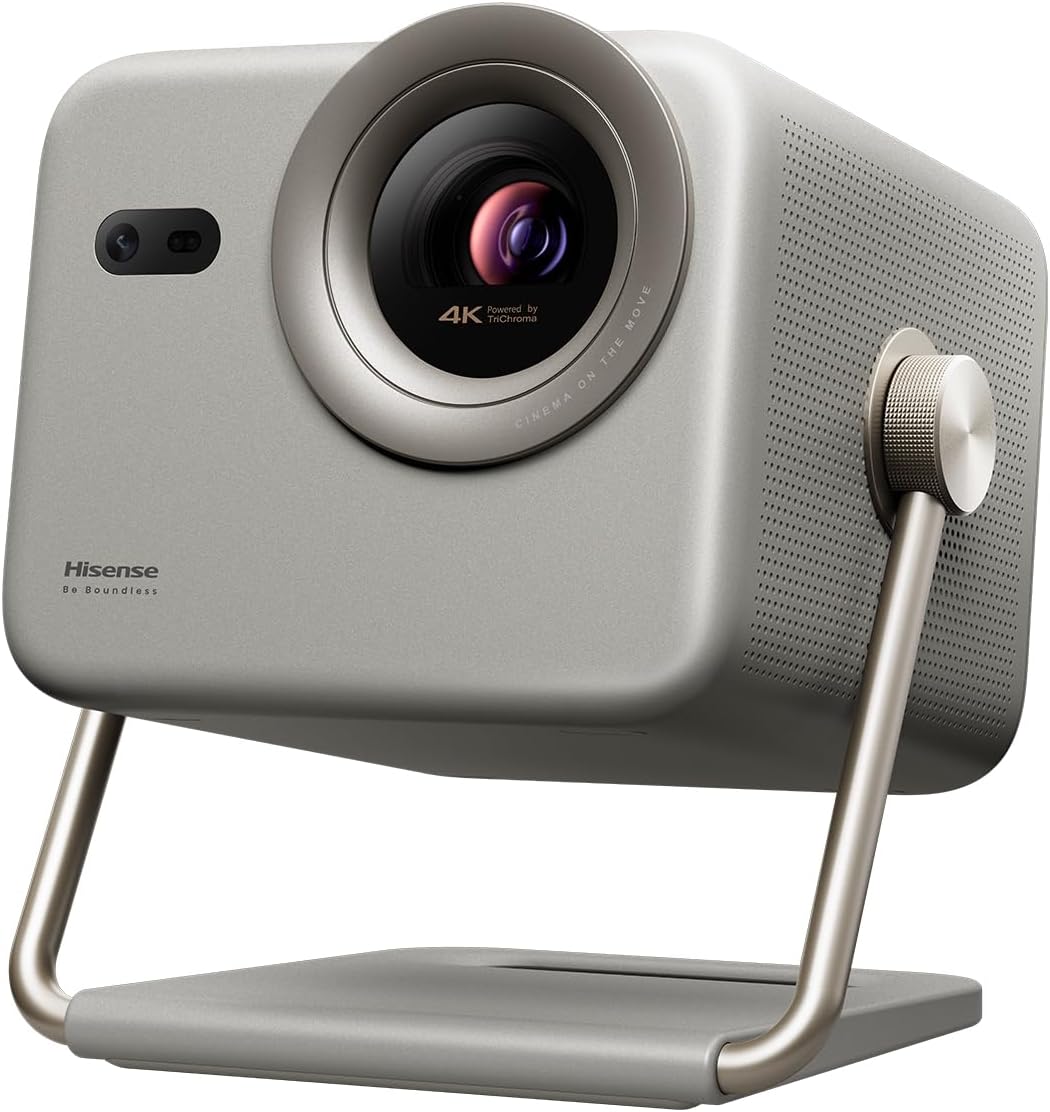
The Hisense M2 Pro has the highest customer rating in this group at 4.7, making it an especially well-regarded option. It combines a triple-laser source, 4K UHD, an AI upscaler, Dolby Vision, a 1300-ANSI-lumen rating, and the Vidaa smart operating system. It is designed as a lifestyle projector that can adapt readily to different spaces.
We may earn a commission when you buy through this link, at no additional cost to you.
The built-in gimbal is one of its most useful physical features. It swings 360 degrees horizontally and 135 degrees vertically, allowing wall, ceiling, and alternative-surface placement. Automatic focus, keystone correction, obstacle avoidance, eye protection, and screen adaptation provide a highly automated setup experience. The 4K AI upscaler can improve perceived clarity when the source is lower resolution, and the included Netflix access makes the device ready for streaming.
Its 1300 ANSI lumens are modest compared with the brightest models, so ambient light will have a greater effect. Automatic corrections are helpful, but they are not a substitute for thoughtful placement, and sophisticated users may still want to fine-tune the picture manually. The wide 65-to-200-inch range also requires enough wall or screen space to use the larger sizes meaningfully.
Choose the M2 Pro if you value flexibility, automation, and a strong customer rating over maximum brightness. It is particularly effective for renters, casual users, and anyone who wants to project from several positions without rebuilding the setup. It balances home-theater capability with portable convenience better than a bulky fixed projector.
Focus, geometry, screen fitting, and obstacle avoidance reduce the need for manual adjustments when the projector changes position. These features are particularly helpful for quick movie nights and temporary outdoor setups.
Dolby Vision support strengthens the case for modern film viewing, while the triple-laser source and AI upscaler improve the look of compatible content. Controlled lighting remains important for preserving the full contrast and color advantage.
We may earn a commission when you buy through this link, at no additional cost to you.
The Dangbei DBOX02 is a bright 4K laser home-theater projector rated 4.3 by customers. Its 2450 ISO lumens, up-to-200-inch image, HDR10+ support, and ALPD light source give it more presence than most portable alternatives. It is a strong fit for buyers wanting a substantial screen without moving the projector between spaces.
We may earn a commission when you buy through this link, at no additional cost to you.
The projector includes officially licensed Netflix on Google TV, access to a large application library, Chromecast sharing, and Google Home voice control. Dual 12W speakers with Dolby Audio and DTS:X provide a more substantial built-in sound system than smaller portable models. Its compatibility with Blu-ray 3D and 4K sources creates a broad entertainment path beyond standard streaming.
The listing describes ALPD as reducing the speckle effect found in traditional laser projectors, but the degree of visible improvement depends on the screen and individual sensitivity. The large 200-inch maximum is a capability rather than a guarantee of ideal performance in every room. A proper screen, sensible placement, and controlled lighting will reveal more of the brightness and contrast than projecting onto a wall.
Buy the DBOX02 when brightness, streaming convenience, and home-theater formats are priorities. It is especially appealing for movies, sports, and family viewing where a larger image and stronger integrated audio are useful. Its fixed-room orientation makes it less suitable for spontaneous outdoor use, but it delivers an impressive specification set for a dedicated theater.
At a stated 2450 ISO lumens, the DBOX02 has enough output to produce a more visible image than many compact projectors. The advantage becomes clearest on a larger proper screen and in rooms where some ambient light is unavoidable.
Licensed Netflix, Google TV, Chromecast, HDR10+, and 3D support cover a wide range of viewing habits. Dual 12W speakers offer a useful upgrade over portable projectors with small drivers, although external audio remains possible for dedicated theater use.
We may earn a commission when you buy through this link, at no additional cost to you.
The ViewSonic LX700-4K is built around 4K UHD, gaming performance, and high brightness. Its 4.2 rating is slightly lower than several portable competitors, but the stated 240Hz refresh rate and 4.2-millisecond input lag distinguish it as a serious option for fast console and PC play. The product title lists 3500 lumens, making it one of the brighter models featured.
We may earn a commission when you buy through this link, at no additional cost to you.
At 1440p resolution and 120Hz, it supports demanding gaming sessions with smooth motion and low response delay. HDR and HLG compatibility, SuperColor technology, and a wide stated color gamut support immersive visuals. Its Golf Mode enhances greens and blues and is designed for major golf simulators, making the projector relevant to a specialized home recreation setup as well as conventional gaming.
Installation flexibility comes from 1.3x optical zoom, horizontal and vertical keystone, four-corner adjustment, and support for 360-degree and curved-screen projection. A 100-inch image can be placed from 7.7 feet away, with the projector supporting screens from 80 to 150 inches. Ceiling mounting compatibility is another benefit for a permanent room. The supplied listing contains a brightness inconsistency, so buyers should verify the exact figure on the current product page.
Choose the LX700-4K if competitive responsiveness matters and the projector will serve a gaming console or PC. It is less obviously geared toward portability, and the lack of emphasized built-in smart applications may be a drawback for casual streaming-only users. For a dedicated gaming room, though, its refresh rate, latency, brightness, and optical adjustment features form a compelling package.
A 4.2-millisecond input lag and up-to-240Hz refresh capability make the LX700-4K feel considerably more immediate than standard entertainment projectors. These specifications are most valuable with compatible consoles and high-refresh PC output.
The 1.3x optical zoom changes the physical image size without relying on digital cropping, helping users place the projector at a practical distance from the screen. Correction, corner adjustment, ceiling mounting, and curved-screen support broaden installation options.
We may earn a commission when you buy through this link, at no additional cost to you.
The XGIMI Elfin Flip combines 4K UHD, an RGB triple-laser source, 1600 ISO lumens, and 1-millisecond gaming latency in a slim portable body. Its 4.2 rating is among the lower figures in this group, but the product's color accuracy, optical zoom, audio, and gaming specifications make it especially interesting for buyers who want premium features in a flexible format.
We may earn a commission when you buy through this link, at no additional cost to you.
The high-performance RGB laser light source is paired with a stated 20,000:1 dynamic contrast ratio and SGS-certified color accuracy of less than ΔE1. Its 0.98-to-1.3 optical zoom lets users resize the image without digital pixelation, a meaningful distinction when fitting a screen in an apartment or compact living room. Dual Harman Kardon speakers add polished built-in sound, while Google TV provides direct streaming access.
The 1ms latency, variable refresh rate, and Auto Low Latency Mode support smooth play on PS5, Xbox, and PC. Its 4.2 rating does not tell buyers why individual reviews were mixed, so it would be prudent to examine recent customer feedback for recurring concerns. As with all portable projectors, performance in bright rooms remains less impressive than the headline specifications suggest.
Choose the Elfin Flip if color fidelity, compact optical adjustment, and gaming response are your priorities. It is a particularly good match for a small modern apartment, a flexible media room, or a buyer who wants respectable sound without immediately adding a soundbar. Its broad feature set more than compensates for the modest portability inherent to any projector of this class.
Many projectors resize digitally, which can reduce apparent detail. The Elfin Flip's 0.98-to-1.3 optical range lets you fit the picture through physical lens movement, making it easier to balance screen size, room depth, and seating.
A 1ms latency target, variable refresh rate, and low-latency mode make the projector attractive for modern consoles and PC gaming. The triple-laser system adds broad, accurate color, so it works well for both interactive entertainment and movies.
We may earn a commission when you buy through this link, at no additional cost to you.
The JMGO N1S Ultimate is the brightest portable-style projector in this guide, with a stated 3300 ISO lumens. Its 4.3 rating and 4K triple-laser configuration make it appealing to buyers who want a vivid picture in a bright living room or a backyard cinema at dusk. It also brings substantial audio and extensive automated adjustment features.
We may earn a commission when you buy through this link, at no additional cost to you.
The stated 1600:1 contrast ratio, color accuracy below ΔE1, 110% Rec.2020 gamut, and 10-bit color depth support precise, nuanced images. Google TV 3.0 provides licensed Netflix, 10,000-plus applications, free channels, Google Assistant, and Chromecast. The 3D-TOF sensor and CMOS camera support real-time focus, keystone correction, zoom, eye protection, and screen adaptation.
Sound receives unusual attention for a projector. A 20W subwoofer, 45Hz ultra-bass, dual 12W speakers, DD+, and DTS-HD Master Audio create a more cinematic result than most compact alternatives. A gimbal that rotates 360 degrees horizontally and 135 degrees vertically provides installation freedom, though the larger chassis is less convenient for frequent travel.
Buy the N1S Ultimate when maximum brightness and rich color are more important than minimal size. It is a strong choice for living rooms with windows, large media spaces, and evening outdoor viewing. Because it competes near the premium end of the guide, buyers should carefully assess their need for a large portable system against a smaller triple-laser alternative.
A 3300 ISO-lumen rating gives the N1S Ultimate an advantage when daylight or ambient room light is present. It will not replace good screen selection and dark curtains, but it can produce a more convincing image than lower-output portable units.
The subwoofer and dual speakers deliver more depth than a standard projector soundtrack, while the stated codec support prepares the system for suitable films and shows. Even so, dedicated theater buyers may eventually prefer calibrated external speakers.
We may earn a commission when you buy through this link, at no additional cost to you.
The JMGO N1S Ultra balances brightness, color, smart functions, and room-flexible placement. It delivers a stated 2800 ISO lumens, 4K resolution, a tricolor laser system, 1600:1 FOFO contrast, and color accuracy below ΔE1. Its 4.3 rating makes it one of the most balanced options for buyers who want a capable cinema screen without moving to a dedicated ultra-short-throw system.
We may earn a commission when you buy through this link, at no additional cost to you.
The 3D-TOF sensor and high-precision camera support real-time autofocus, keystone correction, brightness and wall-color adaptation, lossless zoom, eye protection, screen fitting, and obstacle avoidance. This extensive automation is useful in changing environments. The projector also supports 360-degree horizontal and 135-degree vertical gimbal movement, allowing wall, ceiling, and outdoor orientation.
Google TV brings licensed streaming, thousands of applications, Google Assistant, and Chromecast. HDMI 2.1 with eARC, USB 2.0, and Blu-ray 3D support broaden source options. Dual 20W speakers with Dolby Digital Plus and bass down to 45Hz provide solid integrated audio. As with the larger N1S Ultimate, the body is substantial for a portable product and better suited to semi-permanent placement.
Choose the N1S Ultra if you want substantial brightness and a premium laser picture with extensive setup assistance. It fits well in a living room, modern media room, or campsite where auto configuration is valuable. It may be unnecessary for a small bedroom, while buyers seeking the simplest installation should compare it with more compact models.
Real-time focus, geometry, brightness, wall-color, and screen adjustments reduce setup time when the projector is moved. The gimbal and intelligent sensing make it particularly useful for renters and people who alternate between walls, ceilings, and temporary screens.
HDMI 2.1 with eARC supports modern display and audio connections, while USB and Chromecast expand source choices. The dual 20W speaker system gives the N1S Ultra enough output for casual home viewing without requiring immediate soundbar purchases.
We may earn a commission when you buy through this link, at no additional cost to you.
The right inexpensive 4K laser projector depends on native resolution, room brightness, screen size, content format, setup tolerance, and whether portability or gaming performance is essential.
A projector that accepts a 4K signal is not necessarily capable of displaying native 4K detail. The Dangbei Atom, for example, lists 1080p as its native resolution while supporting 4K input. Native 4K models such as the JMGO N1S 4K Upgrade, Hisense M2 Pro, and XGIMI Elfin Flip can render finer detail, especially on a large screen. For a modest-sized image viewed from a normal distance, the difference may be subtle, but it becomes more visible with detailed films, a large display, and close seating. Consider whether the content you watch is actually available in 4K and whether your playback device and source can output it at the required resolution.
Brightness is measured using different standards, including ISO lumens, ANSI lumens, and manufacturer lumens, so raw figures are not always directly comparable. The JMGO N1S Ultimate leads this group at a stated 3300 ISO lumens, followed by the JMGO N1S Ultra at 2800 and the Dangbei DBOX02 at 2450. The ViewSonic LX700-4K also lists 3500 lumens in its title, though its detailed information contains a conflicting figure. Higher output generally makes a larger image more visible in a bright room, but screen quality, wall color, and contrast still matter. A darker room will reveal more of every projector's capabilities.
Triple-laser systems use separate red, green, and blue light sources, avoiding the color wheel found in many dual-laser models. The JMGO N1S Upgrade, Hisense M2 Pro, XGIMI Elfin Flip, JMGO N1S Ultra, and AWOL LTV-3000 Pro highlight wide color gamuts and high contrast. Color-wheel-free operation can also reduce the rainbow effect visible with some projectors. The Dangbei DBOX02 and Atom use ALPD technology, while the supplied Optoma information does not specify its detailed laser configuration. Compare gamut coverage, color accuracy, and contrast specifications, and consider how sensitive you are to speckle or visible color fringing.
The largest advertised image is only useful if the room can display it. Standard throw projectors need sufficient distance from the screen, while ultra-short-throw models can sit very close to it. The AWOL LTV-3000 Pro has a fixed 0.25:1 ratio, requiring approximately 8.54 inches for a 100-inch picture and 12.84 inches for 150 inches. The ViewSonic LX700-4K uses 1.3x optical zoom and can create a 100-inch image from 7.7 feet away. Portable gimbal models add positional flexibility but do not eliminate the need for sufficient wall space. Measure the viewing area, furniture, cables, and projector body before choosing.
Most projectors in this guide run Google TV, which provides convenient access to streaming applications, Google Assistant, Chromecast, and official Netflix support. The Hisense M2 Pro uses Vidaa OS, also with Netflix included. Built-in apps are convenient, but compatibility should be confirmed because application availability can change by region. A dedicated media player, laptop, or streaming dongle can add flexibility if the projector lacks a required service. Check for official Netflix licensing rather than assuming every Google TV device includes it, and review current customer feedback for app or account issues.
Gaming performance depends on latency, refresh rate, supported resolution, and HDMI capability. The XGIMI Elfin Flip lists 1-millisecond latency with VRR and ALLM, while the ViewSonic LX700-4K supports up to 240Hz and 4.2-millisecond input lag. The JMGO N1S 4K Upgrade offers a 17-millisecond target and HDMI 2.1, which is suitable for more casual play. The JMGO N1S Ultra includes HDMI 2.1 with eARC, while the DBOX02 provides dual HDMI ports including eARC. Match the projector to the console or PC, and verify the resolution and refresh combinations supported by the source.
Portable projectors are not automatically easy to carry. The Dangbei Atom weighs 2.82 pounds and is only 1.87 inches thick, while the JMGO N1S 4K Upgrade weighs 4.4 pounds and includes a case. Built-in gimbals help with ceiling projection and off-center walls, but larger products become less travel-friendly. For permanent installation, check ceiling-mount compatibility, ventilation clearance, cable routing, and whether the lens requires precise alignment. Automatic focus and keystone tools are helpful, but they work best when the projector is physically stable and placed within the manufacturer's recommended range.
Built-in speakers can make a projector immediately usable, but their quality varies substantially. The JMGO N1S Ultimate and Ultra feature 20W speaker systems and deeper bass, the DBOX02 has dual 12W drivers, and the Elfin Flip includes dual Harman Kardon speakers. Blu-ray 3D support appears on the DBOX02, Atom, JMGO N1S Ultra, and AWOL LTV-3000 Pro. Dolby Vision is listed for the Hisense and AWOL models, while the AWOL also supports Dolby Atmos. Match these features to the content you own and the audio system already in your room rather than paying for capabilities you will rarely use.
Begin by choosing the viewing surface and measuring the intended image area. Give the projector adequate ventilation, place it on a stable surface, and connect the appropriate video source. Turn on the projector and allow automatic focus, keystone, screen-fit, and obstacle-avoidance features to complete their adjustments. For the sharpest result, follow the manufacturer's guidance about correcting geometry before fine-tuning focus, then make small manual adjustments rather than relying entirely on digital correction.
Control the room before judging the image. Close curtains or blinds, reduce direct light, and use a proper screen when possible. Set the picture mode for the content, and allow a few minutes for the laser system and electronics to stabilize. For gaming, use the lowest available latency mode and confirm that the source is delivering the intended resolution and refresh rate. For ceiling or unusual-angle use, secure the unit safely and verify that the image is not distorted by excessive keystone correction.
Maintain the laser projector by keeping the vents clear and following the included operating and troubleshooting guidance. Do not block airflow while the unit is operating, and avoid placing it in enclosed spaces where heat can accumulate. Clean the lens with an appropriate soft, dry method and keep liquids away from the vents. If image color appears tinted, recalibrate settings using the manufacturer's guide. Keep the included case for portable models, and place larger units on a surface that supports their weight and gimbal movement.
Not always. Some projectors accept 4K input while using a lower native resolution, as the Dangbei Atom does with its 1080p panel. Models listing 3840 by 2160 resolution, such as the ViewSonic LX700-4K, are better positioned for native 4K detail. Check both specifications, especially when projecting a very large image or sitting close to the screen.
There is no single universal figure because screen quality, wall color, room reflections, and content all affect the result. Higher stated brightness helps when ambient light is unavoidable, which is why the JMGO N1S Ultimate and Ultra stand out in this group. Curtains and a dedicated screen still improve the image substantially, even with a brighter projector.
Triple-laser projectors use separate red, green, and blue lasers and can deliver broad color coverage without a color wheel. That design may also reduce rainbow artifacts associated with some color-wheel systems. They are not automatically better in every room, however, because brightness, contrast, screen quality, and calibration remain important. A well-chosen ALPD or conventional laser model can still provide an excellent result.
Several models are well suited to occasional outdoor use, especially the gimbal-equipped JMGO projectors, the Hisense M2 Pro, and the portable Dangbei Atom. Darkness is still important for contrast, and the unit needs stable placement, safe power, weather protection, and a suitable surface. Brightness specifications should not be mistaken for a guarantee of daylight visibility.
It provides a convenient starting point, but it does not guarantee access to every service or content region. Most models here support Google TV, Google Cast, Google Assistant, and major applications, while the Hisense uses Vidaa OS. Verify the current application list, regional availability, account requirements, and any feature limitations before relying on the projector as your only streaming device.
Optical zoom changes the projected image through movement within the lens, preserving more native detail. Digital zoom enlarges and crops the image electronically, which can reduce clarity. The XGIMI Elfin Flip and ViewSonic LX700-4K offer optical zoom, giving installers more freedom to size the screen for the available distance.
A dedicated screen can improve color, contrast, uniformity, and perceived brightness, but it is not mandatory for every room. The AWOL LTV-3000 Pro gains particular value when paired with the recommended ALR screen in a brighter environment. A high-quality neutral wall is a practical starting point, while a proper screen offers more control over the final image.
It matters most for competitive shooters, fast sports, and rhythm or action games where delay is easy to notice. The XGIMI Elfin Flip and ViewSonic LX700-4K provide the strongest gaming-focused specifications here. The JMGO N1S 4K Upgrade's 17-millisecond target is more appropriate for casual and console gaming, while movies remain the priority for many buyers.
The Dangbei Atom is the most budget-conscious recommendation, combining a genuinely portable laser design, licensed streaming, automatic setup, and 1080p native display with 4K input. The JMGO N1S 4K Upgrade is the best overall choice for buyers seeking a more complete balance of 4K detail, triple-laser color, smart features, built-in audio, flexible placement, and useful gaming performance. For a premium permanent home theater, the AWOL VISION LTV-3000 Pro offers the most advanced package with ultra-short-throw placement, Dolby Vision, Atmos, 3D, and integrated center-channel sound.
Prioritize native resolution and brightness only after considering the actual room. A carefully positioned projector on a suitable surface in a dark room can outperform a brighter model in a poorly planned installation. Triple-laser color, automatic geometry, optical zoom, low latency, and official streaming support should be matched to how you will use the device rather than treated as equally important checkbox features. For very large images, proper screen selection and professional-style placement can matter as much as the projector itself.
Ratings, software, application availability, and product specifications can change over time, and current prices fluctuate across retailers and promotional periods. Before purchasing, confirm the exact model, native resolution, brightness standard, throw distance, port layout, smart-platform features, and return terms on the linked listing. Those checks help ensure that the selected Cheap 4K Laser Projector fits your space, content, and budget as closely as its advertised specifications suggest.