
Astropad Rock Paper Pencil v4.0
4.7Editor score
Realistic textured writing feedback
Four replacement Pencil tips included
Reusable adhesive-free installation
A paper-feel screen protector can make an iPad Pro more natural for handwritten notes, sketching, and reading, but the best choice must balance texture, clarity, protection, and fit. A convincing paper surface also needs to work smoothly with Apple Pencil rather than introduce excessive drag, sluggish taps, or distracting visual changes.
The products in this guide were compared using the information provided for each protector, including supported iPad models, surface construction, hardness claims, installation method, and stated writing features. The list covers current and older iPad Pro generations, multi-packs, and alternatives designed to balance tactile feedback, glare reduction, and everyday durability.
Each review explains who the protector is best suited for and where its compromises may matter. Ratings and product details can change over time, and current prices, availability, and model compatibility should be checked before purchasing, so readers should confirm the exact model number on the back of their iPad first.
4.7Editor score

4.6Editor score
4.4Editor score
As an Amazon Associate we earn from qualifying purchases.
The comparison below places all ten protectors side by side, focusing on the factors that most affect model fit, writing quality, glare control, protection, and installation convenience.


The OMOTON PAPERSENSE for iPad Pro 11 M4/M5 is a strong all-around choice for users who want a convincing paper surface without giving up a tempered-glass layer. Its 4.6 rating reflects a favorable balance of writing feel, protection, and installation convenience, making it particularly suitable for students, note-takers, and illustrators working on the specified 11-inch models.
We may earn a commission when you buy through this link, at no additional cost to you.
The high-density frosted finish is designed to create more friction and natural stroke control while reducing reflections in bright indoor spaces and outdoors. Apple Pencil responsiveness is another major strength, and the product information specifically mentions a design that meets accessory guidelines. The pack includes two protectors, allowing one to be installed while the other remains available for future replacement.
As with nearly every matte paper-feel protector, the trade-off is visual. Frosted textures can make blacks look less deep and colors slightly less vivid than the naked display, particularly when the iPad is viewed in a dark room. It is also important to select the correct M4 or M5 version, since the protector is not intended for unrelated iPad models.
This is an excellent recommendation for an 11-inch iPad Pro owner who spends significant time handwriting, sketching, or reading under varied lighting. The combination of 9H glass, a paper-oriented surface, a complete alignment tray, and a spare protector makes it particularly useful for people who expect to replace or reinstall a screen protector over time.
The frosted surface adds enough resistance to discourage Apple Pencil from sliding freely, supporting smaller handwriting, steadier lines, and more controlled sketching. That extra friction is the central advantage for users comparing paper feel with the smoother texture of a standard clear film.
The anti-fingerprint and anti-glare claims make the surface practical for shared tablets and long study sessions. A soft, lint-free cloth can generally handle routine marks, although owners should avoid abrasive cleaners and excessive pressure.
We may earn a commission when you buy through this link, at no additional cost to you.
This OMOTON PAPERSENSE model targets the iPad Pro 13-inch M4 and M5, and its 4.6 rating makes it one of the strongest large-format paper-feel options in the guide. It is particularly appealing to creative professionals and students who want the expansive working area of the 13-inch display without the mirror-like reflections of a bare glossy screen.
We may earn a commission when you buy through this link, at no additional cost to you.
Its high-density matte texture is intended to simulate the resistance of paper while retaining the responsiveness needed for Apple Pencil. The listed features also emphasize a reading experience similar to an electronic book reader, reduced light refraction, and a softer appearance for extended reading. A complete installation toolkit and video are supplied to help users minimize dust and bubbles.
The main drawback is the same one common to serious matte and frosted finishes: the display can look less saturated or deep than an uncovered screen. This effect will be most noticeable in dark environments and when comparing vivid photography. The model warning is also important, because the product is expressly limited to the 13-inch iPad Pro M4 and M5.
Buyers who use their 13-inch iPad Pro for illustration, layout work, handwritten study, or sustained reading should give this protector serious consideration. It combines a 9H glass layer, anti-glare and anti-fingerprint features, and a paper-oriented surface in a package focused on both comfort and practical protection.
The large display gives artists and note-takers more physical space for fine strokes, annotations, and page layouts. The textured finish helps the Pencil settle into the surface rather than skate across it, while the stated instant response supports a fluid working rhythm.
The alignment system and included video are important because even tiny dust particles can be distracting on a large glass surface. Working in a clean area and following the frame sequence can make a much cleaner result than improvising the installation.
We may earn a commission when you buy through this link, at no additional cost to you.
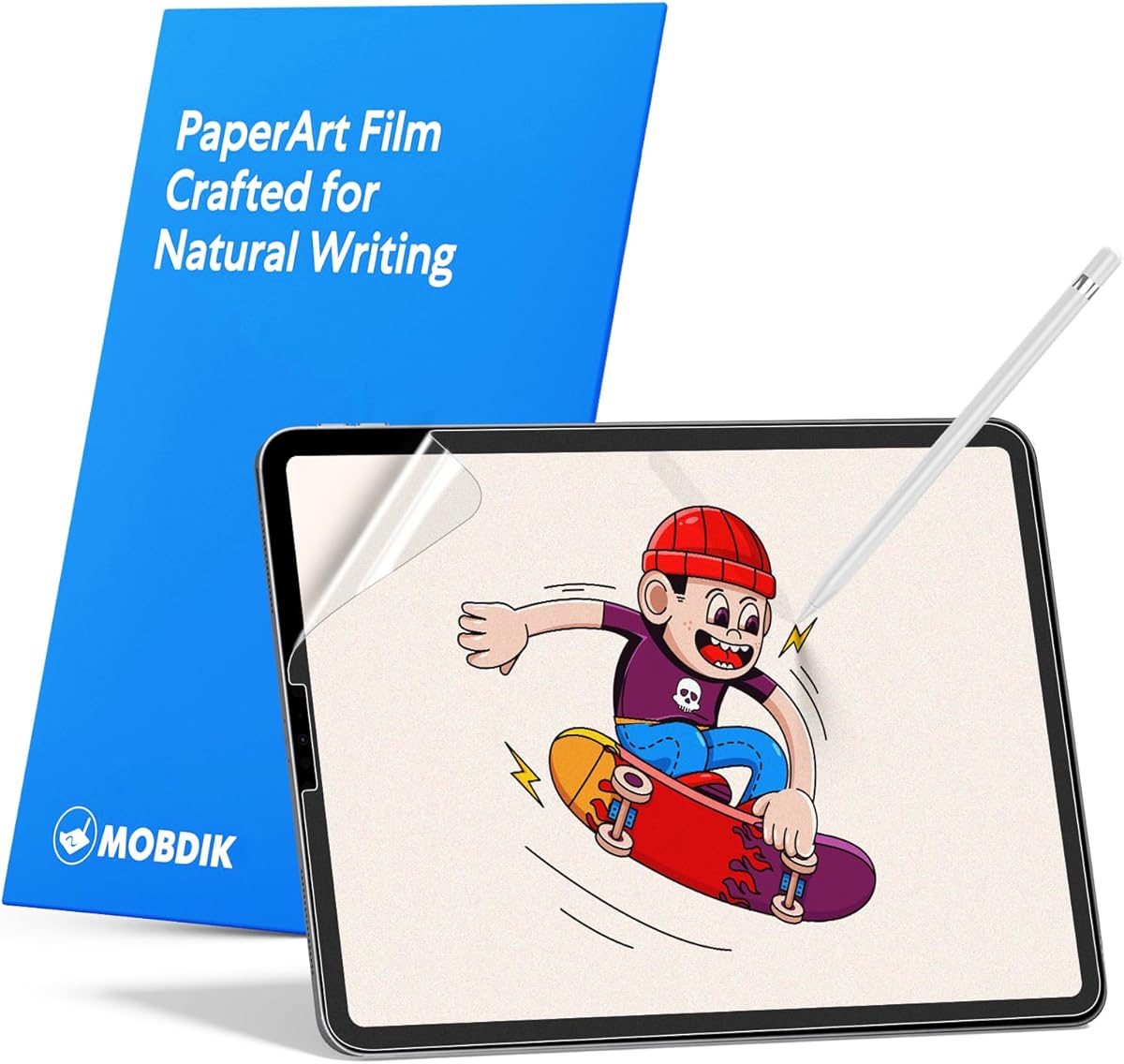
The MOBDIK Paperfeel is a budget-oriented option for owners of older 11-inch iPad Pro models, including several releases from 2018 through 2022. Its 4.4 rating indicates a solid overall reception, with the main appeal coming from a textured writing surface, thin construction, and an accessible approach to glare and fingerprint control.
We may earn a commission when you buy through this link, at no additional cost to you.
The non-slip treatment is designed to make Apple Pencil strokes smoother and more continuous by adding controlled friction. At just 0.17 mm, the film is thin enough to preserve a similar tactile response to the original screen and supports everyday swiping, tapping, application use, and entertainment. Hydrophobic and oleophobic coatings help limit the appearance of grease and fingerprints.
Its limitations begin with compatibility. The listing explicitly excludes the iPad Pro 11-inch M4 and M5, iPad Air 11-inch models, and several other newer devices, so buyers must verify the model number. It also does not claim the 9H tempered-glass protection offered by the leading OMOTON products, making it more appropriate as a writing accessory than a maximum-impact solution.
This protector makes sense for a student or casual artist with an eligible older iPad who wants a more paper-like experience without paying for a multi-pack or advanced installation system. It is the practical choice when the priority is natural handwriting, slimness, and everyday smudge resistance rather than the most advanced protection or newest-model support.
The textured layer gives the Pencil enough traction to form smaller letters without feeling excessively sticky. That balance can help during long handwritten notes, where too little friction becomes slippery and too much makes smooth strokes difficult.
At 0.17 mm, the protector remains close to the thickness of a conventional film. Its stated touch sensitivity and fast response make it suitable for users who navigate extensively as well as those who primarily write and draw.
We may earn a commission when you buy through this link, at no additional cost to you.
The bersem 2 Pack is a useful choice for owners of recent 12.9-inch iPad Pro models who value a paper-like surface and a spare protector. Its 4.4 rating reflects a favorable balance of texture, touch sensitivity, and installation features, although compatibility is limited to selected third-generation and newer models.
We may earn a commission when you buy through this link, at no additional cost to you.
The product description identifies imported Japanese material and a textured surface intended to resemble real paper. Its anti-glare layer reduces reflections from natural and artificial light, while a hydrophobic and oleophobic layer limits sweat, grease, and fingerprint residue. A 0.17 mm thickness preserves responsive swiping and tapping without adding a bulky feel.
One installation detail deserves special attention: a printed layer sits on top of the paper-feel material and must be peeled away. Removing this layer incorrectly may leave the screen with the wrong surface. The protector also does not fit the 2015 and 2017 12.9-inch iPad Pro generations, making model verification essential.
This two-pack is attractive for owners of a compatible 12.9-inch iPad Pro who want natural writing feedback without the higher cost of a 9H glass product. It is especially useful for people who value having a replacement on hand, provided they follow the printed-layer removal and alignment instructions carefully.
The textured finish gives handwriting and drawing a more controlled feel than a smooth film. For users accustomed to writing on paper, that added resistance can reduce the sensation of the Pencil hovering above a perfectly smooth surface.
Keeping a second protector can be useful after scratches accumulate or when one becomes scratched during installation. The automatic adsorption and exhaust features are designed to simplify fitting and reduce trapped bubbles.
We may earn a commission when you buy through this link, at no additional cost to you.
OMOTON PAPERSENSE for the 12.9-inch iPad Pro combines a 4.6 rating with a 9H glass construction and a writing-oriented matte texture. It supports several iPad Pro releases, giving owners of 2018, 2020, 2021, and 2022 hardware a way to improve both writing feel and physical protection.
We may earn a commission when you buy through this link, at no additional cost to you.
The product emphasizes realistic writing and drawing, instant Apple Pencil responsiveness, and improved screen comfort. Its dense frosted texture reduces glare and light refraction, which can be useful in bright classrooms, offices, or outdoor sketching sessions. A complete installation toolkit and instructional video make the alignment process more accessible for first-time users.
The familiar matte trade-off applies: blacks may appear less deep and colors less intense than on the uncovered display. Since this version is sold as a single protector, users who expect to replace it often may prefer a two-pack. Model-specific dimensions and openings also mean buyers should confirm the exact iPad before ordering.
This is a strong option for a compatible 12.9-inch iPad Pro owner who values durable glass protection alongside a paper-like writing surface. It works well for digital art, handwritten outlines, and professional annotation, providing a more tactile experience without sacrificing the scratch resistance expected from a 9H glass design.
Unlike ultra-thin PET films, the stated 9H glass construction adds a more substantial barrier against scratches and impacts. That makes this version appealing to users who write heavily and are concerned about long-term screen wear.
The frosted finish softens harsh reflections and reduces perceived glare. It is particularly useful for reading and drawing where a mirror-like surface can make the display harder to view in daylight or under strong overhead lighting.
We may earn a commission when you buy through this link, at no additional cost to you.
This OMOTON PAPERSENSE two-pack uses an extremely thin 0.09 mm matte PET film for compatible 12.9-inch iPad Pro models. Its 4.5 rating reflects a strong combination of realistic paper texture, Apple Pencil compatibility, visual clarity, and the practical benefit of carrying a spare protector.
We may earn a commission when you buy through this link, at no additional cost to you.
The stated optimal friction is intended to eliminate slippery lag while enabling smooth, natural strokes. OMOTON also says the surface can help protect Pencil tips from excessive wear, potentially reducing the need for frequent tip replacements. Its advanced matte coating lowers glare and reflections, while the material is designed to preserve vivid colors and sharp details.
The important distinction is the PET film construction. Although it is scratch resistant, it does not offer the same rigid, impact-dispersing profile implied by a 9H tempered-glass protector. It is best suited to users who prioritize writing realism, low profile, and visual fidelity over maximum drop protection.
This two-pack is a sensible choice for compatible 12.9-inch iPad Pro owners who draw or write extensively and want an inexpensive backup. It also works for anyone who dislikes the thicker appearance of glass, provided the ultra-thin film and reduced structural protection align with their needs.
At 0.09 mm, the film adds very little physical depth to the display. This can benefit users who notice edge sensitivity from thicker protectors and want the iPad to remain visually and tactilely close to its original form.
The material is designed to maintain vivid colors and fine detail despite its matte texture. That balance is important for digital art, where an overly rough surface can improve Pencil grip but make visual evaluation less accurate.
We may earn a commission when you buy through this link, at no additional cost to you.
Astropad Rock Paper Pencil v4.0 is the premium choice in this guide, earning a 4.7 rating alongside a feature set centered on natural Pencil feedback, reusability, and tip customization. It is intended for the iPad Pro 13-inch M4 and M5, making it a particularly relevant option for newer large-screen owners.
We may earn a commission when you buy through this link, at no additional cost to you.
The package combines a textured matte screen protector with four replacement Apple Pencil tips: two ballpoint and two graphite. These tips let users vary glide and tactile response while extending the working life of compatible first-generation, second-generation, and Pencil Pro accessories. The protector's static-cling NanoCling technology avoids ordinary adhesive, allowing a flatter border and residue-free removal.
Its most unusual benefit is reversibility. Users can leave the matte layer in place for realistic drawing and writing, then remove it when they want the iPad's original crisp display. The reused protector can then be reapplied, although repeated handling makes careful storage important. Its more specialized design and included accessories also place it at the upper end of this category.
This product is best for serious digital artists, designers, and committed note-takers who value fine control over Pencil feel and want the ability to switch between textured and pristine viewing. It is also compelling for owners of the listed 13-inch models who dislike adhesive residue or expect to alternate frequently between drawing and media viewing.
Ballpoint and graphite replacements allow artists and writers to adjust the amount of glide and feedback. This makes the kit more versatile than a conventional screen protector because the surface and the drawing tool can be tuned together.
Removing the matte layer restores the clearer native display, while the reusable design avoids committing permanently to one surface. This is useful for color-critical work, entertainment, or whenever a crisp image matters more than paper texture.
We may earn a commission when you buy through this link, at no additional cost to you.
KCT's two-pack is tailored to older 11-inch iPad Pro and compatible iPad Air models, with a 4.4 rating and a focus on detailed paper texture. Its surface is designed to create an appropriate amount of damping, helping handwriting resemble the controlled resistance of writing on actual paper.
We may earn a commission when you buy through this link, at no additional cost to you.
The upgraded grinding and processing are intended to improve both drawing and handwriting. An oleophobic coating reduces oil, smudges, and fingerprints, while the fine matte texture lowers glare and light refraction. The protectors are also described as Apple Pencil compatible, making the pack practical for a broad range of note-taking and sketching tasks.
Compatibility is the central constraint. The product excludes the 11-inch iPad Pro released in 2024, 11-inch iPad Air models, and several other newer or unrelated iPads. No 9H hardness claim appears in the supplied information, so buyers who need stronger rigid protection should consider a glass option instead.
This pack is a good value-oriented selection for an eligible older iPad Pro owner who writes frequently and wants a less slippery Pencil experience. The two included films are useful for replacement, and the understated installation system helps keep setup manageable.
The fine texture introduces a measured amount of drag that can make short strokes and small letters easier to control. This is especially useful for users accustomed to a fountain pen or a pencil rather than a very smooth glass surface.
The oleophobic surface helps limit visible grease and fingerprint residue. Because hands frequently contact a tablet during sketching or note-taking, this practical coating can reduce the need for frequent cleaning between work sessions.
We may earn a commission when you buy through this link, at no additional cost to you.
ZAGG Fusion Canvas is a flexible polymer protector for the 11-inch iPad Pro M4 and M5. Its 3.5 rating is lower than those of the other products in this comparison, but the supplied information still presents several useful qualities, including impact absorption, scratch resistance, glare reduction, and a paper-like texture.
We may earn a commission when you buy through this link, at no additional cost to you.
The friction-enhanced surface is designed to improve stylus accuracy and response by reducing the tendency of a Pencil to slip across the display. Its flexible construction also absorbs shocks, potentially making it less vulnerable than a rigid film to minor bending forces during everyday handling.
The most obvious compromise is the lower customer rating, which may suggest that the overall experience is less consistently satisfying than that of the leading choices. As with other matte protectors, the texture can also reduce display vibrancy, and the single-protector format does not provide a ready-made replacement.
Despite those limitations, ZAGG Fusion Canvas remains a reasonable option for compatible 11-inch iPad Pro owners who prioritize flexible construction, a simple tab-based installation process, and enough friction for controlled drawing. Those seeking the strongest all-around experience should compare its feedback and finish carefully with the higher-rated OMOTON options.
A polymer structure can flex slightly instead of acting as a rigid plate. This may be reassuring for users who work on supported surfaces or move their iPad frequently between a desk, couch, and stand.
The Canvas surface adds enough resistance to discourage uncontrolled Pencil sliding. Artists can benefit from the improved stroke control, while readers and note-takers may notice a less glasslike texture beneath the Pencil tip.
We may earn a commission when you buy through this link, at no additional cost to you.
ZAGG GlassFusion+ Canvas is a hybrid protector aimed at the 11-inch fourth-generation iPad Pro and iPad Air 5. Its 4.2 rating reflects a solid, though less exceptional, overall showing, and its distinguishing feature is the combination of a simulated paper surface with shock-absorbing polymer protection.
We may earn a commission when you buy through this link, at no additional cost to you.
The hybrid construction is designed to absorb shock and disperse impact, while the matte Canvas texture adds friction and stroke resistance. Those properties can make Apple Pencil writing feel more deliberate and reduce sliding. The surface also lowers glare, making the display more comfortable for reading, drawing, and working under bright conditions.
Its compatibility is now the most important limitation. It is designed for the fourth-generation 11-inch iPad Pro and iPad Air 5 rather than current M4 or M5 iPad Pro versions. Owners of newer hardware should not rely on the broader 'iPad Pro 11-inch' label alone and need to confirm the exact model number.
This protector is a sensible choice for an eligible older iPad Pro user who values hybrid impact protection and a paper-like texture. The limited lifetime warranty adds reassurance, although buyers should review its terms and ensure their device is supported before ordering.
The material combines a flexible element with a protective surface, allowing it to absorb and disperse impact rather than behaving like a completely rigid panel. That can be advantageous for tablets frequently used on hard surfaces.
A limited lifetime warranty can add confidence for long-term owners. Coverage terms vary, so the product listing and manufacturer conditions should be reviewed for exclusions, replacement procedures, and proof-of-purchase requirements.
We may earn a commission when you buy through this link, at no additional cost to you.
The right paper-feel protector depends on your iPad generation, writing habits, tolerance for matte visuals, and desired level of protection. Use the following factors to narrow the field before comparing the products in this guide.
iPad Pro screen sizes are not enough to establish compatibility. Model numbers differ among generations that share the same physical dimensions, and several listings include multiple or relatively recent model identifiers. Check the small model number printed on the back of the tablet or in the device information settings, then compare every number listed in the product description.
Choose only a protector explicitly designed for that model. Buying by generation label alone can lead to a poor edge fit, camera interference, or a protector that covers the wrong buttons and openings.
A convincing paper feel comes from controlled friction rather than roughness alone. Useful texture details include descriptions of damping, grip, stroke resistance, optimal friction, and a natural or realistic writing experience. Extremely aggressive texture may improve control but can make broad strokes and shading less fluid.
Match the surface to your activity. Dense fine texture suits handwriting and detailed line work, while a smoother matte layer may feel better for color painting, casual navigation, and media viewing.
Tempered-glass protectors emphasize hardness, scratch resistance, and impact dispersion. Flexible PET and polymer films can be thinner, more removable, and more comfortable in their handling, but they generally do not provide the same rigid barrier against impacts. The 9H claims available for some OMOTON models make them appealing for heavily used tablets.
Think about how you carry and use the iPad. A glass-style option is sensible for maximum everyday scratch protection, while a thin film or removable system may be more attractive when visual clarity, easy removal, or a low-profile edge matters most.
Matte and frosted finishes reduce glare, but they also scatter reflections and can lower perceived contrast, color intensity, and black depth. This is rarely a deal-breaker for note-taking and may even improve comfort under bright lights. It matters more for photo editing, entertainment, or a user who expects the naked display to look completely untouched.
Consider your viewing environment. Strong indoor lighting and outdoor use favor the anti-glare benefits, while dark-room media viewing may make a clear protector more desirable.
The protector should state that it supports Apple Pencil or that the Pencil remains responsive. A textured surface can add desirable resistance, but poor touch calibration or excessive drag can make the overall experience tiring. Listings that specifically mention instant response, optimal friction, and tip-wear reduction provide a clearer indication of the intended Pencil experience.
If you switch among different Pencil tips, consider a bundle that includes alternate ballpoint and graphite tips. The ability to vary glide can be valuable for both handwriting and illustration.
An alignment tray, installation frame, EZ Apply tabs, video guide, and cleaning supplies can make a large tablet protector much easier to fit. The presence of these accessories does not guarantee a flawless result, but they reduce the need for improvisation and help maintain consistent alignment.
Budget time for installation and clean the screen before applying. Dust, oil, and moisture are the most common causes of bubbles, and a dust-free workspace is just as important as the supplied tools.
A single protector is sufficient if installation is straightforward and the iPad is unlikely to suffer scratches. A two- or four-piece package offers a ready-made replacement and makes more sense for frequently used tablets, children, or people who are still learning the installation process.
Multi-packs are not automatically better. Confirm that the package contains the protector material itself and check for instructions about removable printed layers, which may otherwise be mistaken for the actual paper-feel surface.
A static-cling or adhesive-free design allows the protector to be removed without leaving adhesive residue and can make the iPad easier to clean. It also lets users switch between a matte drawing surface and the original display. This flexibility is valuable for artists who alternate between sketch work and precise color tasks.
Reusable does not mean indestructible. Store removed protectors between clean sheets and keep the edges away from dust and sharp objects. Review the warranty and care instructions before assuming repeated use will not affect the material.
Begin by confirming compatibility, powering off the iPad, and cleaning the display in a dust-free area. Use the supplied cleaning kit or a soft microfiber cloth, remove every fingerprint, and avoid leaving moisture on the screen. Read the installation guide and video before separating the protective layers, especially on products whose paper-feel surface includes a printed film.
Align the protector within its tray, frame, or tabs, then lower it gradually rather than dropping it onto the display. Apply light pressure toward the center while working outward. If using a wet-install film, follow the supplied fluid instructions exactly; excessive liquid can reach openings or affect the device. Remove the top layer only after the protector is positioned and adhered as intended.
For daily care, wipe the surface gently with a dry, lint-free cloth and avoid abrasive pads, solvents, and household cleaners. Clean Pencil tips before using them on the display, store the Apple Pencil with the tip covered, and use a protective case to reduce contact with keys and other hard objects. If a protector is scratched, lifting, or trapping dirt, replace it rather than continuing with a damaged surface.
It can make the display look slightly less vivid because a matte texture diffuses reflected light. Blacks may appear less deep and colors may seem less intense than on the uncovered screen, particularly in a dark room. The same diffusion is what reduces glare and improves visibility in sunlight or under strong lighting, so the visual change is usually a worthwhile trade-off for writing and reading.
It may increase normal tip wear because the Pencil has more friction to work against, but some products are specifically designed to reduce excessive abrasion. Keeping the tip covered while the Pencil is stored and replacing worn tips promptly can help maintain accurate performance. The Astropad Rock Paper Pencil v4.0 also includes four replacement tips for adjusting the feel.
Most of the products in this guide are explicitly designed or described as compatible with Apple Pencil. The surface adds resistance so the Pencil does not slide as easily, while the protector should preserve normal responsiveness. Users should still verify device-model compatibility and avoid very rough cleaning cloths that could scratch the textured finish.
No. An iPad Pro protector must match the display size, openings, and camera arrangement of the specific model. Even protectors sharing the same 11-inch designation may differ between M4, M5, and earlier generations. Check the model number on the back of the iPad before buying, and do not rely solely on the marketing name.
Tempered glass usually offers a more rigid and scratch-resistant surface, while ultra-thin PET can feel closer to the original display profile and is easier to remove. Both can provide a paper-like texture. The choice depends on whether you prioritize long-term impact and scratch protection or a thinner, more flexible installation.
Some protectors, including the bersem product in this guide, include a removable printed layer above the actual paper-feel surface. Removing the wrong layer can leave the installation film on the display and make the surface feel incorrect. Read the supplied instructions, identify each layer before starting, and contact the seller if the materials are not clearly labeled.
Turn off the iPad and use a soft, dry microfiber cloth with gentle pressure. Avoid paper towels, abrasive pads, alcohol unless the manufacturer specifically approves it, and household cleaning sprays because they can damage coatings. Cleaning the Apple Pencil tip before use also helps prevent marks and scratches from reaching the protector.
Only if the protector is designed to be removable. The Astropad Rock Paper Pencil v4.0 uses a static-cling NanoCling system that is advertised as reusable and residue free, allowing its matte layer to be removed for a pristine view. Traditional adhesive-backed glass is less convenient to remove, so users should consider whether they want a permanent surface before purchasing.
The Astropad Rock Paper Pencil v4.0 is the premium selection for its 4.7 rating, realistic writing feedback, reusable static-cling design, removable matte finish, and four replacement Apple Pencil tips. The OMOTON PAPERSENSE for 11-inch M4/M5 stands out as the editor's choice for its 9H glass, strong paper feel, glare control, and complete installation kit, while the MOBDIK Paperfeel offers an accessible option for eligible older 11-inch models.
Before choosing, prioritize exact device compatibility, then decide how much visual softness and friction you prefer. Note-takers and illustrators may want stronger texture and a more pronounced matte finish, while occasional users may prefer an ultra-thin film that preserves display vibrancy. Protective glass is prudent for frequent use, whereas removable films suit anyone who changes between drawing, media, and ordinary viewing.
Current prices, customer feedback, product availability, and manufacturer details can change, so compare the latest listing information before purchasing. Check the model number on the back of your iPad, read the installation directions, and review the included care and warranty guidance. With those checks completed, the right protector can make handwriting, reading, and drawing feel considerably more natural.