
Kingston NV3 1TB
4.7Editor score
PCIe 4.0 Gen 4×4
Up to 6,000 MB/s reads
One-terabyte storage capacity
Acronis cloning software
SSD for ASUS Tuf F15 expert guide comparing 10 SSDs, external enclosures, laptop storage options, speeds, capacities, and upgrade compatibility for buyers.
An SSD can transform how an ASUS TUF Gaming F15 feels, especially when the original drive is full or the system includes a PCIe 3.0 configuration. The right upgrade should balance speed, thermals, capacity, physical compatibility, and the limits of a compact gaming laptop.
This guide compares ten relevant options, including internal PCIe 4.0 and PCIe 5.0 drives, external M.2 enclosures, and ASUS TUF laptops that demonstrate upgrade-friendly configurations. The evaluation focuses on published specifications, interface support, form factors, thermal considerations, and practical upgrade scenarios.
Each pick reveals what makes it suitable for an ASUS TUF F15 workflow, from fast game loading to portable external storage. Compatibility can vary by exact model and configuration, so confirm the internal slot and device specifications before buying. Product listings and market conditions also change over time.
4.7Editor score

4.7Editor score

4.7Editor score
The comparison covers internal NVMe drives, external storage enclosures, and two TUF Gaming laptops with documented storage considerations, helping buyers identify options suited to different upgrade paths.



The Samsung SSD 9100 PRO 2TB combines a PCIe 5.0×4 interface with headline sequential speeds of up to 14,700 MB/s read and 13,400 MB/s write. Its 4.7 rating reflects strong customer confidence, while the M.2 2280 format and two-terabyte capacity make it an ambitious option for a high-end ASUS TUF F15 storage upgrade.
We may earn a commission when you buy through this link, at no additional cost to you.
The standout strength is throughput. Samsung lists random performance of up to 1,850K read IOPS and 2,600K write IOPS, which is particularly relevant when loading games, opening many applications, or transferring compressed project files. A 5nm controller and advanced thermal control are also designed to maintain performance as workload intensity increases.
The important caveat is that a PCIe 5.0 drive cannot deliver its full theoretical speed through a typical PCIe 4.0 laptop slot. An ASUS TUF F15 with a Gen4 interface may still benefit from the drive, but results will be constrained by the laptop, processor, and storage controller. Compact laptop cooling also makes thermal behavior more important than the largest headline number.
This is the premium recommendation for buyers who want maximum storage performance, generous capacity, and room for demanding work. It is best suited to a TUF configuration with a compatible M.2 slot and adequate cooling. Those using PCIe 4.0 should consider the 990 PRO for more predictable laptop results.
The drive's exceptional sequential and random performance can shorten waits when installing large games, transferring high-resolution media, or opening data-intensive applications. In everyday laptop use, the CPU, GPU, and interface may limit how much of that theoretical advantage becomes visible.
Samsung's advanced thermal control and Magician software are useful additions for sustained workloads. Management tools can provide firmware updates, encryption options, and health monitoring, helping owners keep the drive organized without relying on third-party utilities.
We may earn a commission when you buy through this link, at no additional cost to you.
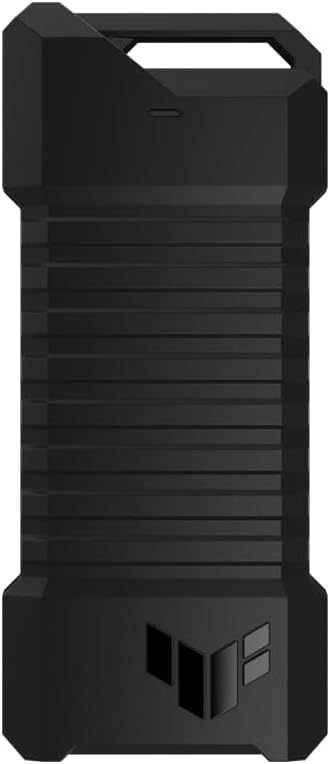
The ASUS TUF Gaming A2 is a dual M.2 external enclosure rather than a complete SSD, and it earns its place for owners who want flexible storage expansion. Its 4.5 rating reflects a rugged, practical design, while USB-C 3.2 Gen 2×2 provides a bandwidth ceiling of up to 20 Gbps for compatible NVMe drives.
We may earn a commission when you buy through this link, at no additional cost to you.
This enclosure supports M.2 NVMe PCIe and SATA SSDs in 2242, 2260, and 2280 sizes. That broad support lets buyers reuse an existing drive or choose one based on capacity and performance rather than locking into a proprietary format. The aluminum alloy chassis and thermal pad are designed to dissipate heat and reduce performance drops.
Physical protection is another major strength. The enclosure meets MIL-STD-810H drop-resistance standards and carries an IP68 water and dust resistance rating. A protective silicone-rubber exterior adds another layer of grip and protection, while the Q-Latch mechanism allows tool-free SSD installation and removal.
The A2 is an excellent companion for an ASUS TUF F15 when an internal slot is occupied, when larger archival storage is required, or when a frequently transported game library is desired. It offers the strongest USB bandwidth among the listed enclosures, although actual transfer rates depend on the installed SSD and host-device connection.
Supporting both PCIe NVMe and SATA drives gives the enclosure more utility than a single-interface case. Buyers can use a faster NVMe drive for active games and a larger SATA SSD for archives, provided their capacities and physical formats are supported.
MIL-STD-810H drop resistance, IP68 sealing, and a protective outer layer make the A2 suitable for portable use. The screw-free mounting system also makes it convenient to move between an ASUS TUF F15, a desktop, or another compatible USB-C device.
We may earn a commission when you buy through this link, at no additional cost to you.
This ASUS TUF Gaming F15 FX507ZC configuration provides useful context for SSD shopping because it ships with a 512GB PCIe 3.0 drive and an additional SSD slot. Its 4.3 rating offers a practical baseline, while the documented internal configuration helps buyers understand which type of upgrade the laptop can accept.
We may earn a commission when you buy through this link, at no additional cost to you.
The additional slot is the most relevant detail for storage-focused buyers. It can provide a straightforward route to a second drive without replacing the original drive immediately. The laptop's 12th Gen Intel Core i5-12500H processor, 16GB of DDR4-3200 memory, and GeForce RTX 3050 Laptop GPU create a capable gaming platform, while the FHD 144Hz display benefits from Adaptive-Sync.
The limitation is the listed PCIe 3.0 storage configuration. A PCIe 4.0 SSD may install and perform well, but it will be constrained by the interface and platform. Buyers should not assume that installing the fastest M.2 2280 drive will unlock desktop-like transfer speeds inside this particular configuration.
For someone beginning with an ASUS TUF F15, this model demonstrates why a moderate-capacity PCIe 4.0 drive is often a sensible internal upgrade. The second slot can host additional storage, while the original module can remain in place. Buyers should verify the exact motherboard layout and service manual before ordering a drive.
The documented extra SSD slot makes this F15 configuration especially flexible. A new drive can be added for a larger game library, project files, or a separate boot drive while leaving the installed 512GB module untouched.
The PCIe 3.0 interface is the key constraint when comparing very fast SSDs. A compatible Gen4 drive can improve responsiveness and capacity, but the laptop's storage controller will determine the portion of its advertised speed that is actually available.
We may earn a commission when you buy through this link, at no additional cost to you.
The Samsung SSD 990 PRO 2TB is the most balanced recommendation for a high-performance ASUS TUF F15. It combines a 4.7 rating with a standard M.2 2280 form factor, PCIe 4.0 support, and sequential speeds of up to 7,450 MB/s read and 6,900 MB/s write.
We may earn a commission when you buy through this link, at no additional cost to you.
The two-terabyte capacity is a major advantage for modern gaming. It provides room for numerous installed titles, game updates, video projects, and system files without constant maintenance. Samsung also emphasizes performance per watt and a more than 55% random-performance improvement over its 980 PRO, useful qualities in a power-conscious laptop.
Unlike a PCIe 5.0 upgrade, the 990 PRO is well aligned with many current gaming laptops that use Gen4 storage. It avoids requiring the newest interface to deliver strong results, although an exact ASUS TUF F15 with a PCIe 3.0 slot will still limit the available bandwidth. Thermal performance under sustained writes remains a consideration in compact chassis.
The 990 PRO 2TB is recommended for buyers who want substantial capacity and flagship-class Gen4 speed without moving to a premium PCIe 5.0 platform. It is well suited to game libraries, creative work, and fast general responsiveness. Confirm slot compatibility and keep reasonable space around the drive for heat dissipation.
Two terabytes gives an ASUS TUF F15 owner room for a varied collection of games and associated data. Larger libraries benefit from the combination of fast loading and enough space to keep installations, updates, and personal files together.
PCIe 4.0 is widely suited to modern gaming laptops because it offers a strong performance ceiling without the tighter thermal and platform demands associated with the newest generation. For many TUF F15 configurations, this is the point where additional interface speed produces diminishing returns.
We may earn a commission when you buy through this link, at no additional cost to you.
The ASUS TUF Dash 15 FX517ZE is another relevant platform reference because it combines a 512GB PCIe NVMe M.2 SSD with an easy-upgrade design. Its 4.4 rating and storage flexibility make it useful for comparing internal and external expansion options for TUF laptop owners.
We may earn a commission when you buy through this link, at no additional cost to you.
The system's Intel Core i7-12650H processor has 10 cores, including six performance cores and four efficiency cores, while 16GB of DDR5-4800 memory supports multitasking. For storage, the documented support for easily adding or replacing memory and storage gives users clear options when the original drive becomes inadequate.
Thunderbolt 4 adds another route for fast external storage. It can be used with compatible NVMe enclosures, including the ASUS TUF options in this guide, when a larger game library, media archive, or backup drive is needed. The NVMe base configuration remains the central detail for anyone planning an internal replacement.
This Dash 15 configuration is best viewed as a practical example of an upgradeable TUF system rather than an SSD recommendation. Users can compare its documented internal platform with the exact F15 they own, then choose a compatible drive and an enclosure when extra portable capacity is useful. Always check the service guide and slot type.
The combination of replaceable internal storage and Thunderbolt 4 gives owners two expansion routes. A fast internal NVMe drive can improve responsiveness, while a rugged enclosure can provide portable capacity without opening the laptop for every transfer.
This model's documented 512GB PCIe NVMe configuration helps illustrate the baseline present in many contemporary TUF laptops. Comparing that baseline with a target F15 makes it easier to decide whether replacing the internal drive is worthwhile or whether an external solution is enough.
We may earn a commission when you buy through this link, at no additional cost to you.
The Samsung SSD 9100 PRO 1TB delivers the same PCIe 5.0 platform as the larger two-terabyte model in a more compact capacity. It carries a 4.7 rating and advertises sequential speeds of up to 14,700 MB/s read and 13,300 MB/s write, making it suitable for users who want speed but need less space than the premium 2TB choice.
We may earn a commission when you buy through this link, at no additional cost to you.
Random performance of up to 1,850K read IOPS and 2,600K write IOPS supports quick application access, game loading, and multitasking. The 5nm controller is designed for improved power efficiency, while advanced thermal control helps manage the heat generated by a high-speed flash drive operating inside a constrained laptop chassis.
As with any PCIe 5.0 drive, the final result depends heavily on the ASUS TUF F15's storage interface. A PCIe 3.0 slot will prevent full Gen5 performance, and even a Gen4 slot provides only a portion of the published Gen5 throughput. Sustained workloads can also expose the thermal limits of compact laptop designs.
The 1TB model is best for owners who need a fast everyday system drive, a selected game collection, or a high-performance drive for creative files. It can be a compelling upgrade in a compatible high-end system, but the 990 PRO 2TB generally offers more practical capacity and less interface dependency for a gaming laptop.
High sequential throughput and strong random IOPS make this drive well suited to frequent application launches, game loading, and transfers. The interface in the host laptop remains the deciding factor in how much of that performance reaches the user.
The controller's power-efficiency focus is valuable in a laptop, where storage contributes to overall energy use. Magician software also adds convenient firmware, encryption, and drive-health management for owners who want ongoing oversight.
We may earn a commission when you buy through this link, at no additional cost to you.
The ASUS TUF Gaming A1 is a compact USB-C M.2 enclosure for owners who want an easy way to add portable storage to an ASUS TUF F15. Its 4.6 rating reflects a strong balance of portability, durability, and broad drive compatibility, although the enclosure itself does not contain an SSD.
We may earn a commission when you buy through this link, at no additional cost to you.
Its USB-C 3.2 Gen 2×1 interface supports transfer speeds up to 10 Gbps, while SATA SSDs are limited to up to 6 Gbps. The dual M.2 design accepts PCIe NVMe or SATA drives in 2242, 2260, and 2280 formats, giving buyers flexibility when selecting capacity, performance, and endurance.
The exclusive Q-Latch mechanism simplifies mounting an SSD without screws. Durability is another advantage: the enclosure meets MIL-STD-810H drop-resistance standards and has an IP68 water and dust resistance rating. A bundled USB-C cable also broadens compatibility with PCs, laptops, mobile devices, and current-generation gaming consoles.
The A1 is a practical choice for a portable game library, scratch workspace, or backup drive. It is especially useful when the F15's internal storage is already full and the user does not want to open the laptop. The included cable and tool-free design simplify setup, while the lower USB bandwidth makes the larger A2 more appropriate for maximum transfer speed.
The A1 works with both NVMe and SATA M.2 drives, making it useful across different storage budgets and capacities. Buyers can choose a drive for their own needs and retain the enclosure if the internal drive is later upgraded.
The Q-Latch system reduces the need for a screwdriver and makes drive swaps more convenient. That ease of use is valuable for moving a focused game library between an ASUS TUF F15 and other compatible systems.
We may earn a commission when you buy through this link, at no additional cost to you.
The Sandisk Optimus 5100 500GB is a PCIe 4.0 M.2 2280 drive positioned around creators, general productivity, and mobile use. Its 4.7 rating is strong, and the power-efficient design is particularly relevant when adding storage to an ASUS TUF F15 that may also run on battery.
We may earn a commission when you buy through this link, at no additional cost to you.
The product family uses eighth-generation Sandisk BiCS QLC 3D CBA NAND. Published read speeds reach up to 7,100 MB/s on the 1TB and 2TB versions, while write speeds reach up to 6,700 MB/s on 1TB through 4TB versions. Those figures describe the family, so buyers should distinguish them from the listed 500GB capacity's own specifications.
QLC NAND is designed to provide a useful balance of capacity and performance, particularly for mixed consumer workloads. The drive can support creator applications, file storage, and general laptop use, while the available family endurance rating reaches up to 1,200 TBW on the 4TB model. The downloadable Sandisk Dashboard application assists with monitoring and updates.
For an ASUS TUF F15 owner, this can be a good secondary drive for projects or portable working files, especially when the listed 500GB capacity is enough. It may be less appropriate for a large installed game library. Buyers should check the exact M.2 slot, fit, and thermal requirements of their specific laptop before installation.
The power-efficient design complements creative and productive workflows that often occur away from a wall outlet. A secondary drive can hold active project files while leaving the primary system drive organized for applications and frequently accessed games.
Dashboard support gives owners a dedicated way to check performance-related information and apply drive updates. Keeping firmware current can help maintain expected behavior and makes the utility more useful over the life of the installation.
We may earn a commission when you buy through this link, at no additional cost to you.
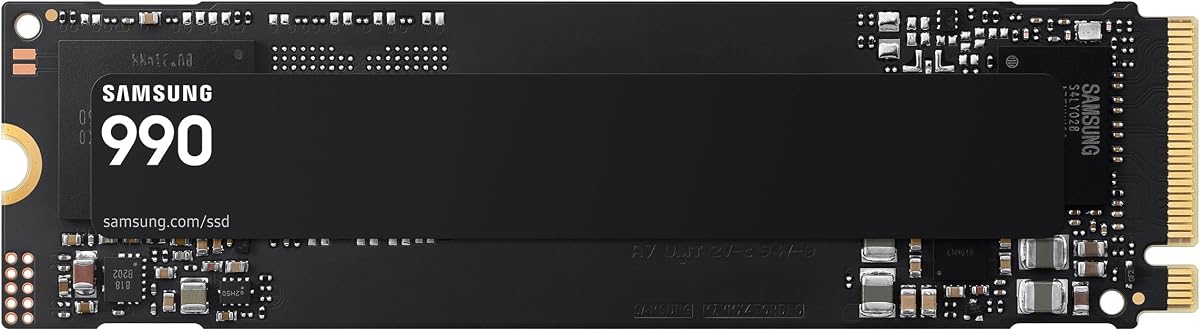
The Samsung Internal SSD 990 1TB records the highest rating in this roundup at 4.8. Its headline read and write speeds of up to 7,150 and 6,450 MB/s place it firmly in high-performance territory, while the one-terabyte capacity is convenient for a laptop system drive.
We may earn a commission when you buy through this link, at no additional cost to you.
Random performance reaches up to 700K read IOPS and 1,100K write IOPS, which supports responsive behavior when applications access many smaller files. Samsung highlights up to 38% better performance per watt than the 990 PRO, an appealing specification for laptops where efficient operation can influence battery use and system heat.
Management features include firmware updates, encryption options, and continual drive-health monitoring through the supporting software suite. The listed information does not explicitly state the physical interface or form factor for this particular 990 model, so buyers should verify those details and slot support before treating it as a drop-in TUF F15 upgrade.
This drive is a strong recommendation for users seeking fast everyday performance and a generous balance of power efficiency and capacity. It is particularly suitable for a TUF F15 that supports a compatible modern NVMe drive. Confirming dimensions, interface, and firmware support is essential because the model naming should not be assumed to match every other Samsung 990 release.
Strong random read and write ratings can improve the feel of multitasking, application startup, and game loading. These qualities are often more noticeable in daily use than a small difference between two very high sequential-transfer figures.
The stated improvement in performance per watt makes this drive appealing for mobile systems. Firmware, encryption, and health-monitoring tools add long-term control for owners who want to manage storage directly.
We may earn a commission when you buy through this link, at no additional cost to you.
The Kingston NV3 1TB is a practical mainstream upgrade with a 4.7 rating. It uses PCIe 4.0 Gen 4×4, delivers read speeds up to 6,000 MB/s and write speeds up to 4,000 MB/s, and offers enough capacity for a substantial selection of games, applications, and personal files.
We may earn a commission when you buy through this link, at no additional cost to you.
Its description emphasizes high-speed, low-power storage, which makes it well matched to general-purpose laptop upgrades. The standard M.2 2280 format makes it a familiar choice, although installation still depends on the ASUS TUF F15's available slot, mounting hardware, and maximum drive dimensions.
Acronis cloning software is included for users who may want to transfer an existing system or files during a migration. The drive also carries a five-year limited warranty. Its write speed is lower than that of the 990 PRO, 990, and 9100 PRO models, but everyday responsiveness depends on more than a brief maximum-throughput figure.
The NV3 1TB is the best budget-oriented recommendation in this list for a buyer who wants a meaningful capacity increase and strong Gen4 performance without moving to a top-end drive. It works particularly well for system storage, secondary game storage, and general creative files. Check the exact F15 configuration to ensure the interface delivers a useful portion of its rated speed.
One terabyte is large enough to serve as a main drive for many owners and provides useful room for a second storage solution. It can host the operating system, applications, selected games, and working files without becoming full as quickly as a smaller drive.
Bundled Acronis cloning software can simplify moving data or replicating a system during an upgrade. It should be used as part of a careful backup process, with original files preserved until the new drive has been verified.
We may earn a commission when you buy through this link, at no additional cost to you.
Choosing an SSD for an ASUS TUF F15 requires matching the drive to the laptop's physical slot, storage interface, thermal limits, and intended workload. Capacity and sustained performance should be considered together rather than focusing only on the largest advertised transfer speed.
Most compact ASUS TUF Gaming F15 models use the M.2 2280 form factor for their internal storage, but exact configurations can differ. A 2280 drive is typically 22 millimeters wide and 80 millimeters long, so it must fit within the available chassis clearance without interfering with the battery, WLAN card, or other components. The enclosure products in this guide also support 2242 and 2260 sizes, but those support ratings apply to the enclosures rather than necessarily to every laptop slot.
Verify the physical form factor and mounting arrangement before ordering. A drive can have an excellent interface and sufficient speed but still fail to install if its dimensions or connector position do not match the laptop.
The PCIe generation supported by the laptop's M.2 slot determines the maximum useful interface bandwidth. A PCIe 4.0 drive offers up to 7,450 MB/s sequential reads in the products highlighted here, while a PCIe 5.0×4 drive can reach up to 14,700 MB/s. Installing a Gen5 drive in a Gen4 slot does not produce Gen5 transfer rates, and a PCIe 3.0 configuration can limit a fast drive more severely.
Choose a drive whose speed matches the interface rather than automatically selecting the highest-numbered version. For many TUF F15 owners, a well-cooled PCIe 4.0 SSD provides the most balanced result.
High-speed SSDs generate heat during sustained file transfers, game installations, and write-heavy creative workloads. A gaming laptop's compact internal layout may not provide the same cooling as a desktop, and a thin heat spreader or protective cover can affect the space available around the drive. The 9100 PRO includes advanced thermal control, while the ASUS TUF enclosures use aluminum construction and thermal pads to manage heat outside the laptop.
Prioritize models with thermal management, leave adequate clearance around an installed drive, and avoid placing a high-speed SSD beneath a metal panel if the laptop's design does not provide clearance. A drive that maintains its speed more consistently is often better than one with a larger but short-lived burst figure.
A 500GB drive can be sufficient for a lightweight system partition, but it leaves less room for modern games, updates, creative media, and backups. One terabyte is a practical general-purpose capacity, while two terabytes gives an ASUS TUF F15 owner considerably more freedom to keep games installed and projects organized. Larger capacities also make it easier to use one drive for both the operating system and a broad content library.
Choose capacity according to your active workload rather than a general estimate. If a separate external drive will hold older files, a smaller internal SSD can still work well. If the internal drive is the only available storage, two terabytes provides a more comfortable upgrade.
Maximum sequential speeds describe ideal transfers, while random IOPS indicate responsiveness with many smaller files. The Samsung 9100 PRO reaches up to 1,850K read IOPS and 2,600K write IOPS, while the Samsung Internal SSD 990 lists up to 700K read IOPS and 1,100K write IOPS. Those figures are relevant to application loading, game asset access, project browsing, and multitasking.
For a gaming laptop, sustained performance and thermals may affect real-world results more than a short burst. Review the workload you expect to perform and favor a drive with stable performance, adequate capacity, and a cooling design suited to the installation position.
An internal M.2 SSD offers the most direct system integration and is the preferred place for the operating system, frequently used games, and performance-sensitive files. An external enclosure is valuable for overflow libraries, backups, media that does not need constant access, or systems where opening the laptop is inconvenient. The ASUS TUF Gaming A2 supports up to 20 Gbps over USB-C, while the A1 supports up to 10 Gbps.
Use an internal drive when low-latency access and a clean, integrated workflow matter most. Choose an enclosure when portability, capacity flexibility, and easy sharing between systems are more important than direct connection to the main M.2 slot.
Drive-management software can provide firmware updates, health monitoring, and encryption features. Samsung Magician supports these functions for the 9100 PRO and Samsung 990 models, while Sandisk Dashboard is available for the Optimus 5100. Kingston includes Acronis cloning software with the NV3 and provides a five-year limited warranty, which can be useful during a system migration.
Check that the required utility is available for your operating system and that the drive's warranty matches how you plan to use it. These features do not determine raw speed, but they make installation, maintenance, and long-term ownership more convenient.
Before installing an internal drive, back up important files, shut down the ASUS TUF F15 completely, disconnect its charger, and consult the service guide for the exact model. Confirm the supported M.2 form factor, slot type, and maximum capacity. Remove the bottom panel carefully, release the battery connection if the procedure requires it, and avoid pulling on the SSD connector.
Install the M.2 2280 drive according to the manufacturer's instructions, secure it with the proper retaining screw, and reconnect the battery before closing the chassis. For a new system drive, use the provided cloning or installation software to copy eligible data, confirm that the laptop boots correctly, and then transfer or create any files that were not included in the migration.
For an external ASUS TUF enclosure, insert a compatible M.2 drive, lock the Q-Latch mechanism, and connect the USB-C cable to the ASUS TUF F15. Use the operating system's formatting tools if the new drive does not appear immediately. Safely eject the enclosure before disconnecting it, keep the drive protected from impact and moisture, and maintain free space for the operating system and its updates.
A PCIe 4.0 SSD is generally backward compatible with a PCIe 3.0 M.2 slot, provided the form factor and physical fit are correct. It will operate at the older interface's supported speed, so its maximum advertised transfer rate will not be reached. Check the laptop's service documentation to confirm the slot type and supported physical dimensions before purchasing.
It may install and function if the laptop has a compatible M.2 connector, physical clearance, and supported firmware. However, a PCIe 5.0 drive in a PCIe 4.0 or 3.0 slot will be limited by that interface. The 9100 PRO is best suited to a system with a suitable Gen5-capable platform, while the 990 PRO often represents a more balanced laptop upgrade.
A 1TB drive is a practical choice for Windows, applications, selected games, and active projects. A 2TB drive offers much more breathing room for large game libraries and high-resolution media. If older content will live on an external drive, a smaller internal capacity can work, but keeping the operating system and frequently used files on the internal SSD provides the most convenient performance.
Cloning is convenient when you want to preserve the operating system, applications, and files without reinstalling everything. It is not a substitute for a backup, so verify that important documents are copied to another safe location before starting. If you prefer a clean installation, format the new drive and reinstall Windows and your applications instead.
Yes, provided the enclosure has a compatible USB-C port and the interface is supported by the laptop. The ASUS TUF Gaming A2 and A1 accept M.2 NVMe or SATA drives in several lengths and include a Q-Latch for tool-free installation. Use a suitable NVMe drive for the A2's higher USB bandwidth, and remember that external connection speed will be below the drive's internal maximum.
The laptop's storage interface, processor support, thermal conditions, and the size of the transferred files can all limit observed results. Advertised figures usually represent maximum sequential transfers under ideal conditions, while a PCIe 4.0 drive in a PCIe 3.0 slot cannot reach its Gen4 ceiling. Sustained write activity can also cause a laptop drive to reduce its speed as it manages heat.
It can be enough for a focused collection of games, but modern titles and frequent updates consume space quickly. One terabyte is also a practical capacity for a secondary drive, while two terabytes provides a more comfortable library for owners who want to keep many titles installed. Consider an external enclosure for archived games and media if internal capacity is limited.
Adding a second drive is attractive when the F15 has a spare M.2 slot and you want to preserve the original drive. It can separate the system and applications from games or project files. Replacing the original drive may be preferable when it is low in capacity, uses an older interface, or when a single larger drive would simplify the internal layout.
The Samsung SSD 990 PRO 2TB is the strongest all-around choice because it combines high PCIe 4.0 throughput, a generous two-terabyte capacity, and strong power efficiency. The Kingston NV3 1TB serves as the practical mainstream option, while the Samsung SSD 9100 PRO 2TB represents the premium choice for compatible Gen5 platforms.
Prioritize the interface, physical fit, capacity, and thermals before focusing on the largest speed figure. A PCIe 4.0 drive is often ideal for a TUF F15, while external ASUS TUF enclosures are useful for portable libraries and overflow storage. Verify the exact laptop model and back up your files before changing the internal drive.
Product specifications, availability, and market conditions can change, so review the current listing and final compatibility details before ordering. Also compare the latest firmware, warranty coverage, and management software to ensure the selected drive fits your long-term storage plan.