
ULTRARM Extra-Tall Heavy-Duty Monitor Arm
4.6Editor score
33.4-inch maximum height range
22-inch extended arm reach
Supports monitors through 40 inches
A tall monitor arm can transform a crowded workstation by raising a display to a more comfortable viewing height while freeing valuable desk space. The right model should combine a genuinely tall adjustment range with stable movement, dependable load support, and an installation method that suits your desk.
We compared all ten products by examining their stated pole heights, extension reach, monitor-size limits, weight capacities, VESA patterns, articulation, cable-management features, and mounting options. The list covers extra-tall poles, long-reach arms, heavy-duty models, and solutions designed for large ultrawide displays.
Each review explains the features that distinguish its monitor arm, along with the compatibility details and trade-offs worth considering. Ratings and specifications reflect the supplied product information, while prices and availability can change, so confirm the current listing and fit before purchasing.
4.6Editor score

4.6Editor score
4.7Editor score
As an Amazon Associate we earn from qualifying purchases.
The comparison below highlights each arm's maximum height, reach, display support, and mounting approach, making it easier to identify the model that matches your monitor, desk, and preferred working position.


The HUANUO Single Monitor Arm with 39 inch Extra-Tall Pole earns a 4.6 rating and stands out as the most compelling all-around choice in this guide. Its defining feature is a 39-inch adjustable center pole, which provides substantially more vertical positioning than a conventional monitor arm and makes it particularly useful for sit-stand desks, tall users, and displays mounted above other equipment.
We may earn a commission when you buy through this link, at no additional cost to you.
The mount supports most 13- to 32-inch screens and ultrawide models up to 38 inches, with a maximum load of 22 pounds. Standard 75x75mm and 100x100mm VESA patterns are supported through detachable mounting plates. Articulation includes 180-degree tilt, 180-degree swivel, and 360-degree rotation, allowing the display to face different directions or switch to portrait orientation.
Installation flexibility is another strength. A C-clamp accommodates desks up to 3.93 inches thick, while the included grommet base is intended for desks up to 2.75 inches thick. Integrated cable management helps keep power and signal cables routed along the structure, and the supplied tools and instructions simplify assembly. The main limitation is that it holds only one monitor, while buyers with unusually thick desks must confirm clearance before ordering.
This is the recommendation for most shoppers searching specifically for a tall monitor arm. The 39-inch pole offers a strong combination of height, compatibility, and familiar single-monitor functionality. It should appeal to users who want to switch between seated and standing positions, reclaim desk surface area, or place a display comfortably above eye level.
The 39-inch center pole allows meaningful height changes rather than a short fixed lift. That range is useful when the same workstation is used while sitting and standing, or when a monitor needs to sit above a raised desk mat and other accessories.
Wide tilt, swivel, and rotation make it easy to turn the display toward another person, align it with a second screen, or move it into portrait orientation. Integrated cable routing reduces the loose cords that commonly accumulate beneath a raised monitor.
We may earn a commission when you buy through this link, at no additional cost to you.
The VIVO Extra Tall Single Monitor Desk Mount, model STAND-V011, carries a 4.5 rating and closely matches the practical appeal of the leading choice. Its 39-inch center pole is designed to move a monitor between sitting and standing positions, while clips along the arm and pole provide integrated management for power and audiovisual cords.
We may earn a commission when you buy through this link, at no additional cost to you.
Display compatibility extends across most 13- to 32-inch monitors and ultrawide screens up to 38 inches. The arm supports up to 22 pounds and attaches through the common 75x75mm or 100x100mm VESA patterns. Its movement range includes plus or minus 90 degrees of tilt, 360-degree swivel, and 360-degree rotation, giving users a broad choice of viewing and sharing positions.
The heavy-duty C-clamp secures to surfaces up to 4 inches thick without requiring a drilled hole, which is convenient for renters and frequently rearranged workstations. A sturdy optional grommet mount provides an alternative layout. Installation uses a detachable VESA bracket, a step-by-step manual, and included hardware, making the setup approachable for first-time monitor-arm users.
VIVO is a strong choice for buyers who prioritize vertical travel, drill-free installation, and screen sharing. The product does not carry a premium heavy-duty construction advantage for very large displays, but its stated 22-pound capacity and broad motion range are well suited to mainstream professional and entertainment monitors.
The 39-inch pole gives a screen substantial room to rise and fall, which is valuable on a sit-stand desk. Users can align the display more closely with eye level instead of working around a low factory stand.
A full 360 degrees of swivel and rotation makes the monitor easy to angle toward a colleague or reposition for another task. Portrait support also suits narrow documents, long pages, and some productivity workflows.
We may earn a commission when you buy through this link, at no additional cost to you.
The WALI Tall Monitor Arm Mount for Desk provides a 31.5-inch height pole and supports flat-panel displays up to 34 inches. No current customer rating was supplied for this product, so its selection here depends on the stated dimensions, adjustability, and mounting features rather than a numerical rating comparison.
We may earn a commission when you buy through this link, at no additional cost to you.
It holds up to 22 pounds and uses detachable mounting plates compatible with 75x75mm and 100x100mm holes. The arms extend and retract, while plus or minus 90-degree tilt, swivel, and 360-degree rotation allow the display to change angle and orientation. This range covers everyday document work, video calls, screen sharing, and portrait viewing.
The package includes a two-stage locking C-clamp and a 3.5-inch-diameter grommet base, both described as suitable for desks up to 3 inches thick. A major practical benefit is the reclaimed space beneath the screen, where users can position a keyboard, notebook, docking station, or other accessories. Built-in cable management keeps cords guided along the arm.
WALI is a good option for someone who wants a straightforward tall arm without moving to the longest poles in the category. Its 34-inch display compatibility broadens the intended use, and the included mounting options reduce the need to purchase a separate base. The shorter 31.5-inch pole and absence of a supplied rating are the principal factors to weigh.
Removing the monitor's factory base exposes a larger continuous work area. This is especially helpful for compact desks where a keyboard, laptop, writing pad, and charging accessories compete for the same surface.
Full rotation supports both landscape and portrait placement. The articulating arm can also be brought closer for focused work and pushed back when more desk surface is needed.
We may earn a commission when you buy through this link, at no additional cost to you.
The ULTRARM Extra-Tall Heavy-Duty Monitor Arm has a 4.6 rating and combines an ambitious 33.4-inch maximum height with a 22-inch arm length. Its gas-spring movement is designed to make vertical changes smooth, while a mechanical spring structure is intended to provide consistent tilt without noticeable drift.
We may earn a commission when you buy through this link, at no additional cost to you.
The modular pole can expand from one monitor to dual, triple, or quad-screen arrangements, which distinguishes it from products built strictly for a single display. Each arm is stated to support 2.2 to 26.4 pounds. Compatibility covers flat and curved monitors from 17 to 40 inches, including 1000R, 21:9, and 32:9 ultrawide formats.
Its long reach moves a display farther over the desk and creates useful room for a keyboard, laptop, and accessories. The additional height is especially relevant for stacked displays, where a standard arm may not leave enough separation between panels. Although the supplied information describes the modular structure clearly, it provides less detail about the specific desk-mounting methods than several competing products.
This is a compelling option for a user who wants one extra-tall pole that can eventually support several screens. It also suits owners of large curved ultrawide monitors who need both substantial width support and frequent height changes. It is less straightforward for a buyer seeking a fully specified single-monitor installation kit.
The modular pole is designed to grow from one display to as many as four. That makes it a practical starting point for a sit-stand workstation that may eventually include a primary screen, a secondary display, and a dedicated utility panel.
Gas-spring assistance should make raising and lowering the display feel more natural than a fixed spring alone. A mechanical spring structure is also included to maintain a consistent, stable tilt through repeated adjustments.
We may earn a commission when you buy through this link, at no additional cost to you.
The WALI Extra Long Single Monitor Arm receives a 4.3 rating and prioritizes horizontal reach as much as vertical lift. It extends up to 26.77 inches and raises the screen to 29.13 inches above the desktop, making it particularly suitable for deep desks where a compact arm cannot place the display far enough back.
We may earn a commission when you buy through this link, at no additional cost to you.
The arm supports flat or curved LCD and LED displays up to 38 inches, with a maximum load of 26.4 pounds. It uses the standard 75x75mm and 100x100mm VESA patterns. Motion includes plus or minus 180-degree swivel, plus 70-degree and minus 45-degree tilt, and 360-degree rotation for landscape or portrait viewing.
A wider VESA head and tighter-fitting panel are intended to improve stability, while the internal core is stated to have endured more than 20,000 adjustment cycles. Installation can use a C-clamp or grommet base for desks from 0.39 to 2.76 inches thick. WALI specifically recommends a wooden desk without a crossbeam blocking the underside.
This WALI model is worth considering when desk depth matters more than having the tallest possible pole. The long arm can clear notebooks, external keyboards, and other desk equipment while allowing the screen to sit nearer the back edge. Buyers should verify the underside of their desk and follow the stated wooden-desk recommendation.
A 26.77-inch extension gives the display more freedom to move behind a large keyboard, laptop, or drafting surface. It is especially useful when the user wants a clean front edge but still needs the monitor positioned relatively close to the viewer.
The 26.4-pound capacity and reinforced VESA connection support displays as large as 38 inches. The wider head and tighter panel fit are intended to limit unwanted movement during typing and rapid mouse use.
We may earn a commission when you buy through this link, at no additional cost to you.
The MOUNT PRO Single Long Monitor Arm has a 4.5 rating and offers an extended 27.76-inch arm with a display height of up to 28.5 inches. The tall column and broad vertical range are specifically presented as useful for taller users who may find a conventional pole difficult to align with eye level.
We may earn a commission when you buy through this link, at no additional cost to you.
It fits most flat or curved LCD and LED screens from 13 to 32 inches, supports displays weighing 4.4 to 19.8 pounds, and accepts standard 75x75mm and 100x100mm VESA patterns. The brand cites compatibility with screens from major manufacturers including ASUS, Acer, Samsung, LG, AOC, and Dell. It does not support 1000R, 1500R, or 1800R curved monitors.
Movement consists of plus or minus 90-degree swivel, plus 85-degree and minus 45-degree tilt, and 360-degree rotation. Integrated cable management keeps the raised display from leaving unmanaged cords across the desktop. The arm is stated to withstand 20,000 motion cycles, and labeled parts and clear instructions support assembly.
MOUNT PRO fits buyers who want a very long and tall arm for a mainstream monitor without needing a heavy-duty mount. Its defined exclusion of extreme-curvature displays is the main limitation, so owners of those panels should choose another option. Otherwise, it offers generous adjustment and substantial desk recovery.
The taller pole provides more room to align the upper portion of a display with the viewer's eyes. That is especially valuable on high desks or for users who find conventional monitor arms too low for a comfortable line of sight.
A 27.76-inch extension allows the display to be moved well behind the main work area. Combined with full rotation, it can switch between landscape and portrait layouts without taking up the desk surface used by a factory base.
We may earn a commission when you buy through this link, at no additional cost to you.
The ErGear Heavy Duty Monitor Arm carries a 4.4 rating and targets large, heavy displays with a stated capacity of 37.4 pounds. It fits 13- to 49-inch monitors using 75x75mm or 100x100mm VESA patterns, making it a strong candidate for super-wide and curved gaming displays.
We may earn a commission when you buy through this link, at no additional cost to you.
Its thickened steel arm is designed to resist shaking during typing, fast mouse movement, and screen repositioning. A dual C-clamp spreads the load for added stability, while an optional grommet mount is also available. The C-clamp works with desks from 0.39 to 3.15 inches thick, and the grommet base is intended for desks from 0.39 to 2 inches thick.
The arm extends up to 21.2 inches and raises the display to 22.2 inches. Motion includes plus 30-degree and minus 40-degree tilt, plus or minus 90-degree swivel, and 360-degree rotation. A pre-assembled design and step-by-step instructions are intended to simplify setup, while the product is designed for dependable everyday use over a stated ten-year period.
ErGear is most appealing to owners of large ultrawide screens who value capacity and rigidity more than maximum reach. Its height range is shorter than the leading 39-inch-pole models, but the heavy-duty construction and dual-clamp approach make it feel purpose-built for demanding display sizes.
A thicker steel arm and dual C-clamp help distribute the forces generated by a large display. This is particularly useful with wide screens that can develop visible movement when a user types rapidly or slides a mouse across the desk.
The 49-inch maximum size accommodates super-wide models that often exceed the limits of conventional monitor arms. Standard VESA patterns and a 37.4-pound capacity provide flexibility across large professional and gaming screens.
We may earn a commission when you buy through this link, at no additional cost to you.
The Extra Long Arm Monitor Mount receives a 4.2 rating and provides a 27.76-inch extension with a height of up to 28.5 inches above the desktop. Like several other extra-long designs in this guide, it focuses on moving a conventional display farther back and lifting it away from the working surface.
We may earn a commission when you buy through this link, at no additional cost to you.
It supports most flat or curved LCD and LED screens from 13 to 32 inches and holds between 4.4 and 19.8 pounds. Both 75x75mm and 100x100mm VESA mounting patterns are accepted. The stated compatible brands include ASUS, Acer, Samsung, LG, AOC, and Dell, though users should still verify their own display's size, weight, and mounting pattern.
Its movement range includes plus or minus 90-degree swivel, plus 85-degree and minus 45-degree tilt, and 360-degree rotation. Cable management is integrated into the arm, while the construction is stated to withstand 20,000 adjustment cycles. A C-clamp or grommet base can be selected for desktops from 0.39 to 2.76 inches thick, and the included labels make setup easier to follow.
This product makes sense for standard-sized screens and users who need more reach than a standard desktop arm provides. It is less suitable for very large ultrawide panels because of the 32-inch limit and lower weight rating, but it offers a capable range of movement and a useful raised footprint for a more organized desk.
The extended arm moves the display away from the front edge, leaving room for a keyboard, mouse, notebook, or other equipment. Integrated cable routing prevents the freed area from becoming a tangle of loose wires.
The 28.5-inch maximum height gives the screen enough vertical travel to follow a changing workstation position. Full rotation further allows the display to move between landscape and portrait orientations as tasks change.
We may earn a commission when you buy through this link, at no additional cost to you.
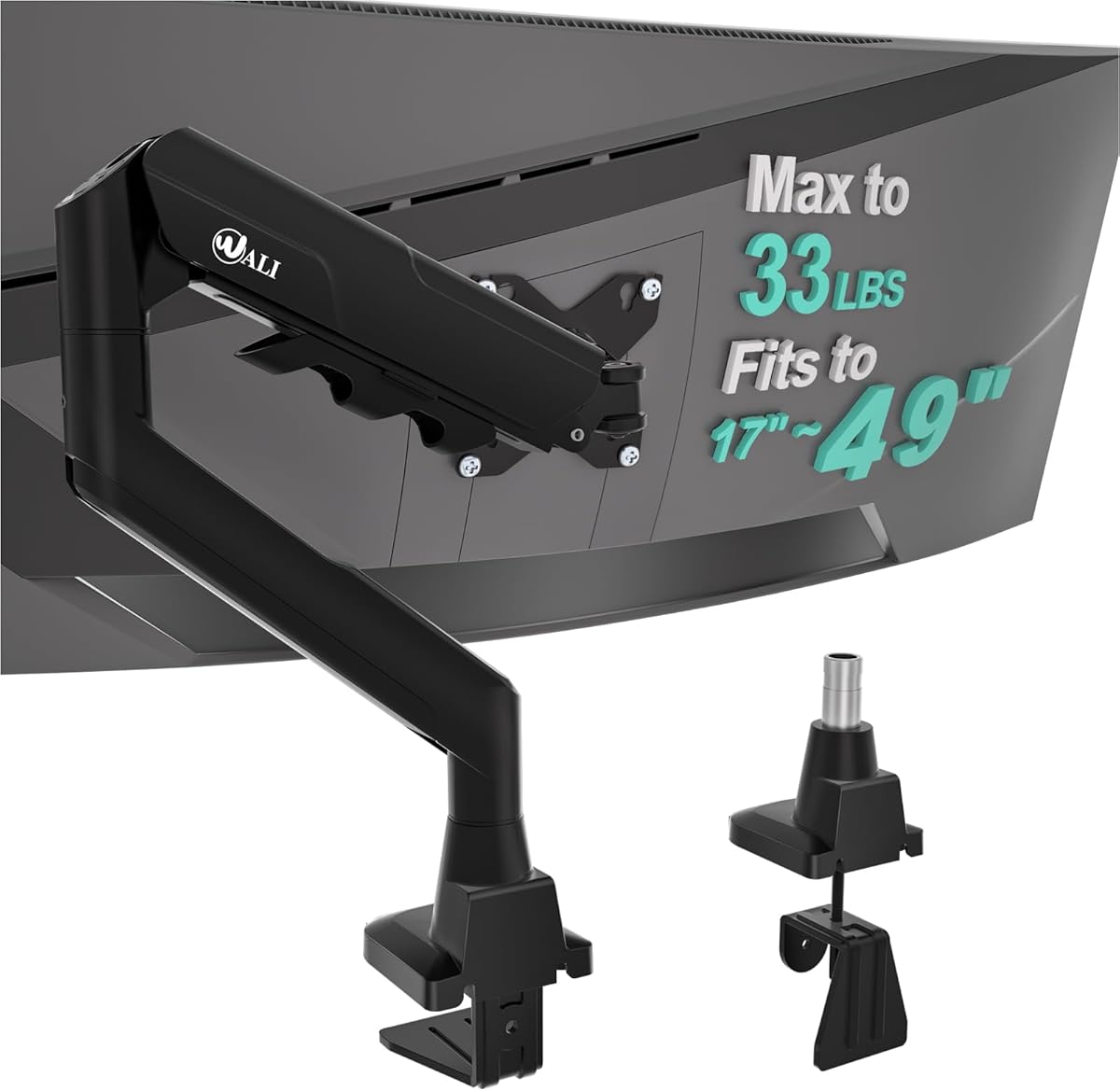
The WALI Ultrawide Single Monitor Arm has a 4.3 rating and is designed primarily around large flat or 1800R curved displays. It supports screen sizes from 17 to 49 inches and a maximum load of 33 pounds, using the standard 75x75mm and 100x100mm VESA mounting patterns.
We may earn a commission when you buy through this link, at no additional cost to you.
The arm extends 21.14 inches and raises the screen up to 20.59 inches above the desktop. It offers plus or minus 90-degree swivel, plus 75-degree and minus 45-degree tilt, and 360-degree rotation. These ranges are useful for switching between a centered working position, a closer viewing position, portrait layouts, and temporary screen sharing.
Cable management is built into the arm to keep cords out of the newly freed desk area. A wider VESA head and tighter-fitting VESA panel are intended to improve stability, and the durable core is described as having been tested through more than 20,000 adjustment cycles. Installation can use a C-clamp or grommet base for desks from 0.39 to 1.96 inches thick.
This WALI model is a solid option for a 49-inch ultrawide display that is not deeply curved. Its reach and height are more modest than the extra-long and extra-tall models, however, and the installation recommendation is limited to wooden desks without a crossbeam beneath the mounting area.
The 33-pound load limit and 49-inch size range are appropriate for large productivity and entertainment panels. The reinforced VESA head helps preserve a secure connection when a broad curved display is moved.
Symmetrical swivel, substantial tilt, and full rotation make the arm adaptable to different tasks. Portrait mode is useful for long documents, while a pushed-back landscape position can make better use of a large desk.
We may earn a commission when you buy through this link, at no additional cost to you.
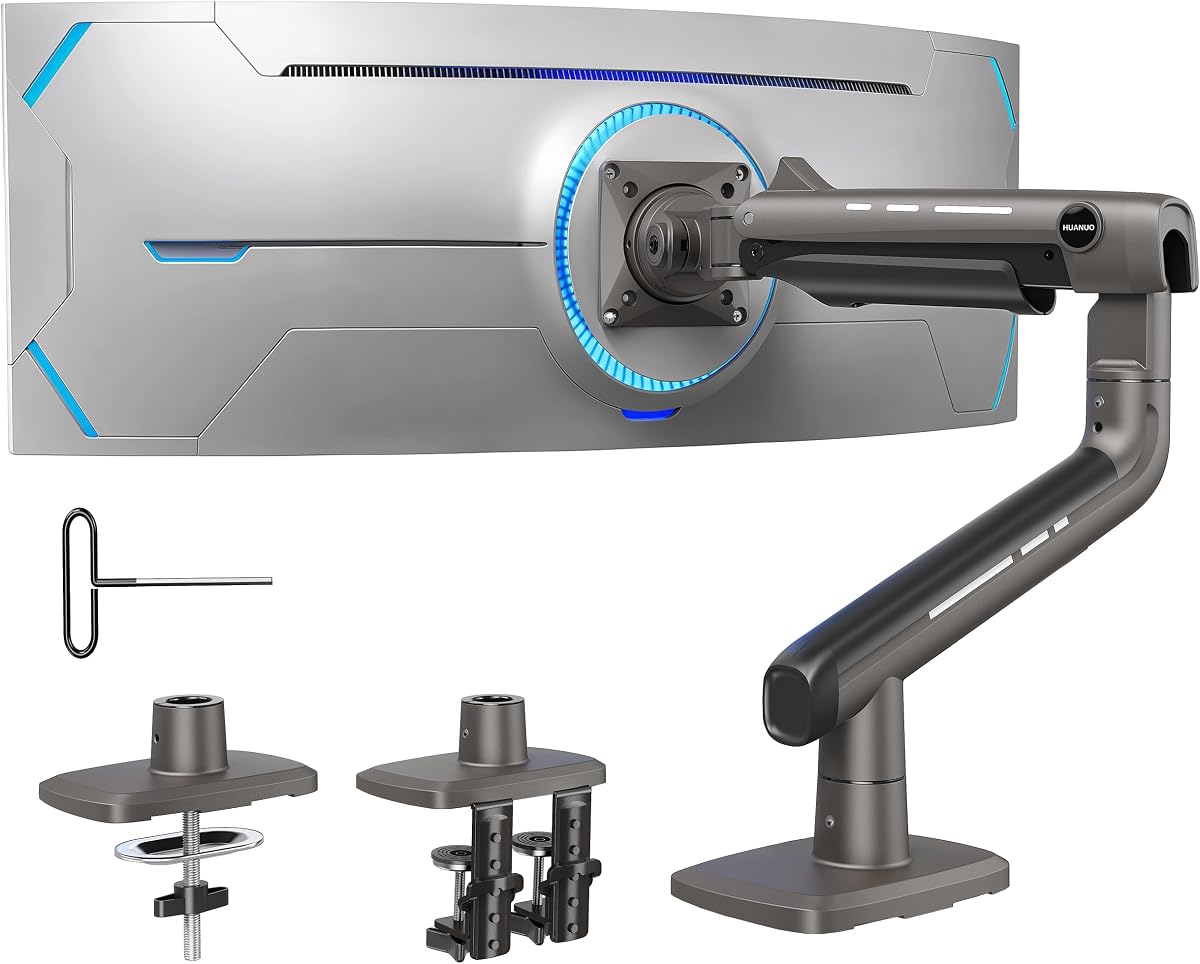
The HUANUO TitanLift Heavy Duty Monitor Arm has the highest supplied rating in the group at 4.7 and is the premium choice for exceptionally large or heavy screens. It supports displays from 17 to 49 inches and monitors weighing 6.6 to 44 pounds, with standard 75x75mm and 100x100mm VESA compatibility.
We may earn a commission when you buy through this link, at no additional cost to you.
Its high-strength aluminum construction includes a VESA head described as 20 percent thicker and arms described as 30 percent wider than standard designs. The product has passed 50,000 motion cycles and a three-times load test, according to the supplied information. A dual C-clamp offers a strong mounting base, while the arm extends up to 22.5 inches and provides 19.6 inches of height adjustment.
Tilt spans plus or minus 50 degrees, swivel reaches 180 degrees left or right, and 360-degree rotation is available, with vertical rotation supported for screens up to 35 inches. A quick-install VESA head, labeled components, detailed instructions, and integrated cable management simplify setup. One-handed tension adjustment through the side bolt is another convenient detail.
HUANUO recommends installation only on wooden desks between 0.8 and 3.5 inches thick without crossbeams or panels. Buyers should accept that restriction in exchange for the strongest stated capacity in the guide. For a large 49-inch ultrawide that needs reliable support and refined adjustment, this is the premium recommendation.
A 44-pound capacity and reinforced aluminum components make this arm suitable for large panels that place considerable stress on the VESA connection. The dual-clamp base and wider structure are intended to keep the monitor stable during movement.
One-handed tension tuning makes it easier to balance the arm for a particular display. The wide articulation range supports work, entertainment, screen sharing, and orientation changes without requiring the user to reposition the entire base.
We may earn a commission when you buy through this link, at no additional cost to you.
Choosing a tall monitor arm requires balancing vertical reach, horizontal extension, load capacity, screen dimensions, desk construction, and mounting method. The most important step is matching every stated limitation to your actual display and workspace.
A tall monitor arm is only useful if it can raise your display to a comfortable position. The strongest choices here use 39-inch center poles, while others provide maximum heights ranging from roughly 19.6 to 33.4 inches. Measure from the desk surface to the center of the intended display position, then add enough clearance for the VESA head, arm joints, and display thickness. This is especially important on a sit-stand desk, where both a seated and a standing screen position may need to be reached.
Screen dimensions and weight are independent limits, and a monitor must satisfy both. Several models support common 13- to 32-inch screens, while heavier-duty options extend to 49 inches. Capacity varies from 19.8 pounds to 44 pounds across the list. Check the display's actual weight without accessories, and include any mounted equipment if the arm's rating is close to the limit.
Most products in this guide support the standard 75x75mm and 100x100mm VESA patterns, but compatibility should still be verified before ordering. Curvature can also matter: the ULTRARM explicitly supports 1000R, 21:9, and 32:9 formats, while the MOUNT PRO excludes 1000R, 1500R, and 1800R curved screens. Make sure the display has a compatible mounting plate and that its shape will not interfere with the arm joint.
Height and reach solve different workspace problems. Extra-long arms extend approximately 26.77 to 27.76 inches, allowing a display to move behind a large keyboard or laptop on a deep desk. More compact arms may retract closer to the base. Choose reach based on desk depth, monitor size, and the distance at which you want to view the screen rather than maximizing extension automatically.
C-clamp and grommet systems suit different desks. Clamps avoid drilling and work with many desk thicknesses, but require clear space beneath the desktop and may conflict with a crossbeam. Grommet mounting is useful when the desk already has a cable opening and the base can be secured properly. Compare each stated thickness range with an actual measurement, including any beveled edge or curved desktop section.
The desk itself can be the deciding factor. WALI recommends wooden desks for two products, while HUANUO specifically restricts the TitanLift to wooden desks and excludes plastic and glass. Several arms warn against crossbeams or panels beneath the mounting area. A strong arm cannot compensate for an unsuitable desktop, so inspect materials, support rails, drawer rails, and available clearance before buying.
Useful articulation usually includes tilt, swivel, rotation, and some form of height adjustment. Gas springs can make vertical movement smoother on heavier displays, while wide swivel and rotation make screen sharing easier. Extra-long arms need a stable connection to prevent the monitor from drifting or bouncing. The maximum display size, weight, and VESA head design all influence how composed the arm will feel in use.
A raised monitor often creates a cluster of loose power and signal cables underneath the display. Integrated clips, channels, or routing points keep these cords following the arm instead of dangling into the workspace. This feature is especially valuable in compact setups, where cable clutter can consume much of the space recovered by lifting the monitor. Check whether the supplied routing system covers the entire pole or only the articulating section.
Before installation, measure the desktop thickness, locate a suitable mounting area, and check underneath for rails, drawers, crossbeams, or panels. Confirm that the monitor matches the arm's size, weight, curvature, and VESA requirements. Assemble the base and pole before attaching the display, following the included instructions and keeping the supplied hardware organized.
Attach the VESA plate to the rear of the monitor, then connect the arm and adjust the tension or spring resistance while the screen is still supported. Position the display at the intended eye level, tighten the joints, and route power and video cables through the arm's management system. Leave enough cable slack to allow full articulation without pulling connectors or creating sharp bends.
For care, inspect the bolts and VESA connection periodically, especially after moving a large display. Dust the pole and joint surfaces with a soft, dry cloth, and avoid spraying cleaner directly onto the mechanism. Adjust the tension if the arm no longer holds a position, and never exceed the stated screen dimensions, weight limit, or desk compatibility conditions.
The ideal height places the upper portion of the screen near eye level while keeping the complete display visible without looking upward. Because viewing needs vary, a 28- to 39-inch adjustment range offers more flexibility than a short fixed pole. Measure your seated and standing eye levels before choosing, and confirm that the arm's height specification refers to the VESA mount center.
They can be, provided the arm's stated load and size limits match the display. Longer arms may experience more movement, so a heavy-duty model, reinforced VESA head, and secure dual-clamp base are worthwhile for very large panels. Also check the desk material and underside clearance because an unsuitable desk can undermine an otherwise stable mount.
No, most products offer both a C-clamp and a grommet option. A clamp is often more convenient because it does not require drilling and can be moved between desks. A grommet base can provide a neat permanent installation, particularly when the desk already has a suitable cable opening. Confirm the compatible desktop thickness for either method.
Most arms in this guide provide 360-degree rotation and therefore support portrait use, but the product specifications should be checked for the intended display size. Some models limit vertical rotation to smaller screens. Confirm the VESA plate can rotate fully and that the desk, pole, and surrounding equipment provide enough clearance.
Solid wooden desks are the safest general recommendation, particularly for heavy-duty models. Several manufacturers explicitly recommend wood and advise against plastic or glass. Regardless of material, the desktop must fall within the stated thickness range and must not have a crossbeam or panel that prevents the clamp or grommet from seating correctly.
The products in this guide support capacities ranging from 19.8 pounds to 44 pounds, but the correct figure depends on the exact model. A larger load capacity does not automatically make every arm suitable for every large screen. Verify the monitor's weight, screen size, VESA pattern, and curvature, then use a model whose limits comfortably cover those specifications.
It can, but curvature compatibility must be checked because extremely curved models may conflict with the joint or require additional clearance. The ULTRARM supports flat, 1000R, 21:9, and 32:9 displays, while the MOUNT PRO specifically excludes 1000R, 1500R, and 1800R screens. The WALI Ultrawide model is designed for flat or 1800R curved displays.
The amount varies with the arm's extension, monitor size, and the user's preferred viewing position. A long-reach model can push a large display toward the back of a deep desk, while a tall pole frees the area beneath the screen for keyboards, laptops, docking stations, and accessories. Integrated cable management helps preserve those gains by keeping cords out of the work area.
The HUANUO 39-Inch Extra-Tall Arm is the strongest general recommendation because it combines a generous 39-inch pole, broad articulation, 38-inch ultrawide compatibility, and two installation methods. The ULTRARM Extra-Tall Heavy-Duty Arm stands out as the budget pick for users who want substantial height, long reach, gas-spring movement, and a modular path toward multiple screens.
Prioritize the dimensions that cannot be changed after purchase: monitor weight, screen size, curvature, VESA pattern, desktop thickness, and underside clearance. Next, choose the style of movement you need. Extra-tall poles help with sit-stand positioning, extra-long arms suit deep desks, and heavy-duty models provide greater support for large ultrawide panels.
Finally, review the current product listing, installation instructions, and seller information before purchasing. Specifications and prices can change, and desk conditions vary, so confirming compatibility at the time of purchase will help ensure that the chosen tall monitor arm provides the intended height, movement, and stability.