
VEVOR 60W CO2
5.0Editor score
24 by 16-inch bed
600 mm/s engraving
Four-way pass-through
Air-assisted operation
A 60W laser engraver is a substantial step up from entry-level machines, offering enough output for faster engraving, deeper cuts, and more demanding production work. The right model depends on whether you mainly cut wood and acrylic, mark metals, run batches, or need a versatile enclosed system with advanced positioning.
We compared the ten machines based on laser type, stated power, work area, engraving speed, material compatibility, safety systems, autofocus, cameras, software support, exhaust, cooling, and included accessories. The list covers enclosed diode systems, open CO2 engravers, and MOPA or fiber laser markers with distinctly different operating characteristics.
Each review highlights the strongest reasons to consider a model, along with practical limitations drawn from its specifications. Ratings and availability can change over time, and manufacturer specifications may change between revisions, so readers should verify the current listing and safety documentation before purchasing.
5.0Editor score

4.8Editor score

4.2Editor score
As an Amazon Associate we earn from qualifying purchases.
The comparison below places every included 60W laser engraver side by side, emphasizing laser type, work area, positioning features, speed, software, and intended material work.



The Creality Falcon2 Pro 60W combines a 60W cutting laser with a separate 1.6W laser, giving users both heavy-duty throughput and a tool intended for finer positioning work. Its three main output settings—60W, 40W, and 22W—add useful control when moving between thick materials, engraving, and more delicate jobs. The product listing does not provide a customer rating, but its specification set makes it one of the most adaptable enclosed machines in this guide.
We may earn a commission when you buy through this link, at no additional cost to you.
The integrated HD camera is a major workflow advantage. It supports live preview, material positioning, and batch alignment, while the rotating accessory compatibility expands the machine beyond flat-sheet projects. Air assist, exhaust management, an emergency stop, safety monitoring, and a protective viewing window address several common production concerns. LightBurn compatibility also places it alongside a broadly recognized control environment, although users should confirm software access and version requirements before purchase.
Its main trade-off is that the enclosed desktop format may be less suitable for unusually long sheets than a pass-through CO2 system. The rotating attachment is also an added expense and workflow component. Nevertheless, the combination of adjustable power, dual lasers, camera positioning, enclosed operation, and a broad material list makes this a strong all-around option for serious makers and small production businesses.
Choose this Falcon2 Pro when you want one enclosed machine for engraving, cutting, and batch work across wood, acrylic, leather, bamboo, slate, and coated metal. It is especially compelling for users who value camera-assisted setup and flexible power control. Confirm the latest work-area dimensions, included accessories, software requirements, and local safety requirements before making a final decision.
The 60W, 40W, and 22W settings let operators match output more closely to the task, while the integrated 1.6W module supports precise positioning and fine engraving. This combination can reduce the need to change between separate machines when a workflow includes both detailed graphics and thicker cuts.
The built-in HD camera supports preview, alignment, and batch positioning. It is particularly useful for repeated production because operators can check placement before committing the laser to a longer run.
We may earn a commission when you buy through this link, at no additional cost to you.
This Creality Falcon2 Pro 60W listing emphasizes speed, straightforward setup, and enclosed batch processing. It states an engraving speed above 500 mm/s and describes a one-key intelligent-focus process that reduces repeated manual distance checks. The 3.5 customer rating is the lowest published score among the rated products in this list, so buyers should weigh the strong feature list against early customer feedback.
We may earn a commission when you buy through this link, at no additional cost to you.
Its integrated camera is positioned above the work area and connects to a computer for visual positioning. Safety features include a flame detector, dual-wire limit switch, safety lock, emergency stop, and laser-detection cover. The full metal frame and fire-resistant covering are intended to contain smoke, dust, and noise, while the pull-out drawer gathers debris for cleanup. The machine ships largely assembled, with the listing estimating ten minutes or less for installation and testing.
The most important caveat concerns the bold cutting claims, which include 0.3 mm stainless steel, 40 mm basswood, and 60 mm black acrylic in a single pass. Material, focus, settings, and machine configuration can substantially influence these outcomes, and no direct test results were supplied. The product also uses diode technology, so it should not be assumed to offer the same marking behavior as a MOPA fiber system.
This version is most suitable for users who want rapid engraving, enclosed operation, easy debris collection, and a camera-guided desktop workflow. It may appeal to small studios and batch operators, but the lower published rating calls for careful review of current customer feedback. Verify setup requirements, ventilation needs, included software, and material test results before ordering.
A stated engraving speed above 500 mm/s targets production work where cycle time matters. Air assist and efficient exhaust management are also designed to support more consistent operation during busy schedules.
The removable debris drawer makes routine maintenance more convenient, while the largely preassembled package is intended to shorten the path from delivery to first test job.
We may earn a commission when you buy through this link, at no additional cost to you.
The OMTech Maker 60W is a CO2 engraver aimed at larger nonmetal projects, with a stated 20 by 28-inch work area and four-way pass-through doors. Its 4.7 rating is among the strongest published customer scores here, and the included water chiller and autofocus system reduce two common setup burdens. LightBurn support provides a familiar route from artwork to machine control.
We may earn a commission when you buy through this link, at no additional cost to you.
The honeycomb and aluminum blade beds give operators two ways to support different materials. Pass-through access accommodates longer items, while autofocus and motorized bed adjustment help establish focal distance more quickly. Air assist removes smoke and dust, protecting the optics and keeping the working area clearer. These features make the machine more appropriate to a workshop, classroom, or small production room than a simple portable engraver.
The listing identifies it as a laser class 2 machine and also describes 60W CO2 output, creating a documentation point that deserves careful review. Buyers should consult the current manual and certification details to understand how the supplied classification and output descriptions relate. A CO2 laser is not the right choice for bare-metal engraving, and pass-through access also increases the importance of a stable, supported surface and a clear exhaust route.
OMTech Maker is a strong fit for users working with wood, acrylic, leather, and other nonmetal materials who need a large bed and repeatable autofocus. Its high customer rating adds confidence, although the safety-class discrepancy in the supplied information should be resolved before operation. Review ventilation, cooling placement, door access, and compatible software with the manufacturer.
The 20 by 28-inch bed is larger than many enclosed desktop options, while the four-way doors help accommodate wide or lengthy stock. Dual support beds provide flexibility for delicate sheets and larger wooden pieces.
Autofocus and motorized height adjustment reduce manual trial and error. The included chiller supports stable laser operation, while air assist helps protect the beam path from smoke and dust.
We may earn a commission when you buy through this link, at no additional cost to you.
This Falcon2 Pro 60W combines an enclosed Class 1 design, a 60W primary laser, and an additional 1.6W module. The 3.9 rating places it in the middle of the rated products, but the automatic stop when the enclosure opens or the bottom drawer is removed provides a clearly defined safety convenience. The smart camera and batch features make it appealing for users who produce many similarly sized items.
We may earn a commission when you buy through this link, at no additional cost to you.
The stated cutting capability includes 20 mm wood and 30 mm dark opaque acrylic, with engraving speeds above 500 mm/s. The secondary 1.6W module supports finer engraving, while the primary laser handles heavier work. The exhaust system works with an external fan to filter and remove smoke and dust, improving comfort and helping protect internal components during sustained jobs.
One limitation is that camera functionality requires a connection to LightBurn, which is identified as paid software. The listing also offers Creality Laser Design Space for Windows and macOS, as well as free LaserGRBL. Results will still depend on material, focus, power, speed, and ventilation. Prospective buyers should check the current software terms, workspace dimensions, and accessories before setting up a production workflow.
This model is a good match for hobbyists and small businesses making personalized wood, acrylic, leather, and stone items in a protected desktop environment. It particularly suits operators who value safety automation and camera-assisted repetition. The published 3.9 rating suggests checking recent reviews for setup or software experiences, particularly if LightBurn integration is central to the intended workflow.
The integrated auto-stop function responds when the enclosure is opened or the waste drawer is removed. This can provide an extra layer of control during frequent loading, cleaning, and repositioning.
Creality Laser Design Space supports Windows and macOS, while LaserGRBL offers a no-cost option and LightBurn adds advanced camera-based workflows. Buyers should assess their software needs before choosing a configuration.
We may earn a commission when you buy through this link, at no additional cost to you.
The xTool F2 Ultra is the most specialized machine in this guide because it combines a 60W MOPA fiber laser with a 40W diode laser. That pairing allows one system to handle metals, wood, acrylic, leather, glass, rubber, fabric, and more. Its 4.2 rating reflects a capable premium package, while the stated 15,000 mm/s speed and dual 48MP cameras distinguish it from conventional single-laser desktops.
We may earn a commission when you buy through this link, at no additional cost to you.
The MOPA side is intended for deep engraving, embossing, color marking, laser cleaning, black marking on aluminum, thin-metal welding, and metal cutting up to 2 mm. The product listing states that more than 100 consistent metal colors can be produced using preset color files. Meanwhile, the diode side is suited to common nonmetal engraving and cutting, including acrylic up to 20 mm and wood up to 23 mm.
This is explicitly a Class 4 system, so its safety planning differs substantially from enclosed Class 1 desktop machines. The product's sophistication also means a greater learning curve for users unfamiliar with MOPA settings, color libraries, and two-laser workflows. The 0.2 mm positioning claim and automated material-setting suggestions are attractive, but real results depend on the camera view, surface, calibration, and material.
The F2 Ultra is ideal for advanced users who need one premium machine to cover both metal and nonmetal production. It is especially compelling for color metal work, deep engraving, high-speed batches, and mixed-product studios. The expandable work area can support longer automated runs, but buyers should evaluate ventilation, enclosure requirements, training, service access, and total operating complexity before choosing it over a simpler enclosed diode system.
The MOPA fiber source brings focused metal marking and deep engraving, while the diode source handles wood, acrylic, leather, and other common materials. Using both in one enclosure can simplify a mixed-production shop.
Dual 48MP cameras support material detection, positioning, preview, and one-click focus. Preset metal color files can also reduce repetitive parameter testing for repeatable production work.
We may earn a commission when you buy through this link, at no additional cost to you.
The Monport 60W Fiber is a compact marking machine for metal-focused users who value speed and fine detail over a large bed. It uses a 60W fiber source with a red dot pointer and a stated 5.9 by 5.9-inch working area. The listing includes BSLcad and supports LightBurn, offering both a free bundled route and a widely used professional control environment.
We may earn a commission when you buy through this link, at no additional cost to you.
Its customized galvanometer uses silicon reflectors and reaches a stated maximum speed of 10,000 mm/s. The marking system is advertised at 0.01 mm carving accuracy, and Monport says its tuning supports consistent output near the edges of the field. The machine can perform standard metal engraving, 2.5D work, deeper engraving, and some sheet cutting, depending on material and operating conditions.
The tradeoff is workspace and safety complexity. A 5.9-inch square is suitable for jewelry, tools, serial plates, and small components, but not for large signage or sheet material. It is a Class 4 laser, so appropriate protective measures, controlled access, ventilation, and trained operation are essential. The 100,000-hour lifespan figure describes the laser source under appropriate use rather than a guarantee of maintenance-free service.
This is a strong fit for a mobile jewelry workshop, repair technician, product-marking specialist, or small manufacturer that primarily engraves compact metal items. Choose it when fine marks, high speed, portability, and flexible software matter more than large-format production. Check the included accessories, rotary-axis option, electrical requirements, and local safety obligations before ordering.
The compact chassis and stated 0.01 mm accuracy target detailed work on jewelry, tools, and small components. A red dot pointer helps establish placement before the laser begins.
LightBurn compatibility gives users access to a familiar professional workflow, while the bundled BSLcad software and saved parameters provide a no-cost alternative and backup.
We may earn a commission when you buy through this link, at no additional cost to you.
The VEVOR 60W CO2 is a large-format open-system engraver for nonmetal materials, with a 5.0 published rating and a 24 by 16-inch work area. It reaches a stated 600 mm/s and includes a four-way pass-through bed, making it especially useful for long boards, sheet goods, and production runs involving wood, acrylic, leather, and similar substrates.
We may earn a commission when you buy through this link, at no additional cost to you.
Honeycomb and aluminum blade beds allow users to select an appropriate support surface. Manual focusing is handled through the control panel, head-position knob, or adjustable table, with a focusing scale included to guide setup. Air assist clears smoke and dust, the waste tray simplifies cleanup, and water-pump cooling supports stable operation. LightBurn, RDWorks, and other design software broaden the available control options.
Its limitations are important. The listing explicitly says the machine is not for metal engraving and is suitable only for coated metals, so it does not meet the needs of a jewelry or industrial metal marker. It is also a Class 4 system despite being less enclosed than some desktop alternatives. Manual focusing offers less automation than autofocus models, while an open design requires more attention to ventilation and fire prevention.
The VEVOR is a compelling value-oriented choice for schools, small shops, and makers who primarily cut wood, acrylic, glass, and other nonmetal materials. Its 5.0 rating is positive, though the absence of a supplied rating count means the score should be interpreted alongside the current customer feedback. Prospective owners should verify the latest specifications, ventilation requirements, and included cooling hardware before purchasing.
Four-way pass-through access allows longer material to extend through the machine. That makes the platform more flexible for boards, panels, and repeated sheet processing than a fixed enclosed bed.
Compatibility with LightBurn, RDWorks, and other popular packages supports flexible artwork preparation. USB and power-cable connections are specified for Windows, macOS, and Linux systems.
We may earn a commission when you buy through this link, at no additional cost to you.
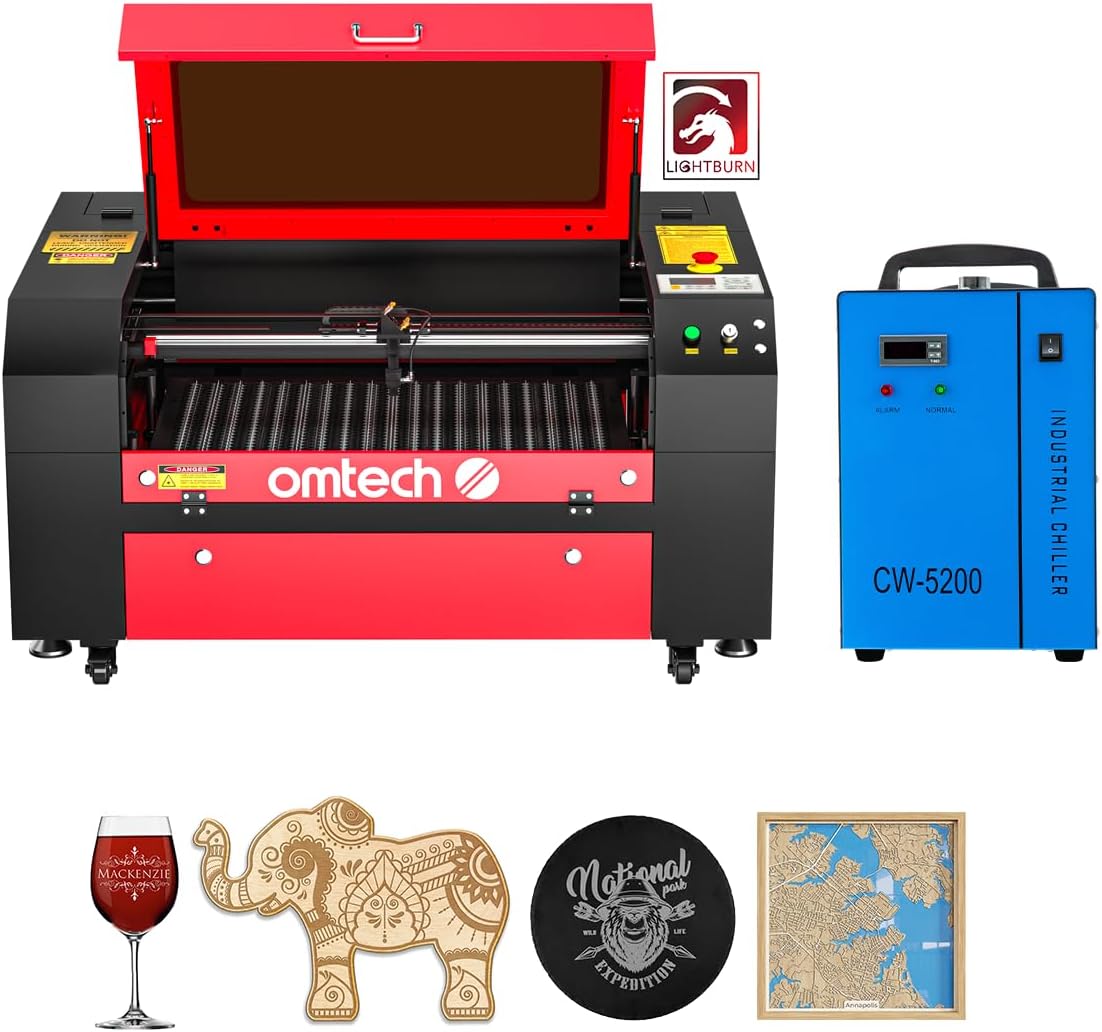
The OMTech 60W CO2 is built around a 20 by 28-inch bed, motorized autolift, four-way pass-through access, and a 60W CO2 source. It is designed for larger nonmetal jobs and includes LightBurn plus a water chiller. The listing states engraving depths up to 0.4 inches, or 10 mm, on suitable materials, with speeds up to 23.6 ips, equivalent to 600 mm/s.
We may earn a commission when you buy through this link, at no additional cost to you.
The motorized workbed makes focal adjustment easier than a purely manual system, while the honeycomb and aluminum blade beds support different stock. Pass-through doors help accommodate pieces longer than the bed. Air assist is included to move smoke and dust away from the work area. A high-performance DC tube is rated for up to 1,000 hours of use, with the manufacturer stating that consistent lower-power use can double its lifespan.
There are no published customer ratings for this listing, and its supplied safety classification again says laser class 2 while describing 60W output. Buyers should examine the current manual, certification label, electrical requirements, and ventilation plan before using the machine. CO2 systems are suited to wood, acrylic, glass, and other nonmetals rather than bare-metal marking.
This OMTech is best for production-oriented users who need a large bed and motorized height control. It can suit sign, panel, or decorative-product shops, provided the workspace has suitable extraction and fire controls. Confirm the precise bed dimensions, pass-through clearance, software setup, cooling placement, and material capabilities before purchase.
The autolift lets operators raise and lower the bed with a button. It reduces repeated physical adjustments and makes it easier to repeat setups across different material thicknesses.
The included chiller, air assist, dual beds, and pass-through design create a capable package for larger nonmetal work. Software, cooling, and extraction should be set up correctly before the first production run.
We may earn a commission when you buy through this link, at no additional cost to you.
The Aliencell X1 Lite combines a 26 by 21-inch work area with an enclosed Class 1 design and a 4.8 customer rating. It targets makers and small businesses that want both a generous production surface and detailed visual control. Its headline feature is Aliencell Space, which simulates an engraving on material textures and aims to keep preview deviation below 5 percent.
We may earn a commission when you buy through this link, at no additional cost to you.
One-touch autofocus handles focal height, while crosshair positioning and laser-guided alignment support quick setup. The machine is stated to reach 600 mm/s, with 20,000 mm/s squared acceleration and a 20 kHz frequency intended to improve fine tonal transitions. LightBurn is supported, and Aliencell Space provides an alternative interface with tutorials and an AI assistant for setup questions.
Safety is a major selling point: the listing states SGS testing, more than ten global safety certifications, ten flame sensors, and UL94-V0 fire-resistant materials. These features can be especially valuable for an enclosed machine with a large bed, although certification claims should be matched to the exact model and current documentation. The stated material list includes metal, yet the product data does not identify the laser source in enough detail to assume the same capabilities as a dedicated MOPA fiber marker.
The X1 Lite is a strong option for batch engraving, tactile signage, wood décor, leather goods, acrylic pieces, and other large projects where setup accuracy and enclosure matter. Its published 4.8 rating is among the highest here. Before purchasing, verify the precise material list, source type, extraction requirements, software licensing, and warranty terms for the exact configuration.
The 26 by 21-inch surface provides more room for oversized pieces and batch layouts. Material-texture simulation helps operators visualize contrast and depth before processing.
An SGS-tested Class 1 enclosure, flame sensors, and fire-resistant internal materials create multiple layers of protection. Safe operation still requires correct setup, ventilation, and adherence to the manual.
We may earn a commission when you buy through this link, at no additional cost to you.
The Cloudray 60W MOPA is a portable fiber laser focused on metal marking. It uses a JPT source and GSOBK galvo scanner, reaches a stated 10,000 mm/s, and is claimed to operate for more than 100,000 hours. The listing highlights deep engraving up to 0.5 mm, fine marking resolution, and a 0.01 mm accuracy figure for detailed work.
We may earn a commission when you buy through this link, at no additional cost to you.
Two F-theta lenses provide different working areas: 4.3 by 4.3 inches and 7.9 by 7.9 inches. A manually adjustable lift column and included height block support the working distance. The machine can mark stainless steel, aluminum, brass, copper, gold, silver, and titanium, with more than 100 color-marking outcomes listed as a capability.
The package is relatively compact at a stated gross weight of 43 pounds, and the included list covers the laser, lenses, safety goggles, flash drive, cables, tools, positioning bar, and aluminum card. A rotary axis is optional rather than included. As with other compact MOPA systems, it is not a substitute for a large sheet-cutting platform, and the manual lift offers less convenience than motorized autofocus.
This model is a good fit for product identification, jewelry, tools, serial marking, and detailed metal work in a compact workspace. Its technical focus is clearer than that of multipurpose desktop engravers, but buyers should confirm the exact lens configuration, rotary attachment, ventilation, electrical service, and certification documents. The supplied listing's class designation should also be reviewed against the current product label.
The fiber source is intended for stainless steel, aluminum, brass, copper, precious metals, and titanium. Color marking and deep engraving are the standout applications for this configuration.
Users can choose between compact 4.3-inch and larger 7.9-inch work areas. The adjustable lift column and included block make it possible to accommodate different heights and focal positions.
We may earn a commission when you buy through this link, at no additional cost to you.
The right 60W laser engraver depends first on the materials you intend to process, then on safety, automation, software, production speed, and the physical space available in your workshop.
A diode laser is most appropriate for wood, acrylic, leather, paper, fabric, and other common nonmetal materials. A CO2 laser also serves those categories and can be effective for clean engraving and deeper nonmetal cuts, but it generally requires more involved ventilation and fire-safety planning. A MOPA or other fiber laser is the relevant category for marking metals, especially when fine detail, deep engraving, or color effects are priorities. Mixed-material users should consider whether one machine can cover both categories or whether separate systems will produce better results.
Advertised bed dimensions describe the nominal area, but the usable space may be reduced by frames, feet, hinges, exhaust connections, or pass-through design. Measure the largest sheet, sign, board, or object you expect to process and compare it with the machine's height, width, and depth. A four-way pass-through CO2 system can handle long pieces that would not fit within a conventional enclosed desktop. Conversely, a compact fiber marker may be ideal for jewelry and tools but frustrating for full-size panels.
Laser class affects enclosure, access control, protective equipment, training, and operating procedure. An enclosed Class 1 desktop machine is designed to contain much of the hazardous emission during normal operation, while Class 4 systems can require a controlled area and additional safety measures. Check the current manual and label rather than relying only on marketplace copy. Some supplied descriptions contain apparent inconsistencies between stated output and class, making direct verification especially important.
Maximum travel speed is only one part of cycle time. Acceleration, pulse frequency, focus, material settings, exhaust, and software motion planning can affect the finished job more than a headline number. The VEVOR and OMTech CO2 models list 600 mm/s, the Falcon2 Pro lists speeds above 500 mm/s, and the fiber options list up to 10,000 or 15,000 mm/s. Compare realistic output on your own materials rather than treating maximum speed as a promise of equal production rates.
Manual focus is less costly but more demanding, particularly across mixed material thicknesses. Autofocus and motorized bed lift can save considerable setup time and reduce errors. A built-in camera adds live preview, batch alignment, and automatic positioning, but only if the software supports the function correctly. The Creality listings note that some camera workflows require LightBurn, while Aliencell offers both LightBurn and its own Space interface. Confirm that your preferred design software and operating system are supported.
Air assist directs air toward the work zone, while exhaust carries smoke, dust, and fumes away from the beam path. An enclosed machine may still require a dedicated extraction route, and an open CO2 system almost always benefits from a proper extraction solution. Water-cooled systems typically need a chiller and a reliable way to route coolant and condensation. Filter selection, exhaust duct diameter, and local fire rules should be checked before installation rather than after the first long job.
Batch engraving can save setup time when many identical items share one layout. Rotary attachments extend a laser to cylindrical products such as tumblers, rings, or tubes, but they add calibration and accessory costs. Some Creality configurations mention rotary compatibility without including the attachment, while the Cloudray rotary axis is optional. Confirm the exact included components, supported axis, and whether your chosen software provides the necessary motion controls before planning rotary production.
A premium machine may include AI-assisted settings, multiple lenses, sophisticated cameras, and broad material support, but it can also demand more training. A simpler CO2 or enclosed diode system may serve a small studio more efficiently if your work stays within one material family. Consider your operator's experience, the complexity of your designs, and the need for repeatability. The best choice is not necessarily the machine with the longest feature list; it is the one your team can set up safely and use consistently.
Begin by reading the exact manual, inspecting the machine, and confirming the bed, lens, cooling system, exhaust connection, emergency controls, and emergency stop. Install the machine on a stable, level surface with the recommended clearances, and keep combustible materials away from the work zone. Complete a focus test and a small test cut on a scrap of the intended material before loading a full production sheet.
Prepare artwork using the software supported by the machine, set the correct work area, confirm the material mode, and use either the built-in camera or a physical positioning method to check orientation. Establish focus using autofocus or the machine's manual procedure, then begin with conservative power and speed settings. Increase parameters gradually only after recording the settings that produce a clean result. Do not leave a cutting or engraving job unattended, and monitor the machine for unusual noise, smoke, odor, or fire indicators.
For routine care, clean the lens and optical components according to the manufacturer's instructions, remove debris from the tray, inspect filters and air-assist components, and confirm that cooling fluid or pumps are functioning correctly. Keep the workbed clean and free of loose scraps, and use the recommended material support so the workpiece remains flat. Periodically review focus, alignment, emergency stops, enclosure sensors, and software settings, and obtain service from a qualified technician if performance changes.
It depends on the laser type. Diode and CO2 machines listed here are generally intended for nonmetal materials, while MOPA and fiber systems are designed to mark and engrave metals. A 60W fiber laser may cut very thin sheet under suitable conditions, but exact results depend on the metal, thickness, speed, focus, and machine configuration. Do not use a nonmetal engraver on bare metal unless the manufacturer explicitly supports that material.
Common diode and CO2 materials include wood, acrylic, leather, paper, fabric, cardboard, and some plastics. MOPA fiber systems are better suited to stainless steel, aluminum, brass, copper, titanium, gold, and silver. Material behavior changes with color, coating, thickness, and composition, so users should run a small test and rely on the machine's approved material settings.
It can be well suited to a small business that needs faster engraving, deeper cuts, or batch production. The best configuration depends on whether the business primarily works with wood and acrylic or specializes in metal. Budget also needs to cover extraction, filtration, chiller operation, material waste, accessories, training, and potentially dedicated electrical and ventilation arrangements.
An enclosure improves containment of smoke, dust, and laser exposure, but it does not eliminate the need for safe operation. Open CO2 systems may require more extraction and access control. Enclosed desktop units can be more convenient in a shared workspace, while Class 4 fiber systems can still demand controlled areas, protective measures, and operator training.
A diode laser uses a semiconductor source and is common for wood, acrylic, leather, and other nonmetals. A CO2 laser also targets nonmetals and can provide strong engraving and cutting performance. A MOPA fiber laser is focused on metal marking, deep engraving, and color effects. The distinction is more important than wattage alone because the same stated power behaves very differently across laser types.
Autofocus is not essential, but it can save time and improve repeatability when material thickness changes frequently. A camera adds positioning and batch-layout benefits beyond focus alone. Manual focus remains viable for experienced users who work with consistent materials and can verify focal height before every job.
Requirements depend on the machine, materials, workload, room size, and local regulations. Air assist inside the machine is not a substitute for extraction to the outdoors or a suitable filtration system. Follow the installation guide, have the exhaust routed as specified, and avoid recirculating smoke and dust into occupied spaces.
A diode or CO2 model should be restricted to compatible nonmetals unless it includes a specific metal-marking feature. The xTool F2 Ultra combines a 60W MOPA fiber source with a 40W diode source, making it the clearest dedicated choice in this list for both categories. Other users may prefer separate machines because metal and nonmetal processes can require different accessories, extraction, and handling.
The Aliencell X1 Lite stands out for its large 26 by 21-inch bed, enclosed Class 1 design, autofocus, camera-assisted workflow, and strong published rating. The VEVOR 60W CO2 offers a value-focused route to a large 24 by 16-inch work area and 600 mm/s operation for nonmetal production, while the xTool F2 Ultra provides the most advanced dual-source package with a 60W MOPA fiber laser and 40W diode laser.
Before choosing, prioritize the material mix, usable workspace, safety class, software, autofocus, and extraction requirements. A high wattage figure cannot make a CO2 machine suitable for metal, and a sophisticated camera cannot compensate for inadequate ventilation or a poorly sized bed. For straightforward wood and acrylic work, a CO2 or enclosed diode system may be the most practical choice; for detailed metal production, a MOPA fiber platform deserves serious consideration.
Ratings, configurations, software terms, and availability can change, and the manufacturer listing should remain the final source for current specifications. Check the exact bundle, included accessories, class labeling, electrical needs, warranty, and return terms before ordering, and compare the current cost of the complete operating setup rather than the machine alone.