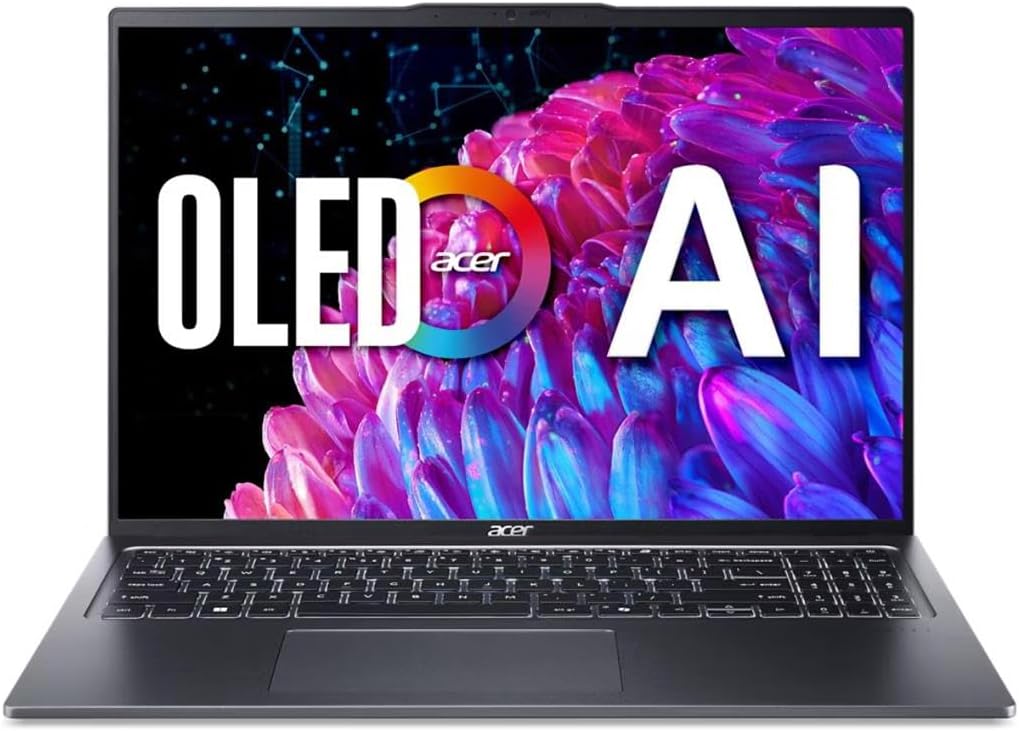
Acer Swift Go 16
4.1Editor score
3200 x 2000 OLED panel
100% DCI-P3 color coverage
Thunderbolt 4 connectivity
OLED laptops place vivid color, deep blacks, and exceptional contrast in a portable package, making them ideal for creative work, entertainment, gaming, and everyday productivity. The best model is not simply the one with the most impressive panel; processor power, battery life, port selection, weight, and thermal design also shape the experience.
This guide compares ten OLED laptops across resolution, refresh rate, brightness, color coverage, processing power, memory, storage, connectivity, portability, and specialized features. The selections range from lightweight productivity machines and compact creator laptops to high-refresh gaming systems and premium touchscreen models, with a mix of Intel, AMD, and Snapdragon platforms.
Each review highlights the strongest reasons to consider a particular laptop as well as the compromises that may affect your choice. Product availability and pricing can change, so readers should verify the current configuration, display specifications, included accessories, and warranty details on the linked listing before purchasing.
4.1Editor score

4.0Editor score

5.0Editor score
As an Amazon Associate we earn from qualifying purchases.
The comparison below places each laptop's display, processor, graphics, and practical hardware side by side, making it easier to identify the option that best matches your priorities for creative work, gaming, mobility, or general productivity.


The Lenovo IdeaPad Pro 5-2025 combines a sharp 16-inch 2.8K OLED panel with an AMD Ryzen AI 7 350 processor and NVIDIA GeForce RTX 5050 graphics. Its 4.0 rating reflects a broadly capable configuration, but the display and balance of productivity, media, and creative features make this the strongest all-around recommendation in the group.
We may earn a commission when you buy through this link, at no additional cost to you.
Display quality is the centerpiece. The 2880 x 1800 resolution provides more working space than a conventional 1080p laptop, while the 16:10 aspect ratio fits documents, timelines, and side-by-side applications efficiently. A 120Hz refresh rate and variable refresh support make scrolling and motion appear smoother, while OLED contrast gives movies, photos, and design work the deep blacks and vivid color that distinguish the format.
The Ryzen AI 7 350 supplies CPU performance and AI-accelerated features for multitasking and creative work, while the RTX 5050 adds a meaningful advantage over integrated graphics for rendering, video editing, and gaming. The 16GB of memory and 1TB of storage provide a useful general-purpose foundation, although 16GB can become restrictive in demanding multitasking sessions.
Connectivity is unusually strong for a portable laptop. Two USB-C ports support USB4, DisplayPort, and power delivery, while two USB-A ports, HDMI 2.1, an SD card reader, and a 3.5mm audio jack cover common creative and productivity needs. The webcam, privacy shutter, backlit keyboard, Dolby Atmos speakers, Windows Hello, TPM 2.0, and Microsoft Pluton support add further value. Choose this IdeaPad Pro 5 when a versatile OLED canvas and capable graphics matter more than ultralight portability.
The combination of high resolution, a roomy 16:10 format, 120Hz refresh, and discrete RTX graphics creates a strong foundation for photo review, video editing, rendering, and entertainment. The panel is especially useful when you want accurate-looking color and deep contrast without moving to a separate display.
USB4, HDMI 2.1, USB-A, an SD card reader, and a headset jack mean many accessories can be connected without a permanent dongle. This is a practical advantage for photographers, students, office workers, and anyone who regularly moves between desk, meeting room, and presentation setup.
We may earn a commission when you buy through this link, at no additional cost to you.
The Acer Swift Go 16 offers one of the most visually impressive specifications in this roundup: a 16-inch WQXGA+ OLED display with a 3200 x 2000 resolution, DisplayHDR True Black 500 support, and 100% DCI-P3 color coverage. Its 4.1 rating and capable Core Ultra 5 platform make it a particularly compelling value-focused OLED option.
We may earn a commission when you buy through this link, at no additional cost to you.
The display is the main reason to consider this model. Its high pixel density makes text and fine interface elements appear crisp, while the wide color gamut and high contrast suit media consumption, photo review, and everyday design tasks. TUV Rheinland Eyesafe certification also addresses concern about potentially harmful blue-light exposure without sacrificing the vivid presentation associated with OLED.
The Intel Core Ultra 5 125H includes integrated AI acceleration through an NPU and is designed to balance creative work, professional multitasking, and efficient operation. Dual USB-C ports with Thunderbolt 4 and USB4 support offer fast data transfer, charging, and multi-monitor output, while Killer Wireless Wi-Fi 6E supports demanding wireless networks.
The main limitations are the 8GB of memory and 512GB solid-state drive. Both may be sufficient for web-focused use and lighter productivity, but creative files, large applications, and heavy multitasking can demand more. The aluminum chassis, fingerprint reader, backlit keyboard, and webcam make the Swift Go 16 a refined daily option. It is a particularly good fit for buyers who want a premium OLED panel without focusing on gaming hardware.
At 3200 x 2000, the Swift Go's display provides an unusually fine level of detail for a 16-inch panel. The result is especially noticeable when reading dense text, editing photographs, browsing image-heavy sites, or using compact operating-system controls.
DisplayHDR True Black 500 and 100% DCI-P3 coverage make the panel more useful for media and color-sensitive work than a standard laptop screen. Eye Comfort certification adds a practical focus on viewing comfort for extended sessions.
We may earn a commission when you buy through this link, at no additional cost to you.
This ASUS Vivobook S16 configuration pairs a 16-inch 16:10 WUXGA OLED panel with an AMD Ryzen AI 7 445 processor, 32GB of memory, and a 1TB solid-state drive. No customer rating is supplied, so its value rests on the configuration rather than a quantified user consensus. On paper, it is a balanced general-purpose machine with an emphasis on AI-assisted productivity.
We may earn a commission when you buy through this link, at no additional cost to you.
The Copilot+ PC platform provides up to 50 TOPS of NPU performance, supporting compatible on-device AI features for writing, organization, searching, and creative workflows. Windows 11, Wi-Fi 6, 32GB of memory, and 1TB of storage form a comfortable foundation for heavy browser use, office applications, media, and multitasking.
The 1920 x 1200 OLED display uses a spacious 16:10 aspect ratio and narrow bezels. OLED contrast and vivid color improve entertainment and general visual appeal, although this model's stated resolution and standard refresh rate place it below the IdeaPad Pro 5 and GEEKOM in fine-detail capability. Integrated Radeon graphics should be considered for productivity and lighter creative tasks rather than demanding modern gaming.
The chassis is listed at 3.75 pounds and 0.63 inches thick, balancing portability with a large screen. HP Fast Charge is not applicable, but ASUS states that its charging system can restore 60% in 49 minutes and offers up to 21 hours of video playback under controlled conditions. The full-size port selection includes USB-C, USB-A, HDMI 2.1, and an audio jack, reducing reliance on adapters.
The 32GB memory configuration is the standout practical feature. It leaves more room for numerous applications, browser tabs, virtual meetings, and creative projects than the 8GB or 16GB configurations found elsewhere in this list.
The stated 21-hour video-playback target, fast charging, and 3.75-pound weight make the Vivobook S16 easy to recommend for commuting and all-day work. Actual endurance will vary with screen brightness, workload, wireless conditions, and power settings.
We may earn a commission when you buy through this link, at no additional cost to you.
The HP OmniBook 3 14 brings an OLED panel to a compact Windows 11 notebook built around the Snapdragon X X1-26-100 processor. With a 4.1 rating, it stands out for its stated battery endurance, efficient mobile platform, and emphasis on AI-assisted meeting productivity rather than maximum gaming performance.
We may earn a commission when you buy through this link, at no additional cost to you.
Its 14-inch OLED display has a 1920 x 1200 resolution and brightness up to 300 nits. That is a practical specification for office work, study, streaming, and web content, offering rich color and deep blacks without requiring a large chassis. The less elaborate resolution and brightness ceiling make it less compelling for high-end color grading or use in very bright environments.
Snapdragon X hardware emphasizes efficiency and connected use. The included Otter.ai features can record audio, create notes, capture slides, transcribe conversations, and generate meeting summaries, while Copilot+ PC experiences add further AI functionality. An FHD IR camera with HDR auto-switch supports calls, and Qualcomm Wi-Fi 6E improves wireless connectivity.
Memory and storage are the principal constraints. The 16GB of LPDDR5x memory is appropriate for mainstream multitasking, but 256GB may fill quickly with large media collections or active projects. HP states up to 41 hours and 45 minutes of battery life and fast charging to 50% in approximately 45 minutes. The OmniBook 3 14 is best for mobile productivity users who prioritize endurance and a compact OLED screen.
A claimed runtime of up to 41 hours and 45 minutes separates this model from many conventional OLED laptops. Real-world results will depend on workload and settings, but the platform is clearly designed to keep users productive away from an outlet.
Otter.ai's recording, transcription, note-taking, and meeting-summary functions are directly relevant to students and office workers. The IR camera and hardware-assisted Windows Hello support add convenient security for daily use.
We may earn a commission when you buy through this link, at no additional cost to you.
The Intel-based ASUS Vivobook S16 combines a Core Ultra 9 386H processor with 32GB of memory, a 1TB drive, and a 16-inch 16:10 OLED display. It is the more performance-oriented counterpart to the AMD configuration in this guide. Since no customer rating is provided, prospective buyers should weigh the listed specifications and their own workload.
We may earn a commission when you buy through this link, at no additional cost to you.
The Core Ultra 9 386H is positioned for responsive everyday computing and intensive multitasking, with up to 50 TOPS available from the NPU for compatible Copilot+ PC functions. Intel Arc graphics support modern productivity, media, and lighter creative workflows. The generous memory and storage configuration reduces the need for near-term upgrades.
The WUXGA OLED display provides vivid color, high contrast, and an accommodating 16:10 shape. Its narrow-bezel design helps preserve a spacious visual area, although no higher refresh rate is specified. That makes it better suited to document work, browsing, video, and general creative tasks than competitive high-refresh gaming.
ASUS rates the system for up to 25 hours of uninterrupted use and states that fast charging can reach 60% in 49 minutes. It weighs 3.75 pounds, is 0.63 inches thin, and meets US MIL-STD 810H durability standards. Dolby Atmos, an array microphone, Windows Hello, an IR FHD camera, and a physical privacy shutter create a well-rounded everyday machine.
The Core Ultra 9 386H provides the highest-tier CPU selection in this roundup, while 32GB of memory supports heavy multitasking. This combination is attractive for professionals who need responsive performance without discrete graphics.
The 3.75-pound magnesium-style slim design is not as light as the most compact ultraportables, but its MIL-STD 810H rating supports confidence in everyday durability. Multiple USB ports and HDMI reduce the need for an everyday adapter.
We may earn a commission when you buy through this link, at no additional cost to you.
The HP OmniBook 5 16 combines a 2K OLED touchscreen with a Snapdragon X Plus processor, 16GB of memory, and 512GB of storage. Its 4.5 rating is among the strongest in the group, and the configuration is particularly attractive to users who want a large, touch-friendly display in a long-lasting mobile platform.
We may earn a commission when you buy through this link, at no additional cost to you.
The 1920 x 1200 OLED panel provides crisp detail, rich color, and deep blacks. Touch input is useful for browsing, drawing, presentations, and casual tablet-style navigation, though the 300-nit maximum brightness may be less effective than brighter premium panels in direct sunlight. The 16-inch size offers more room for media and split-screen productivity than the compact models here.
The Snapdragon X Plus processor is intended to deliver responsive everyday performance, efficient multitasking, AI tools, and long battery life. Qualcomm Adreno graphics support mobile interfaces, games, and graphics applications while emphasizing power efficiency. Compatibility for specialized desktop software should be checked before purchase, particularly for older drivers, specialist engineering tools, or uncommon peripherals.
HP states up to 34 hours of battery life and fast charging from zero to 50% in approximately 30 minutes. The FHD IR camera includes a privacy shutter, and Qualcomm Wi-Fi 6E with Bluetooth 5.3 supports modern accessories. For a buyer seeking a large OLED touchscreen and exceptional endurance, the OmniBook 5 16 is a balanced, highly rated option.
The 16-inch OLED touchscreen creates a more interactive experience for browsing, media, annotations, and presentations. Its higher resolution preserves clarity at the larger size, even though the stated brightness is modest for intense outdoor use.
The Snapdragon X Plus platform, fast charging, and claimed 34-hour runtime target users who spend much of the day away from power outlets. The 512GB drive also provides more usable space than the entry-level storage offered by several other picks.
We may earn a commission when you buy through this link, at no additional cost to you.
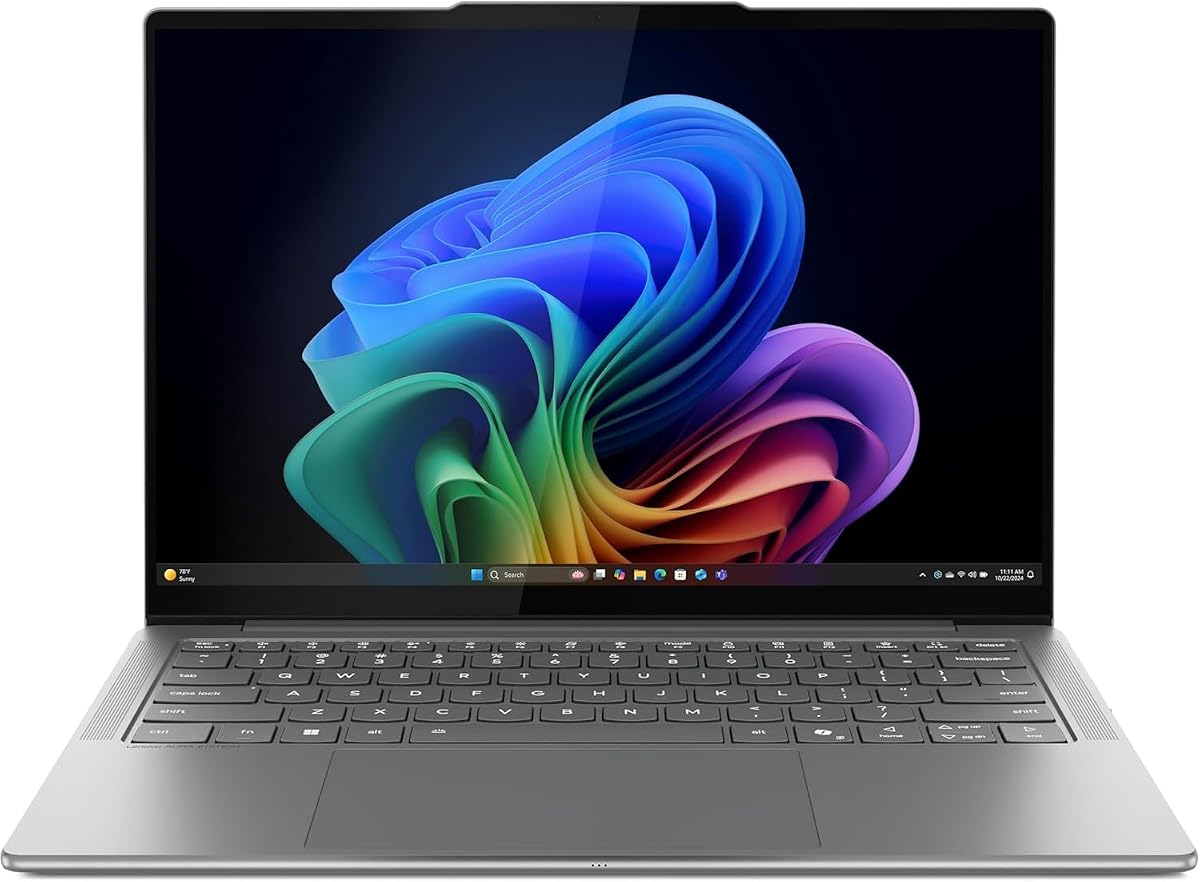
The Lenovo Slim 7i Aura Edition is a refined 14-inch OLED touchscreen for creators and professionals who prioritize portability. With a 4.4 rating, an Intel Core Ultra 7 258V processor, 32GB of memory, and a chassis starting at 2.82 pounds, it delivers a particularly convincing mix of premium display quality and mobility.
We may earn a commission when you buy through this link, at no additional cost to you.
The display supports DisplayHDR True Black 500 and reaches a stated 600-nit peak brightness, making it one of the brightest OLED options here. WUXGA resolution and a 60Hz refresh rate are less advanced than the 2.8K and high-refresh alternatives, but the strong HDR capability and true-to-life color can matter more for media viewing and carefully judged content.
Core Ultra 7 258V hardware, 32GB of memory, and a 30W thermal design support a capable creator-oriented balance. Quad speakers, dual microphones, a 1.5mm keyboard, and a 5MP RGB+IR camera provide a refined multimedia and communications experience. Lenovo's AI applications and Premium Suite add personalization, Voice ID, AI focus, noise cancellation, and a silent trackpad.
The stated 17-hour battery life helps offset the demanding display and active thermal system. Intel Unison allows phone-to-PC interaction and drag-and-drop transfer of photos for editing or sharing. This is an ideal choice for a mobile creator who values brightness, touch input, build quality, and battery life over a high-refresh gaming display.
DisplayHDR True Black 500 and 600-nit peak brightness give the Slim 7i a strong HDR foundation. The emphasis is on accurate, vivid presentation rather than competitive gaming motion.
At a starting weight of 2.82 pounds, the aluminum chassis remains highly portable despite the 14-inch touchscreen. The 17-hour stated runtime, quad speakers, high-resolution camera, and sophisticated keyboard support a polished workday.
We may earn a commission when you buy through this link, at no additional cost to you.
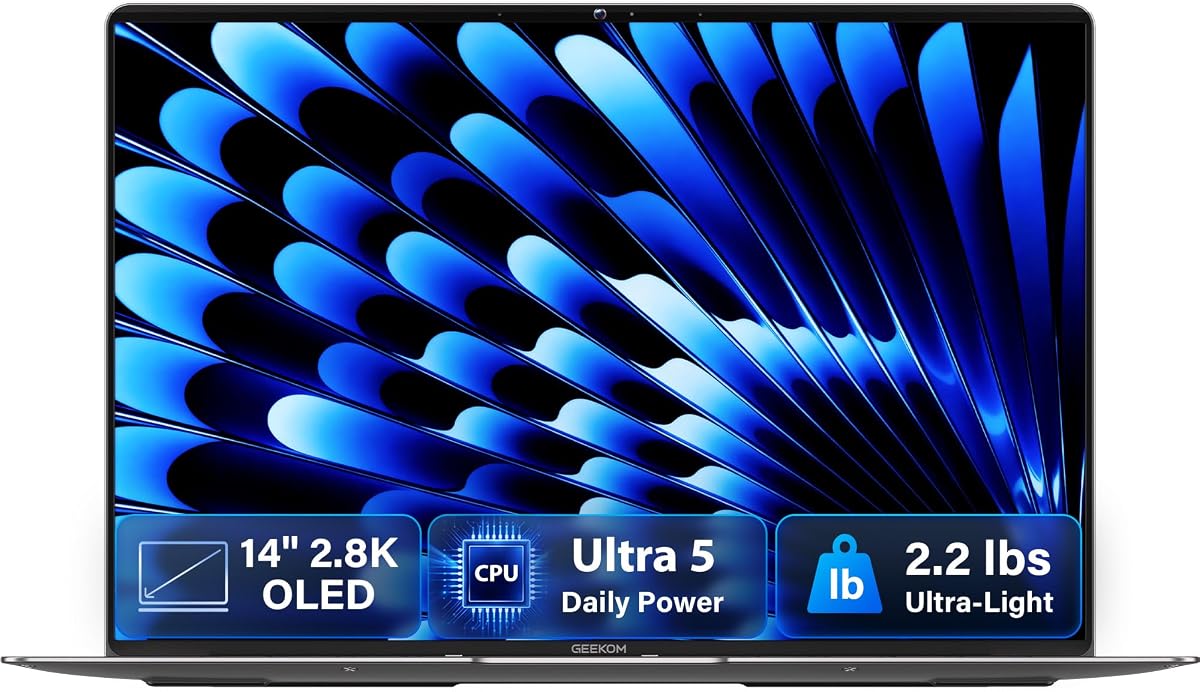
The GEEKOM GeekBook X14 Pro combines a 2.2-pound magnesium chassis with a 14-inch 2.8K OLED panel, 120Hz refresh, and 100% DCI-P3 coverage. Its 4.3 rating reflects an unusually attractive blend of screen quality, mobility, modern connectivity, and integrated performance.
We may earn a commission when you buy through this link, at no additional cost to you.
Its display is the most compelling feature. The high-resolution panel delivers true blacks, rich contrast, and natural color across the DCI-P3 gamut. A 120Hz refresh rate keeps scrolling and animation fluid, while up to 450 nits provides useful visibility in bright spaces. Together, these specifications make the X14 Pro particularly appealing for media consumption and color-sensitive creative work.
The Intel Core Ultra 5 125U includes 12 cores and 14 threads with up to 4.3GHz boost speed and 12MB of Smart Cache. Intel Arc graphics brings ray tracing, AV1 encoding, and XeSS support, while a dedicated NPU enables compatible on-device AI features. The 16GB of LPDDR5 memory runs at 6400MHz, and a 512GB PCIe Gen4 solid-state drive provides fast everyday storage.
Connectivity is exceptional for a ultraportable. Two 40Gbps USB4 ports support power delivery and DisplayPort 2.1, alongside HDMI 2.1, USB-A, and an audio jack. A docking station is included, and the machine also offers fingerprint unlock and a physical camera shutter. Its 72Wh battery is stated to deliver up to 16 hours of use, making this a compelling choice for travelers who prioritize a superior OLED screen.
The 2.8K resolution, 120Hz refresh, 450-nit brightness, and wide color gamut create a display that looks more like a premium standalone monitor. The magnesium unibody keeps the complete package remarkably light at only 2.2 pounds.
Dual USB4 ports, HDMI 2.1, and the included dock make this slim notebook unusually adaptable. The physical camera shutter and fingerprint reader also address privacy and convenient secure sign-in.
We may earn a commission when you buy through this link, at no additional cost to you.
The Lenovo Legion 5a is the clear premium gaming choice in this guide, pairing a 15.3-inch 2560 x 1600 OLED display with a 165Hz refresh rate and NVIDIA GeForce RTX 5060 graphics. It holds a 5.0 rating, and the combination of high resolution, smooth motion, dedicated GPU hardware, and 32GB of memory makes it ideal for serious gaming and graphics work.
We may earn a commission when you buy through this link, at no additional cost to you.
The display includes 100% DCI-P3 color coverage, NVIDIA G-SYNC, and DisplayHDR True Black 1000. Deep blacks, rich color, and a fast refresh rate create a vivid combination for games, video, and creative applications. It is also the most clearly gaming-oriented OLED screen here, making it a natural fit for users who value both visual immersion and responsive motion.
The Ryzen 7 250 has eight cores and 16 threads with speeds up to 5.1GHz, while integrated Ryzen AI provides up to 16 TOPS for supported applications. The RTX 5060 includes 8GB of GDDR7 memory, a 115W TGP, and 572 AI TOPS, supporting modern games, rendering, video editing, and other graphics-intensive tasks.
The package includes 32GB of DDR5 memory, a 1TB solid-state drive, and a portable 500GB drive. Wi-Fi 7, Bluetooth 5.4, USB4, HDMI 2.1, Ethernet, and multiple USB-A ports offer excellent connectivity. The 80Wh battery, RGB keyboard, camera privacy shutter, and approximately five-pound design complete a capable premium system, although portability is clearly secondary to performance.
A 165Hz panel, G-SYNC support, and an RTX 5060 deliver the strongest gaming combination in this guide. The high-resolution OLED panel also preserves fine detail in both games and entertainment.
The 32GB of memory, 1TB drive, and extra portable storage avoid obvious capacity limitations. Wi-Fi 7, Ethernet, USB4, and multiple legacy ports make the system flexible for gaming, work, and creative tasks.
We may earn a commission when you buy through this link, at no additional cost to you.
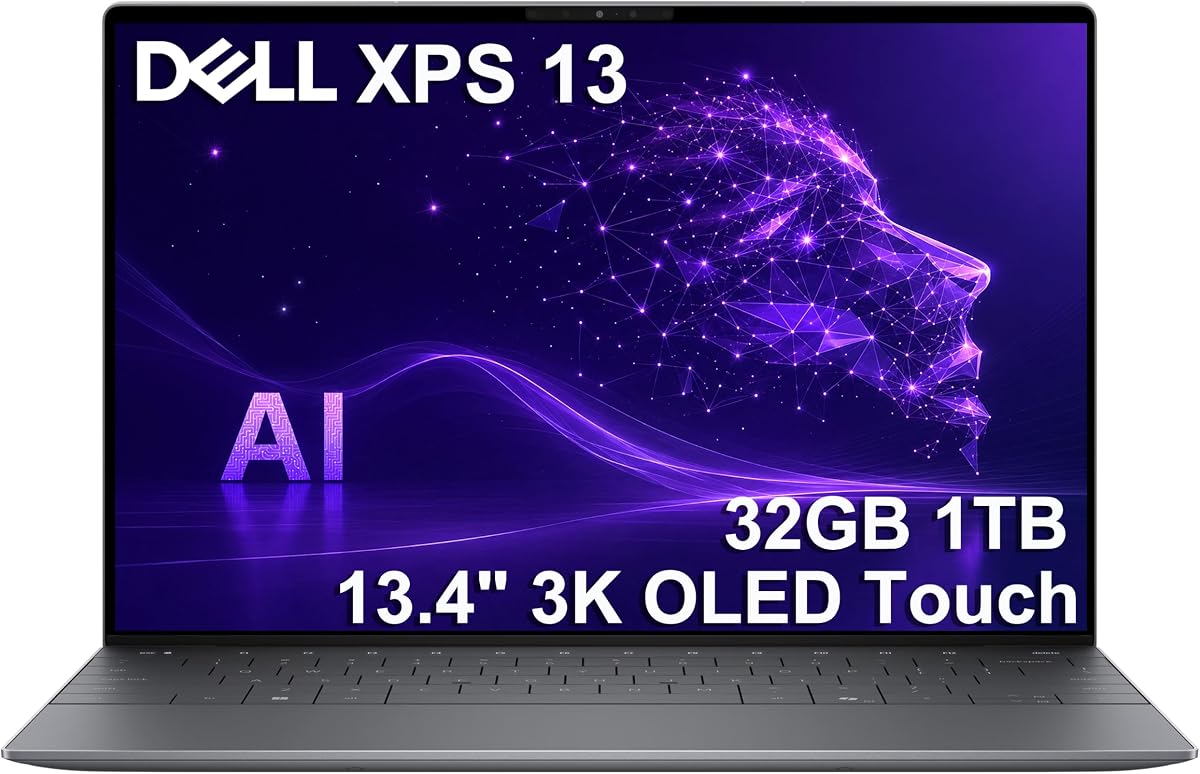
The Dell XPS 13 9345 pairs a 13.4-inch 3K OLED touchscreen with Snapdragon X Elite processing, 32GB of unusually fast memory, and a 1TB solid-state drive. Its 4.5 rating reflects a premium mobile platform with excellent endurance, a highly refined display, and professional Windows features in a compact form factor.
We may earn a commission when you buy through this link, at no additional cost to you.
The 2880 x 1800 OLED panel delivers crisp text, vivid color, and deep contrast at a stated 400 nits. Its anti-reflective finish should be useful under bright conditions. Touch support adds flexibility for creative sketching, navigation, and presentations, while the compact 13.4-inch footprint makes the laptop easier to carry than larger OLED alternatives.
The Snapdragon X Elite X1E-80-100 processor offers 12 cores, dual-core boost up to 4GHz, and an NPU rated up to 45 TOPS. Its 32GB of 8448MT/s DDR5 memory and 1TB PCIe solid-state drive create a fast configuration. The platform is designed for efficient, on-device AI and desktop-class productivity, though buyers should confirm compatibility with specialized applications and peripherals.
The system supports up to two external 4K monitors through its USB4 Type-C ports without a docking station. Wi-Fi 7, Bluetooth 5.4, a fingerprint reader, and a backlit keyboard round out the mobile experience. Windows 11 Pro adds BitLocker, Remote Desktop, Hyper-V, and Group Policy. The seller states that the SSD was upgraded and resealed, with a three-year warranty on that drive.
The combination of high resolution, OLED contrast, anti-reflective treatment, and touch input makes the display ideal for premium mobile use. It is especially compelling for users who want a large viewing area without carrying a full-size notebook.
Windows 11 Pro features distinguish the XPS 13 9345 from many consumer-oriented Copilot+ systems. Before buying, confirm that your essential applications, drivers, plug-ins, and security tools are optimized for the Snapdragon platform.
We may earn a commission when you buy through this link, at no additional cost to you.
Choosing an OLED laptop requires balancing image quality with processor capability, battery life, portability, connectivity, and software compatibility. The most important step is to identify how you will use the display and which applications must run reliably before comparing individual configurations.
Resolution determines how much detail the screen can show and how sharply text and small interface elements appear. The Acer Swift Go 16 leads the group with a 3200 x 2000 panel, while the IdeaPad Pro 5, GEEKOM GeekBook X14 Pro, and Dell XPS 13 9345 use 2880 x 1800 or 2.8K-class resolution. A 1920 x 1200 WUXGA screen remains perfectly usable for productivity and may keep costs and power demands lower. Refresh rate matters most for animation, fast scrolling, and gaming: 120Hz models feel considerably smoother, while 165Hz is preferable for competitive or high-frame-rate play.
OLED panels can look striking at moderate brightness, but peak brightness and HDR support determine how well content remains visible in bright rooms or on high-end displays. The Lenovo Slim 7i reaches a stated 600 nits, the GEEKOM offers up to 450 nits, and the Dell reaches 400 nits, while the HP OmniBook models list up to 300 nits. HDR standards such as DisplayHDR True Black 500 or 1000 add useful contrast specifications for supported movies and creative work. Always distinguish a general peak-brightness claim from certified HDR performance.
Wide color coverage can improve photo review, video editing, and design work, but color space coverage alone does not guarantee complete accuracy. The Acer Swift Go 16 and GEEKOM GeekBook X14 Pro list 100% DCI-P3 coverage, and the Legion 5a also claims 100% DCI-P3. For serious color work, verify calibration, color accuracy, brightness consistency, and support for professional software. Creators should also examine processing power, GPU capability, memory, storage, and color-management support alongside the raw panel specifications.
The list spans AMD Ryzen AI processors, Intel Core Ultra chips, and Snapdragon X platforms. Intel and AMD systems are generally the safer starting point when broad desktop application, driver, and peripheral compatibility matters. Snapdragon laptops can be excellent for web-based work, office tasks, communication, and supported creative applications, but legacy software and specialized peripherals require verification. Discrete NVIDIA graphics, as found in the IdeaPad Pro 5 and Legion 5a, provide a major advantage for demanding games, 3D rendering, and accelerated video workflows.
Memory determines how comfortably a laptop handles many open applications, browser tabs, large media libraries, and background tasks. The Acer's 8GB configuration is the most constrained, while 32GB models are better suited to demanding work. Storage options range from 256GB to 1TB, plus an additional drive in the Legion package. A 512GB drive is a practical minimum for a system expected to hold applications and active project files. Check whether memory is soldered and whether storage is upgradeable before making a long-term purchase.
OLED screens can consume meaningful power, and processor efficiency, display brightness, and workload have a large effect on real-world endurance. Stated figures range from 16 hours for the GEEKOM to more than 41 hours for the HP OmniBook 3, but controlled test conditions make direct comparisons imperfect. Weight ranges from 2.2 pounds for the GEEKOM to approximately five pounds for the Legion 5a. Frequent travelers should prioritize weight, battery capacity, and charging speed, while gaming laptops generally demand more power and carry greater weight.
A good port selection can eliminate the daily need for adapters. USB4 and Thunderbolt 4 provide fast transfers, charging, and external-display support, while HDMI 2.1 simplifies connection to larger displays and projectors. USB-A remains useful for legacy peripherals, and an SD card reader is valuable to photographers. The GEEKOM includes a docking station, while the IdeaPad Pro 5 offers one of the broadest built-in selections. Confirm the number and resolution of external displays your workflow requires, especially with the Snapdragon models.
Fingerprint readers, IR cameras, physical privacy shutters, TPM 2.0, and Microsoft Pluton can improve everyday security. The Dell XPS includes Windows 11 Pro, BitLocker, Remote Desktop, Hyper-V, and Group Policy, which may be valuable for professional or managed environments. Snapdragon compatibility should be checked against required applications, drivers, extensions, and peripherals. Warranty terms also vary, with some systems including a multi-year drive warranty while relying on standard manufacturer coverage for other components. Read the listing's warranty and return information carefully.
Set the display scale and resolution to a comfortable level as soon as you begin using the laptop. On high-resolution models, increasing the scaling percentage can make small text easier to read without changing the workspace. Choose an appropriate refresh rate for your activity, and use the system's energy-saving modes when working on battery power. For image viewing, calibration tools can help ensure that colors appear as intended on a bright or dim screen.
Treat the OLED panel with the same care you would give a premium monitor. Avoid resting the keyboard's pointed edges against the display, use a protective case during transport, and clean the surface with a soft microfiber cloth and suitable screen-cleaning solution. Do not apply pressure to the panel, and avoid placing the laptop in a position where the lid may contact objects in a bag. Keeping the display off when the lid is closed also prevents accidental touch input.
To maintain long-term performance, keep system software, graphics drivers, and the BIOS current through the manufacturer's official update tools. Allow the laptop's vents to remain unobstructed, use a stable surface during intensive workloads, and take occasional breaks to reduce eye strain. For additional OLED longevity, avoid leaving the panel at extreme brightness for long periods, enable the system's screen-off and sleep functions, and use a screensaver or lock screen when the computer is unattended.
OLED screens generally provide deeper blacks, stronger contrast, and more vibrant color than typical IPS laptop panels. They can also show deeper-looking imagery in movies and games, although brightness outdoors, battery impact, and panel longevity can vary by model. An IPS display may be more practical when maximum battery life or a lower cost matters more than visual richness.
A higher refresh rate makes scrolling, animation, cursor movement, and supported games appear smoother. The 120Hz models in this guide are a good balance for general use and creative work, while the 165Hz Legion 5a is better for fast-paced gaming. A 60Hz OLED remains perfectly usable for office tasks, browsing, and standard video viewing.
Yes, particularly models with wide DCI-P3 color coverage, strong HDR specifications, and sufficient processing power. The Acer Swift Go 16, GEEKOM GeekBook X14 Pro, Lenovo IdeaPad Pro 5, and Legion 5a are strong candidates based on their listed display and graphics capabilities. Color-critical work still calls for calibration and confirmation that the laptop can run your editing and color-management software.
Compatibility depends on the specific applications, drivers, plug-ins, and peripherals you use. The HP OmniBook models and Dell XPS 13 9345 are built on Snapdragon platforms and support many modern productivity workloads, but specialized or older software may have limitations. Check each essential program and accessory against the manufacturer's supported-platform list before purchasing.
Sixteen gigabytes is a comfortable minimum for general productivity, browsing, and office use, while 32GB is preferable for heavy multitasking, large creative projects, and demanding applications. The 8GB Acer Swift Go configuration may be adequate for lighter use, but it offers less flexibility as files and applications accumulate.
Modern laptops include power-management features designed to reduce display wear, and ordinary use should not be a concern. Brightness, display time, static content, and environmental factors can affect long-term panel aging. Enabling screen-off and sleep timers, using a screensaver, and avoiding extreme brightness continuously are sensible precautions.
The GEEKOM GeekBook X14 Pro is listed at 2.2 pounds, making it the lightest model here. The Lenovo Slim 7i starts at 2.82 pounds, while the ASUS Vivobook S16 configurations weigh 3.75 pounds. Actual carrying comfort can also depend on thickness, keyboard feel, balance, and charger size.
A gaming OLED laptop can be excellent for productivity and media, but it may be heavier, cost more to operate, and provide less battery life than a thin productivity model. The Legion 5a is worth considering if you value 165Hz motion, dedicated graphics, and extensive connectivity. A lighter model is usually more appropriate when the primary need is office work, study, or travel.
The Lenovo IdeaPad Pro 5 is the strongest all-around choice because it combines a sharp 120Hz OLED, discrete RTX graphics, strong connectivity, and creator-oriented features. The Acer Swift Go 16 stands out as the value-focused option for buyers who prioritize a remarkably sharp 3.2K OLED panel, while the Legion 5a is the premium choice for high-refresh gaming and graphics-intensive work.
Your priorities should determine the remaining selection. The GEEKOM GeekBook X14 Pro offers the most exceptional combination of portability and display resolution, the Dell XPS 13 9345 serves users who want a compact 3K OLED touchscreen and professional Windows features, and the Lenovo Slim 7i focuses on a bright premium OLED in a highly portable chassis. HP and ASUS Snapdragon options prioritize endurance and AI-assisted workflows.
Before making a final decision, verify the current product listing, exact display specifications, component warranty, included accessories, and compatibility with your required applications. Pricing and configurations can change, so comparing the latest listing details will help ensure that the selected laptop still delivers the display quality, performance, and portability that match your priorities.